


Release Notes – June, 2026
This month is packed with improvements across Noca Apps, Flows, Bots, Docs, and the Platform. We’ve focused on making everyday building faster and more intuitive—from smarter debugging and smoother app editing to richer integrations, AI-assisted development, and simpler deployment between environments. You’ll also find new capabilities for document signing, payments, authentication, and state management, along with plenty of enhancements and bug fixes that make the entire platform feel smoother.
A major milestone: Noca Apps V2 is now officially Noca Apps, and Noca Apps V1 has been deprecated. Going forward, all new app development takes place in the latest generation of Noca Apps, bringing a more powerful, streamlined, and AI-first app-building experience.
🚀 Dive into this month’s updates, try out the new features, and as always, we’d love to hear what you’d like us to build next.
Flows
Features
- Auto Focus on Loop Iteration in Debug
When an error occurs inside a loop, the debugger now automatically focuses on the iteration where the error happened, eliminating the need to manually search through loop executions.
Read more about Quick Troubleshooting for Loop Errors - Get Folder List from Amazon S3
Just like Get List of Files lets you retrieve files from cloud storage providers, you can now retrieve a list of folders from Amazon S3, making it easier to browse bucket structures and build dynamic file workflows.
Learn about browsing Cloud Storage Folders in Automation
Enhancements
- Nested Object Support for Listen to Webhook
When a webhook payload contains nested objects, Listen to Webhook now automatically detects them, displays the nested structure in the node data, and creates parameters for the nested object so you can easily use its values throughout your flow.
Read more about Working with Nested Webhook Data - SSH Key Authentication for SFTP
SFTP connections now support SSH key authentication in addition to username and password, providing a more secure and flexible way to connect to SFTP servers.
Learn more about Secure SFTP Connections with SSH Keys - Support for Priority File Objects
The Priority integration now supports objects that store files, such as Customer Documents and other file-enabled objects. This allows your flows to work directly with documents and attachments stored in Priority as part of your business processes.
Find out more about Working with File Objects in Priority ERP - App Reference for App-Generated Flows
The My Flows list now includes a column for flows that were created through an app. This makes it easy to identify which app a flow belongs to and quickly understand its context.
Discover more about Identifying App-Generated Flows
Apps
Features
- Auto Refresh Events
The Events list now refreshes automatically whenever you enter the page, ensuring the latest events are displayed without requiring a manual refresh.
Read more about Auto-Refreshing Automation Events - Redirect Between Apps with Parameters
You can now redirect users from one app to another while passing parameters in the URL, making it easy to transfer context and create seamless multi-app experiences.
Learn about Connecting Apps Without Losing Context - Address Lookup Using Google Places
You can now configure a Lookup field to use Google Places for address search. As users type, Noca returns validated address suggestions from Google Places, making address entry faster and more accurate.
Note: Google Places lookups consume 10 credit per search.
Find out more on Address Autocomplete Using Google Places - Roll Back App Changes from Chat
After AI-generated app edits are completed, the chat now lets you decide whether to keep or discard the changes. If you choose not to keep them, Noca automatically rolls the app back to its previous state, making it easy to experiment without worrying about unwanted edits.
Discover more about Roll Back AI-Generated App Changes - Update an Input or All Matching Inputs
When you edit an input that appears multiple times on the same page, Noca now asks whether you want to apply the change to all matching inputs or only the selected one. This makes it easy to keep repeated sections consistent while still allowing individual inputs to be customized when needed.
Read more about managing Identical Inputs More Efficiently - Embedded Pelecard Payments in Apps
You can now build complete payment experiences directly inside your apps using Pelecard. Populate the app with data from your business systems, let users review or complete their order, then launch a secure embedded Pelecard payment modal to complete the transaction without leaving the app. This enables end-to-end payment workflows as a seamless part of the app experience.
Learn about Embedded Payments Inside Business Apps - Customizable One-Time Password (OTP) Login
You can now add One-Time Password (OTP) authentication to your app. When OTP is selected as the login method, the login page is created to match the app’s look and feel and can be edited and customized just like any other page in the app builder.
Discover more about Creating Branded One-Time Password (OTP) Login Pages - General Context for App Styles
The Brand tab in the Style Builder now includes a General Context field. Use this free-text field to describe your company, brand, users, or any other background information that helps AI generate app styles that better match your business and design goals.
Read more about Building Better App Styles with General Context - App Import with Connection Mapping
You can now move complete apps between environments with a streamlined export followed by an import process. When you export an app, its connected flows and integration references are included in the package. Once downloaded, you can import the app into the destination environment. During the import, Noca detects the required connections and lets you choose which destination connections to map them to, making app deployment across environments simple and reliable.
Find out more on Deploying Applications Across Environments - Create Event Flows Without Leaving the App Builder
Creating a new event now opens the Flow Builder in a modal within the App Builder instead of a new browser tab, providing a more intuitive workflow and keeping you in the context of your app while building the event flow.
Discover more about Building Event Flows Without Leaving the App Builder
Enhancements
- Improved Lookup Search Performance
Lookup fields now wait slightly longer before starting a search, reducing unnecessary requests while users are typing. This provides a smoother experience by allowing users to enter more of their search term before the lookup runs. - Edit Multi-Page Apps Without Logging In
When building a multi-page app, having a Login component no longer requires you to log in before navigating between pages in the canvas. You can now freely switch between and edit all pages without signing in.
Learn Why Login Shouldn’t Get in the Way of Building Your App - Navigate to App Modals for Editing
You can now navigate directly to your app’s modals from the canvas pages list and edit them just like any other page, making it easier to manage your app without leaving the builder.
Find out more about Managing App Modals More Efficiently - Switch Pages from the Events Panel
The Events panel now includes a page selector, allowing you to quickly switch between pages while viewing their events. Selecting a different page automatically displays its events and navigates the canvas to that page, making it faster to configure events across multi-page apps.
Discover more about managing Events Across Multi-Page Apps
Bugs
- Fixed Lookup Value Reset
Fixed an issue where selecting a value in a Lookup field could unexpectedly reset the value of another field in the app.
Bots
Features
- Refine Bot Instructions from Debug Chat
You can now improve your bot’s instructions directly from the Debug chat while testing. If a response isn’t what you expected, simply describe what should change. The bot updates its instruction set based on your feedback, allowing you to refine its behavior on the fly without manually uploading a new instruction file or editing the bot’s instruction text in the configuration.
Read more about Improving AI Bots Through Conversation
Enhancements
- Test Bot Changes from the Chat
Building on the new Refine Bot Instructions from Debug Chat feature, a Test button has been added to the bot editing chat, allowing you to instantly preview how your bot responds with the instruction changes you’ve made before applying them.
Learn more about validating AI Bot Changes Before Applying Them
Bugs
- Fixed Link Display in Bot Chat
Fixed a display issue where links shared in the bot chat did not appear as clickable links, making them easier to recognize and open.
Docs
Features
- Support for Multiple PDF Signers
You can now configure multiple signers for PDF documents. Signers are notified one at a time, with each person receiving the document only after the previous signer has completed their signature, enabling secure, sequential approval workflows.
Read more about supporting Multiple Signers for PDF Documents
Platform
Features
- Organize Projects with Account Folders
You can now create folders under your account to organize apps, bots, flows, and other resources.
In addition, when a flow is created from an app event or a bot, Noca automatically creates a folder containing both the parent resource and its related flow, making it easier to keep connected assets organized and manage your projects.
Read more about Organizing Projects with Folders - Native SAP Business One Integration
Noca now includes a native integration with SAP Business One, making it easier to connect your automations and apps directly to your SAP Business One environment without relying on custom integrations.
Find out more about Connecting to SAP Business One with a Native Integration - Added Shopify Integration
Noca now includes a native Shopify integration, making it easy to connect your automations and apps to your Shopify store. Access Shopify data and build end-to-end workflows without custom integrations.
Discover more about Connecting Business Applications to Shopify - App Variables Across All App Pages
You can now create App Variables to share data across all pages of an app without relying on URL parameters. Unlike URL parameters, app variables don’t need to be passed every time users navigate between pages and aren’t exposed in the URL, making them a cleaner and more secure way to manage data throughout your app.
Use the Set Variable action in your flows to assign values to app variables. Once set, the values are immediately available across all pages of the app.
Note: App variables are available only during the current app session. They are cleared when the app is refreshed or reopened and are not carried over when navigating to another app.
Read more about App Variables Across All App Pages
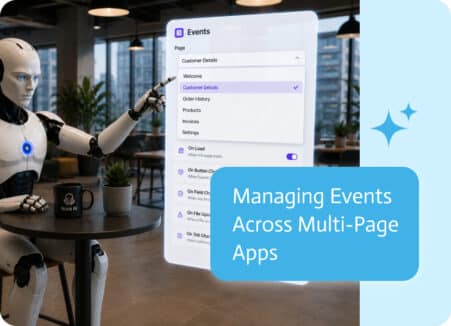
As applications grow, so does the number of pages and the events attached to them. Buttons, forms, page loads, and user actions can each trigger…

The days of robotic IVR menus that leave you cranky (“Press 1 for Sales”) have come to an end. A new generation of hyper-realistic, intuitive…
Opportunity stages in Salesforce are supposed to tell you where a deal stands, but stages don’t do anything on their own. A brand-new opportunity can…