
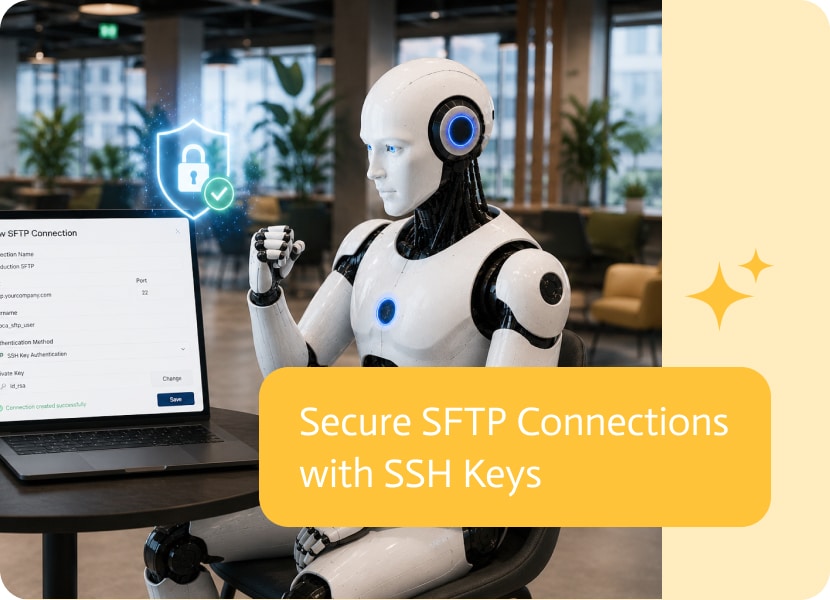

Secure SFTP Connections with SSH Keys
SFTP is one of the most common ways businesses exchange files between systems. From invoices and reports to customer data and inventory updates, many automated workflows rely on secure file transfers to move information reliably.
Choosing the right authentication method is an important part of keeping those transfers secure.
▶ Watch “Secure SFTP Connections With SSH Keys for Automated Transfers” with summary and FAQ
Why Use SSH Keys?
Traditionally, SFTP connections are authenticated using a username and password. While this approach is widely supported, many organizations prefer SSH key authentication because it provides an additional layer of security and eliminates the need to manage passwords for automated processes.
SSH keys are commonly required by enterprise systems and managed file transfer services.ne step in a larger business process. Users often need to review information, confirm details, or update data before completing the transaction.
Ideal for Automated Workflows
Unlike people, automated processes can’t manually enter passwords or respond to password changes.
SSH keys provide a reliable authentication method for scheduled file transfers, allowing integrations to continue running without interruption while meeting stricter security requirements.
Meet Enterprise Security Standards
Many organizations have security policies that discourage or prohibit password-based authentication for system-to-system communication.
Supporting SSH keys helps organizations comply with internal security standards while reducing the risk associated with shared or stored passwords.
Build More Secure Integrations
Whether you’re exchanging files with customers, suppliers, banks, or internal systems, secure authentication is essential.
Using SSH keys for SFTP connections provides a more secure and flexible foundation for file-based integrations, helping organizations protect their data while keeping automated workflows running smoothly.
Frequently Asked Questions
Why use SSH keys instead of a password for SFTP?
SSH key authentication adds a layer of security and removes the need to manage passwords for automated processes. Many organizations prefer it over a username and password, and SSH keys are commonly required by enterprise systems and managed file transfer services.
Are SSH keys a good fit for automated file transfers?
Yes. Automated processes cannot manually enter passwords or respond to password changes, so SSH keys give scheduled file transfers a reliable way to authenticate. Integrations can keep running without interruption while still meeting stricter security requirements.
Does Noca support SSH key authentication for SFTP?
Yes. Noca supports SSH keys for SFTP connections, which helps organizations meet internal security standards and reduces the risk of shared or stored passwords. It gives file-based integrations with customers, suppliers, banks or internal systems a more secure foundation.
Can I set up SFTP automations through an AI assistant connected to Noca?
Yes. AI assistants such as Claude and ChatGPT can build and manage workflows in Noca through the MCP server. Credentials are connected through a secure connection flow rather than pasted into the chat, which keeps sensitive details out of the conversation.
Many automation workflows begin with finding the right location before processing any files. Whether you’re importing documents, generating reports, or…

Building an AI bot is rarely a one-and-done process. Even with carefully written instructions, you’ll often discover small improvements after seeing real…

Loops are one of the most powerful building blocks in automation. They allow a single process to work through lists of records, files, orders, invoices,…

When building automations, developers and business users often rely on event lists to monitor available triggers, newly created events, or changes coming…