
What Is an Approval Workflow? Examples and Templates
Noca Flows: AI workflow automation you can set up from a plain-language prompt, connected to your CRM, ERP and other systems. Free plan available.
An approval workflow is a defined sequence of steps that routes a request, such as a purchase, expense, contract or access request, to the right people for review, and then approves, rejects or returns it before the work moves forward. Automated approval workflows apply rules, notify approvers, record every decision and update your systems when the request is approved.
Key takeaways
- Approval workflow = request + rules + approvers + decision + next action.
- Automation replaces email chains and spreadsheets with consistent routing and a full audit trail.
- The best workflows approve the actual document or data, then act on the decision automatically.
- In 2027, you can describe an approval workflow in plain language and have it built for you.
How does an approval workflow work?
- Request: someone submits a form or a record changes, for example a purchase request or a discounted quote.
- Rules: the workflow checks conditions, such as amount, department or risk level, to decide who must approve.
- Routing: approvers are notified by email, Slack or Microsoft Teams. Steps can be sequential (manager, then finance) or parallel (legal and security at the same time).
- Decision: each approver approves, rejects or sends the request back with comments.
- Escalation: if an approver does not respond in time, the request is reminded or escalated.
- Action: once approved, the workflow does the work: generates a document, sends it for signature, creates a record or grants access.
- Audit: every step, decision and timestamp is logged.
Types of approval workflows
- Single-step: one approver, such as a manager approving time off.
- Sequential: approvers in order, such as manager, then finance, then CFO for large purchases.
- Parallel: several approvers at once, such as legal and security reviewing a vendor.
- Conditional: the route changes based on data, such as adding the CFO only above a spending threshold.
Approval workflow examples
| Process | Trigger | Approvers | After approval |
|---|---|---|---|
| Purchase request | Purchase request form | Manager; finance above a threshold | Purchase order created in the ERP |
| Expense report | Expense form with receipts | Manager, then finance | Reimbursement queued, record updated |
| Sales discount | Quote with discount above limit | Sales manager | Quote sent for e-signature |
| Contract review | New contract or non-standard terms | Legal, then signatory | Contract sent for signature and stored |
| Vendor onboarding | Vendor form | Procurement and finance | Agreement signed, supplier created in NetSuite or Priority |
| IT access request | Access request form | Manager, then system owner | Access provisioned and logged |
| Offer letter | Hiring manager request | HR and budget owner | Offer letter generated, signed, employee created in the HR system |
Approval workflow templates you can copy
Template 1: Purchase request approval
- Form fields: requester, department, vendor, description, amount, cost center, quote attachment.
- Rules: under your first threshold, manager only; above it, manager then finance; above a higher threshold, add the CFO.
- Escalation: remind after two business days, escalate to the approver’s manager after four.
- On approval: create the purchase order in the ERP and notify the requester.
Template 2: Sales discount approval
- Trigger: a quote with a discount above your standard limit.
- Approver: sales manager, with the generated quote attached for review.
- On approval: send the quote for e-signature; when signed, mark the deal won in the CRM.
- On rejection: return to the rep with comments.
Template 3: IT access request
- Form fields: employee, system, access level, business justification (required for admin access), end date.
- Route: manager, then system owner; security review added for admin access.
- On approval: provision access and log the change; schedule removal on the end date.
Benefits of automated approval workflows
- Speed: requests reach the right person immediately, with reminders instead of chasing.
- Control: rules apply the same way every time, so nothing skips review.
- Visibility: everyone can see where a request stands.
- Audit readiness: every decision is recorded with who, what and when.
- Less rework: the approved data flows straight into documents and systems.
Common approval workflow mistakes
- Too many approvers. Every extra step adds delay. Add approvers only where they change the decision.
- No escalation path. Without reminders and backups, requests stall when someone is on vacation.
- Approving summaries instead of documents. Show approvers the actual quote, contract or request details.
- Manual follow-through. If someone still has to create the purchase order or grant access by hand, the workflow is only half automated.
How to choose an approval workflow tool
- Routing flexibility: sequential, parallel and conditional steps, plus delegation and escalation.
- Where approvers work: email, Slack, Microsoft Teams or mobile.
- What comes after approval: document generation, e-signature and updates to your CRM, ERP or HR system.
- Integrations: native connectors for your core systems.
- Audit and permissions: logs, role-based access and data controls.
Compare tools in the best approval workflow software and, for broader automation, Best AI Workflow Automation Tools in 2027.
How Noca handles approval workflows
Noca Approval Workflow lets you build approvals from a prompt or with drag and drop, for example: “When someone submits a purchase request over the threshold, route it to their manager and then finance, and when approved, create the purchase order in NetSuite and notify them in Slack.” Because Noca also includes forms, document generation, e-signatures and 60+ integrations, the approved request can produce a signed document and update your systems in the same flow, with role-based permissions and audit trails throughout. Step-by-step examples: how to build an expense approval workflow and how to automate IT access requests with approvals.
Frequently asked questions
What is an approval workflow in simple terms?
It is the path a request follows to get a yes or no from the right people. Automated approval workflows route requests by rules, notify approvers and act on the decision.
What are common examples of approval workflows?
Common examples include purchase requests, expense reports, sales discounts, contract reviews, vendor onboarding, IT access requests and offer letters. Any request that needs a sign-off before work continues can use one.
What is the difference between sequential and parallel approvals?
Sequential approvals go to one approver after another, such as manager then finance. Parallel approvals go to several approvers at the same time, such as legal and security reviewing a vendor together.
How do I automate an approval workflow?
Define the request form or trigger, the rules for who approves, the notification channel and what happens after approval. Then build it in a workflow tool, test it with real examples and turn it on.
Can approvals happen in Slack or Microsoft Teams?
Yes. Many approval tools, including Noca, can notify approvers in Slack or Microsoft Teams. This keeps decisions fast because approvers act where they already work.
What should happen after a request is approved?
The workflow should complete the next step automatically, such as generating a document, sending it for signature, creating a record or granting access. Every decision should also be logged for audit.
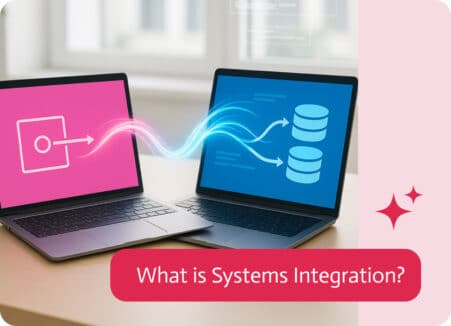
So here’s what systems integration is in a nutshell. Think of it as magical duct tape, a translator, and diplomat all rolled into one tool….
In the dynamic world of Integration Platform as a Service (iPaaS), choosing the right solution can significantly impact your business operations. Today, we’re comparing two…