

Best AI Workflow Automation Tools in 2026
AI workflow automation tools combine traditional automation, connecting apps and running steps, with AI that can read unstructured inputs, make decisions and even build workflows from a description. The market includes very different products, so the best tool depends on what you automate.
Categories of AI workflow automation tools
- App connectors that move data between SaaS apps with triggers and actions.
- Enterprise iPaaS focused on large-scale system integration.
- RPA platforms that automate user-interface tasks.
- AI agent builders focused on autonomous agents.
- Business process automation platforms that combine forms, documents, signatures, integrations and AI in one place.
Capabilities that matter in 2026
- Building workflows from plain-language prompts.
- AI steps for extraction, classification and summarization.
- Native CRM and ERP connectors with real-time triggers.
- Documents and e-signatures inside workflows.
- Human approvals and error handling.
- Run logs and governance.
- Access from AI assistants through MCP.
Questions to ask
- Which of our core systems are supported natively?
- Can business users build and change workflows safely?
- How are AI decisions controlled and logged?
- Can our workflows run from ChatGPT, Claude or Grok?
- How is pricing affected as volume grows?
Where Noca fits
Noca is a business process automation platform: it builds flows, apps, chatbots and AI agents from prompts, includes document generation and e-signatures, connects to 60+ systems and exposes processes to AI assistants through the Noca MCP Server.
Frequently Asked Questions

What is an AI workflow automation tool?
It is software that automates multi-step processes and uses AI to handle unstructured data, make decisions or build workflows from descriptions.
How do I choose an AI workflow automation tool?
Match the tool to your systems and processes: check native connectors, document and approval support, AI governance and whether workflows can run from AI assistants.
Can AI build a workflow for me?
Yes. Platforms like Noca build workflows from a plain-language description, which you can then review and adjust.
What are AI workflow automation tools?
AI workflow automation tools combine traditional automation, connecting apps and running steps, with AI that can read unstructured inputs, make decisions and even build workflows from a description.
What are the key elements of AI workflow automation tools?
Key points include: App connectors that move data between SaaS apps with triggers and actions; Enterprise iPaaS focused on large-scale system integration; RPA platforms that automate user-interface tasks; AI agent builders focused on autonomous agents.
How do you get started with AI workflow automation tools?
1) Building workflows from plain-language prompts 2) AI steps for extraction, classification and summarization 3) Native CRM and ERP connectors with real-time triggers 4) Documents and e-signatures inside workflows 5) Human approvals and error handling.
What else should you consider about AI workflow automation tools?
Consider the following: Which of our core systems are supported natively?; Can business users build and change workflows safely?; How are AI decisions controlled and logged?; Can our workflows run from ChatGPT, Claude or Grok?.
How does Noca help with AI workflow automation tools?
Noca is a business process automation platform: it builds flows, apps, chatbots and AI agents from prompts, includes document generation and e-signatures, connects to 60+ systems and exposes processes to AI assistants through the Noca MCP Server.
Can I use AI workflow automation tools from ChatGPT, Claude or Grok?
Yes. With the Noca MCP Server, ChatGPT, Claude, Grok and other MCP-compatible assistants can run your published Noca flows and use Noca tools for AI workflow automation tools, within the permission groups and per-tool approvals you set.
Do AI workflow automation tools work with Salesforce, NetSuite, SAP and Priority?
Yes. Noca connects natively to Salesforce, NetSuite, SAP, SAP Business One, Priority ERP, HubSpot, monday.com and 60+ other systems, so AI workflow automation tools can use live data from them and update them automatically.
Do I need developers to implement AI workflow automation tools?
No. In Noca you describe what you need in plain language and Noca builds the forms, apps, flows and documents. Developers can extend any process with REST APIs, OpenAPI definitions and webhooks.
How do you keep AI workflow automation tools secure?
Use least-privilege permissions, require approval for sensitive actions and keep a log of every run. Noca follows the TRAPS framework (Trusted, Responsible, Auditable, Private and Secure), records every flow run in integration logs and lets you control data storage for specific flows.
How long does it take to implement AI workflow automation tools?
A first working version can often be built from a prompt and tested quickly. The total time depends on how many systems, approvals and documents are involved and how much testing your team requires before publishing.
How do I measure the results of AI workflow automation tools?
Compare cycle time, manual steps, error rates and adoption before and after. Noca integration logs show how often each process runs, how long it takes and where it fails.
Can Noca automate workflows?
Yes. Noca Flows include triggers, conditions, loops, approvals, documents, signatures and AI steps.
What can trigger a Noca flow?
Can I see what each automation did?
Yes. Every flow run is recorded in integration logs with status, timing, errors and the step where it stopped.
What is Noca?
Noca is an AI-powered business process automation platform that combines forms, document generation, e-signatures, workflow automation, AI agents and 60+ integrations, with an MCP server for ChatGPT, Claude and Grok.
Do I need to code to use Noca?
No. Noca builds apps, flows, bots and documents from plain-language prompts; developers can extend them with APIs and webhooks.
Is Noca secure?
Noca follows the TRAPS framework (Trusted, Responsible, Auditable, Private and Secure), with permissions, approvals and integration logs.
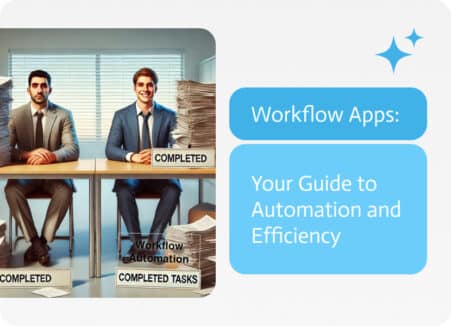
In the ever-evolving business landscape, workflow apps are emerging as game-changers because of their ability to automate and optimize complex processes. This guide delves into…
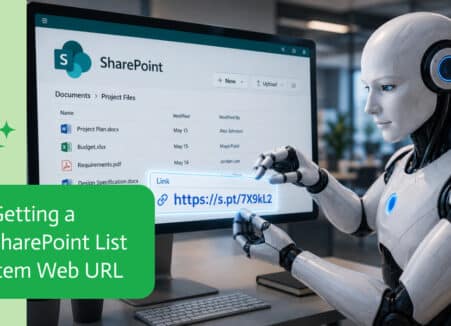
Workflow automation uses software to run repeatable business steps without manual work. Learn the types, examples, tools and how AI is changing automation in 2026.
Automate access requests for apps and systems: request forms, manager and owner approvals, provisioning tasks, revocation and a full audit trail.

Business process automation (BPA) uses technology to run complete processes end to end. Learn the definition, examples, benefits and how to choose a BPA platform.
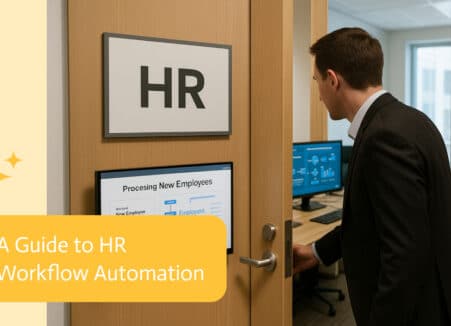
HR work used to mean stacks of paperwork and endless email chains. With workflow automation, special software now picks up that freight and keeps things…