
I recently had the opportunity to implement Noca AI’s integration platform at Enosh, and I wanted to share my experience.
After working with multiple integration platforms over the years, I was genuinely impressed by the efficiency of Noca AI.
What typically takes weeks to set up, we managed to achieve in just a few hours. By leveraging Noca AI, we successfully connected our CRM, ERP, and digital form provider, streamlining processes that previously required extensive manual effort.
A big thank you to the Noca team for their support throughout the process!
Noca MCP Server:
Connect ChatGPT, Claude & Grok to Your Business
Turn ChatGPT, Claude, Grok and any MCP-compatible AI assistant into a place where work gets done. The Noca MCP Server gives AI secure, permission-controlled access to your Noca apps, flows, documents and data, and to Salesforce, NetSuite, SAP and every system connected to Noca.
Schedule a Demo Watch the Setup Video
Don’t just connect AI to your data.
Connect it to your business processes.
Most AI integrations stop at reading information. With Noca, an assistant can ask, understand and execute: generate the agreement, send it for signature, update Salesforce and save the PDF to Google Drive, all from one chat, while Noca runs the real process behind the scenes.
What the Noca MCP Server Gives You
Works With Any MCP Assistant
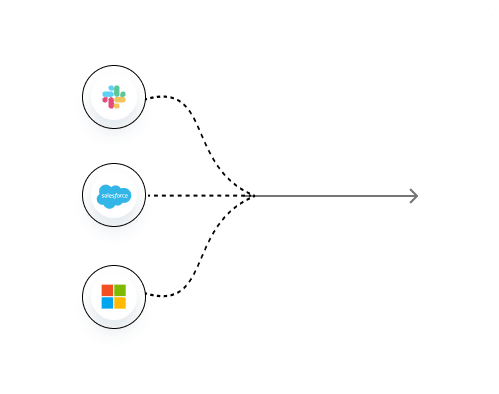
Connect Claude, ChatGPT, Grok or any MCP-compatible AI assistant to your Noca workspace with a single private MCP server URL.
Four Permission Groups
Choose exactly which tool groups AI may use: Builder, Data read, Data write and Admin. Turn on write and admin only when needed.
Per-Tool Approvals
In your assistant, set every Noca tool to Always allow, Needs approval or Blocked, and keep publish and delete actions on approval.
Live Business Data
Ask “How many Salesforce connections do I have?” and get an answer from your live Noca workspace, not a stale export.
Real Actions, Not Just Answers
Assistants can run your published Noca flows with run_flow to generate documents, request e-signatures, create records and trigger automations, and read records directly with query_records.
Secure Sign-In
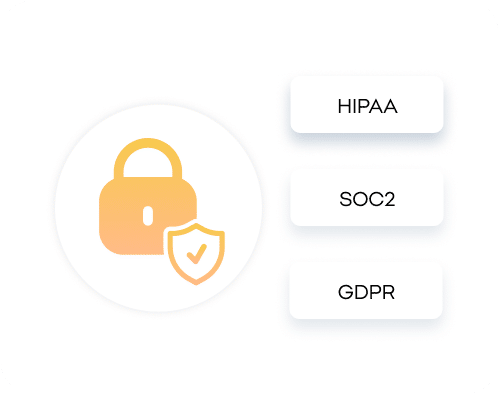
Connections use OAuth sign-in to Noca, and every action runs under the TRAPS framework: Trusted, Responsible, Auditable, Private and Secure.
MCP Use Cases for Every Team
See how teams run real business processes from ChatGPT, Claude and Grok through the Noca MCP Server.
Close Deals From the Chat Window
“Create a quote for Acme from the Salesforce opportunity and send it to John for signature.” Noca generates the document, requests the e-signature and updates the opportunity once it is signed.
Run ERP Processes in Plain Language
Ask your assistant to create a supplier in NetSuite or Priority, check an order in SAP, or start an approval, and Noca executes it with the permissions you set.
Onboard People in One Conversation
“Send Dana the offer letter and onboarding form.” Noca generates the letter, collects the signature and form data, and creates the employee in your HR system.
Resolve Requests Without Switching Tools
Look up a customer across Salesforce, Zendesk and monday.com, open a ticket, and send a follow-up form or document, without leaving ChatGPT, Claude or Grok.

Build and Manage Noca From Your Assistant
With Builder permissions, ask your assistant to create or update Noca apps and flows, review connections and manage your workspace conversationally.


Noca MCP tools reference
The Noca MCP Server exposes 80 tools to ChatGPT, Claude, Grok and other MCP-compatible assistants, across apps, bots, flows, documents, connections and data. Each tool belongs to a permission group: Builder (build and configure), Data read, Data write and Admin (publish, restore and delete, with confirmation for destructive actions). Turn on only the groups you need. The main tools are listed below.
Apps tools
create_app– Create app: Creates the UI of a Noca web app (pages, forms, tables, layout) from a prompt (Builder)update_app– Update app: Changes fields, pages, layout and texts of an existing app (Builder)get_app– Get app: Returns an app summary: build state, published state, live and builder URLs, pages and variables (Builder)get_app_preview– Get app preview: Returns desktop, tablet and mobile screenshots of an app (Builder)list_apps– List apps: Lists the web apps in the account with ids, state and URLs (Builder)set_app_variable– Configure app variable: Adds an app variable without rebuilding the UI (Builder)set_app_url_parameter– Configure app URL parameter: Adds a URL-enabled app variable (Builder)publish_app– Publish app: Publishes an app and the flows it uses so it is live (Admin)unpublish_app– Unpublish app: Takes an app offline (Admin)list_app_versions– List app versions: Lists saved versions of an app (Admin)restore_app_version– Restore app version: Restores a saved app version into the draft (Admin)disconnect_app_flow– Disconnect flow from app: Disconnects one app event from its flow (Admin)delete_app– Delete app: Requests confirmation to soft-delete one app (Admin)
Bots tools
create_bot– Create bot: Creates a Noca chatbot from a prompt, building the flows it needs (Builder)update_bot– Update bot: Changes a bot’s name, language, greeting or instructions (Builder)get_bot– Get bot: Returns a bot’s settings, publication state, sources and MCP configuration (Builder)list_bots– List bots: Lists the chatbots in the account (Builder)validate_bot– Validate bot: Runs readiness checks before publishing (Builder)add_bot_file– Add bot file: Attaches a PDF, TXT or Markdown file as knowledge or rules (Builder)set_bot_instruction– Set bot instruction: Creates or replaces a bot rule file (Builder)set_bot_web_source– Set bot web source: Adds, updates or removes a website the bot learns from (Builder)set_bot_mcp_server– Set bot MCP server: Connects an external MCP server to the bot with a tool allowlist (Builder)list_bot_mcp_tools– List bot MCP tools: Lists available native MCP integrations (Builder)create_bot_flow– Create bot flow: Creates an automation or data-source flow for a bot (Builder)set_bot_flow– Set bot flow: Attaches, updates or detaches a bot flow (Builder)start_bot_conversation– Start bot conversation: Starts a private conversation with a Noca bot (Data read)send_bot_message– Send bot message: Sends a message to a Noca bot and gets its reply (Data read)publish_bot– Publish bot: Publishes a chatbot after readiness checks (Admin)delete_bot– Delete bot: Deletes a chatbot and takes its chat URL offline (Admin)
Flows tools
create_flow_draft– Create flow draft: Creates an empty flow with a trigger, to be built step by step (Builder)add_node– Add node: Adds a step to a flow (Builder)update_node– Update node: Changes the inputs of an existing step (Builder)remove_node– Remove node: Removes a step from a flow (Builder)get_flow– Get flow: Returns the full state of a flow (Builder)list_flows– List flows: Lists the flows in the account (Builder)validate_flow– Validate flow: Checks a flow for missing triggers, connections, inputs and references (Builder)test_flow– Test flow: Runs a flow, or the flow behind an app form or button, with sample data (Builder)set_flow_variable– Configure flow variable: Creates or updates a flow variable (Builder)run_flow– Run flow: Runs the published version of a flow and returns the result (Data write)list_runs– List runs: Lists recent flow runs with status, trigger, timing and errors (Data read)get_run– Get run: Opens one run step by step, like the builder debugger (Data read)publish_flow– Publish flow: Publishes a flow so it runs live (Admin)unpublish_flow– Unpublish flow: Takes a published flow offline (Admin)restore_flow_version– Restore flow version: Restores a saved flow version (Admin)delete_flow– Delete flow: Requests confirmation to delete one flow (Admin)
Documents and files tools
instrument_word_template– Add fields to a Word template: Turns a Word document into a template and maps every placeholder to flow data (Builder)place_pdf_fields– Place fields on a PDF: Finds and maps form fields on a PDF to sign or fill (Builder)generate_pdf_layout– Generate PDF layout: Creates an AI-generated PDF layout from data, with no template file (Builder)set_node_template– Set node template: Puts an uploaded template on a document step (Builder)request_app_files– Request files: Shows an upload card for templates, assets or attachments (Builder)upload_app_file– Upload file: Stages a file for use in a flow (Builder)set_flow_file– Store flow file: Stores an uploaded file as a flow file variable (Builder)
Connections and catalog tools
list_services– List services: Lists all integrations and built-in logic steps (Builder)get_service_actions– Get service actions: Lists the actions a service offers (Builder)get_action_schema– Get action schema: Returns the inputs and outputs of an action (Builder)get_object_schema– Get object schema: Returns the fields of an object in an external system (Builder)lookup_options– Lookup options: Lists live options for an action input (Builder)list_connections– List connections: Lists the authenticated connections in the account (Builder)request_connection– Connect a service: Starts a new connection to an external service (Builder)choose_connection– Choose connection: Lets the user pick which connection a flow uses (Builder)select_connection– Select connection for flow: Applies a connection to a flow (Builder)set_default_connection– Set default connection: Changes the account default connection for a service (Builder)
Data tools
query_records– Query records: Reads records from Salesforce, Priority, SAP Business One, Dynamics 365 or Microsoft SQL Server without a flow (Data read)
Works with every system in the Noca integrations directory, including Salesforce, NetSuite, SAP, Priority and monday.com.
Connect your AI assistant to your business systems with Noca

Frequently Asked Questions

What is the Noca MCP Server?
The Noca MCP Server is a built-in Model Context Protocol server that lets Claude, ChatGPT, Grok and other MCP-compatible AI assistants connect to your Noca workspace, use the tools you allow, and work with your Noca data and processes directly from a chat.
What is MCP (Model Context Protocol)?
MCP is an open standard that lets AI assistants connect to external tools and data in a consistent way. Because Noca provides an MCP server, any MCP-compatible assistant can use Noca apps, flows and connected business systems.
Which AI assistants work with the Noca MCP Server?
Claude, ChatGPT and Grok work with Noca, along with any other MCP-compatible AI assistant. In Claude you add Noca as a custom connector, and in ChatGPT you add it as a custom MCP server using OAuth.
How do I connect Claude to Noca?
In Noca, open Security & Credentials, then MCP Server, turn it on, choose the tool groups and copy the MCP Server URL. In Claude, go to Settings, Connectors, Add custom connector, paste the URL, sign in to Noca, and set permissions for each tool.
How do I connect ChatGPT to Noca?
Copy your MCP Server URL from Noca. In ChatGPT, add a custom MCP server, enter a name, paste the server URL, choose OAuth, and confirm. ChatGPT can then use the Noca tools you enabled.
What can AI assistants do in Noca through MCP?
It depends on the tool groups you enable: Builder, Data read, Data write and Admin. Assistants can answer questions from live workspace data, create and update records, run apps and flows, and, with builder access, create or change Noca apps.
Is the Noca MCP Server secure?
Yes. The server URL is private to your workspace, connections use OAuth sign-in, and you control access at two levels: tool groups in Noca, and Always allow, Needs approval or Blocked for each tool in your assistant. Noca recommends keeping publish and delete actions on Needs approval.
Can ChatGPT, Claude or Grok work with Salesforce, NetSuite or SAP through Noca?
Yes. Through the Noca MCP Server, assistants can work with the systems connected to your Noca workspace, including Salesforce, NetSuite, SAP, Priority ERP, Microsoft Dynamics, HubSpot and monday.com, within the permissions you set.
Can an AI assistant generate documents and send them for e-signature with Noca?
Yes. With the right permissions, ChatGPT, Claude or Grok can run Noca processes that generate DOCX or PDF documents from templates, request e-signatures, and store the signed files in your connected systems.
Do I need to write code to use the Noca MCP Server?
No. You enable the MCP Server in Noca, choose the tool groups, copy the server URL and add it to your AI assistant. No code is required.
Which tools does the Noca MCP Server provide?
The Noca MCP Server provides 80 tools in six areas: apps (create, update, preview and publish web apps), bots (create, configure, test and publish chatbots), flows (build step by step, validate, test, run, publish and debug runs), documents and files (Word templates, PDF fields and AI-generated PDF layouts), connections and catalog (discover integrations and connect accounts), and data (query records directly).
Can ChatGPT, Claude or Grok build a Noca app or flow for me?
Yes. With Builder permissions an assistant can create and update web apps from a prompt (create_app, update_app), create a chatbot (create_bot), and build a flow step by step with create_flow_draft, add_node and update_node, then check it with validate_flow and test_flow. Publishing with publish_app or publish_flow requires the Admin group.
Can an AI assistant read my Salesforce or ERP data directly?
Yes. The read-only query_records tool reads records from Salesforce, Priority, SAP Business One, Microsoft Dynamics 365 and Microsoft SQL Server without building a flow. To change data in any connected system, the assistant runs a published Noca flow with run_flow, which requires the Data write group.
Can an AI assistant create document templates in Noca?
Yes. instrument_word_template turns a Word document into a mapped template, place_pdf_fields finds and maps fields on a PDF to fill or sign, and generate_pdf_layout creates an AI-generated PDF layout from data with no template file.
Can I monitor and debug Noca flows from ChatGPT or Claude?
Yes. list_runs shows recent flow runs with status, trigger, timing and errors, and get_run opens a single run step by step, just like the debugger in the Noca builder.
Which MCP actions require Admin permission?
Publishing, unpublishing, restoring versions and deleting apps, flows and bots require the Admin group. Destructive actions such as delete_app and delete_flow ask for confirmation before anything is removed.
Can my Noca chatbot use other MCP servers?
Yes. Noca also works as an MCP client. With set_bot_mcp_server you can connect a bot to native MCP integrations such as Notion, GitHub, Stripe, Airtable and Google Workspace, with an explicit allowlist of the tools it may use.