

Expense Approval Workflow Automation
An expense approval workflow collects expense claims and receipts, checks them against policy, routes them to approvers and sends approved expenses to accounting.
Steps
- The employee submits an expense with a photo or PDF of the receipt.
- OCR extracts merchant, date, amount and tax.
- Policy rules flag missing receipts, limits and duplicates.
- The manager approves in Slack, Microsoft Teams or email; large amounts also go to finance.
- Approved expenses are posted to the ERP or accounting system.
- The employee is notified of the outcome.
Policy checks to automate
- Per-category limits, such as meals or travel.
- Receipt required above a set amount.
- Duplicate detection by merchant, date and amount.
- Weekend or out-of-policy dates.
Benefits
- Faster reimbursement for employees.
- Consistent policy enforcement.
- Less manual checking for finance.
- A clean audit trail.
With Noca
Noca builds the expense app, reads receipts with Amazon Textract or Google Vision, runs policy checks and approvals in flows with Slack or Teams, and posts results to your ERP.
Frequently Asked Questions

What is an expense approval workflow?
It is a process that collects expense claims, checks them against policy, routes them for approval and sends approved expenses to accounting.
Can receipts be read automatically?
Yes. OCR services like Amazon Textract extract merchant, date, amount and tax from receipts.
Can managers approve expenses in Slack?
Yes. Noca can send approval requests to Slack or Microsoft Teams.
What are the key elements of an expense approval workflow?
Key points include: Per-category limits, such as meals or travel; Receipt required above a set amount; Duplicate detection by merchant, date and amount; Weekend or out-of-policy dates.
How do you get started with an expense approval workflow?
1) The employee submits an expense with a photo or PDF of the receipt 2) OCR extracts merchant, date, amount and tax 3) Policy rules flag missing receipts, limits and duplicates 4) The manager approves in Slack, Microsoft Teams or email; large amounts also go to finance 5) Approved expenses are posted to the ERP or accounting system.
What else should you consider about an expense approval workflow?
Consider the following: Faster reimbursement for employees; Consistent policy enforcement; Less manual checking for finance; A clean audit trail.
How does Noca help with an expense approval workflow?
Noca builds the expense app, reads receipts with Amazon Textract or Google Vision, runs policy checks and approvals in flows with Slack or Teams, and posts results to your ERP.
Can I use an expense approval workflow from ChatGPT, Claude or Grok?
Yes. With the Noca MCP Server, ChatGPT, Claude, Grok and other MCP-compatible assistants can run your published Noca flows and use Noca tools for expense approval workflow, within the permission groups and per-tool approvals you set.
Does an expense approval workflow work with Salesforce, NetSuite, SAP and Priority?
Yes. Noca connects natively to Salesforce, NetSuite, SAP, SAP Business One, Priority ERP, HubSpot, monday.com and 60+ other systems, so expense approval workflow can use live data from them and update them automatically.
Do I need developers to implement an expense approval workflow?
How do you keep an expense approval workflow secure?
Use least-privilege permissions, require approval for sensitive actions and keep a log of every run. Noca follows the TRAPS framework (Trusted, Responsible, Auditable, Private and Secure), records every flow run in integration logs and lets you control data storage for specific flows.
How long does it take to implement an expense approval workflow?
A first working version can often be built from a prompt and tested quickly. The total time depends on how many systems, approvals and documents are involved and how much testing your team requires before publishing.
How do I measure the results of an expense approval workflow?
Compare cycle time, manual steps, error rates and adoption before and after. Noca integration logs show how often each process runs, how long it takes and where it fails.
Can Noca automate workflows?
Yes. Noca Flows include triggers, conditions, loops, approvals, documents, signatures and AI steps.
What can trigger a Noca flow?
Can I see what each automation did?
Yes. Every flow run is recorded in integration logs with status, timing, errors and the step where it stopped.
What is Noca?
Noca is an AI-powered business process automation platform that combines forms, document generation, e-signatures, workflow automation, AI agents and 60+ integrations, with an MCP server for ChatGPT, Claude and Grok.
Do I need to code to use Noca?
No. Noca builds apps, flows, bots and documents from plain-language prompts; developers can extend them with APIs and webhooks.
Is Noca secure?
Noca follows the TRAPS framework (Trusted, Responsible, Auditable, Private and Secure), with permissions, approvals and integration logs.
How is Noca different from Zapier?
Zapier connects apps with triggers and actions. Noca builds complete business processes, including forms, documents, signatures, apps and AI agents, with deep CRM and ERP integrations.
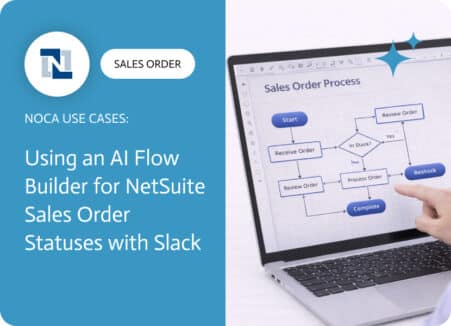
A NetSuite sales order approval workflow exists to protect margins, reduce risk, and prevent avoidable downstream work. Approvals catch discount exceptions, unusual terms, non standard…

Automate purchase order approvals: request forms, routing by amount, Slack and Teams approvals, PO creation in the ERP and PDF delivery to suppliers.

Learn how to design and automate approval workflows for purchases, expenses, discounts and contracts, with routing rules, escalations and audit trails.

Human-in-the-loop automation keeps people in control of AI-driven processes. Learn when to require approval, how to design it and how to avoid bottlenecks.
Workflow automation uses software to run repeatable business steps without manual work. Learn the types, examples, tools and how AI is changing automation in 2026.