

What Is an MCP Server? A Business Guide to the Model Context Protocol
An MCP server is a service that exposes tools and data to AI assistants through the Model Context Protocol (MCP), an open standard for connecting AI models to external systems. Instead of copying information into a chat window, an assistant such as ChatGPT, Claude or Grok can call the tools an MCP server offers, read live data and take actions, within the permissions you set.
For business teams, this changes what AI can do. A chat assistant stops being a place where you only ask questions and becomes an interface for real work: looking up a customer, generating a contract, starting an approval or updating a CRM record.
How the Model Context Protocol works
MCP defines a common way for three parts to talk to each other:
- The host or client is the AI application the user works in, such as ChatGPT, Claude or another MCP-compatible assistant.
- The MCP server publishes a list of tools, each with a name, a description and the inputs it expects.
- The underlying systems are where the work actually happens, for example a CRM, an ERP, a document service or a database.
When a user asks for something, the assistant looks at the tools the MCP server offers, decides which one fits, and calls it with the right inputs. The server runs the action and returns the result, which the assistant uses in its answer. Because every server describes its tools in the same format, one assistant can work with many systems without custom integration code for each one.
MCP server vs API: what is different?
Most business systems already have APIs, so why add MCP? An API is designed for developers who write code against it. An MCP server is designed for AI models: tools are described in plain language, inputs are structured so the model can fill them reliably, and the server can be connected to an assistant by pasting a URL instead of writing an integration. Many MCP servers are built on top of existing APIs; MCP is the layer that makes them usable by AI.
What a business MCP server should offer
Not every MCP server is ready for business use. When you evaluate one, look for:
- Granular permissions so you can allow reading data without allowing changes or deletions.
- Approval controls so sensitive actions such as publishing or deleting require confirmation.
- Access to real processes, not just raw data, so the assistant can complete a task end to end.
- Auditability, with logs of what ran, when and with which result.
- Broad integrations so one server covers your CRM, ERP, documents and messaging tools.
Examples of what teams do with an MCP server
- A sales rep asks Claude to create a quote from a Salesforce opportunity and send it for e-signature.
- An operations manager asks ChatGPT which orders are stuck and why, using live ERP data.
- A finance analyst asks for an invoice batch to be generated from NetSuite and emailed to customers.
- A team lead asks Grok to start an onboarding workflow for a new supplier.
How the Noca MCP Server works
The Noca MCP Server connects ChatGPT, Claude, Grok and other MCP-compatible assistants to your Noca workspace. It exposes 80 tools across apps, bots, flows, documents, connections and data. Tools are grouped into four permission groups, Builder, Data read, Data write and Admin, and you can set each tool to always allow, needs approval or blocked inside your assistant.
With it, an assistant can build an app from a prompt, run a published flow with run_flow, read records directly from Salesforce, Priority, SAP Business One, Dynamics 365 or SQL Server with the read-only query_records tool, and prepare document templates for generation and signing. Because Noca connects to 60+ systems, one connection gives your assistant access to complete business processes rather than a single app.
How to get started
- Turn on the MCP Server in your Noca workspace and choose the permission groups the assistant may use.
- Copy the private MCP server URL.
- Add it as a custom connector in Claude or as a custom MCP server in ChatGPT, then sign in to Noca.
- Set each tool to always allow, needs approval or blocked, and start asking your assistant to do real work.
Frequently asked questions
What does MCP stand for?
MCP stands for Model Context Protocol, an open standard that defines how AI assistants connect to external tools and data sources.
Is an MCP server the same as an API?
No. Many MCP servers use APIs underneath, but MCP describes tools in a way AI models can understand and call directly, and it lets users connect a server to an assistant without writing integration code.
Which AI assistants support MCP?
Claude and ChatGPT support connecting custom MCP servers, and other MCP-compatible assistants can connect as well. The Noca MCP Server works with ChatGPT, Claude and Grok.
Is it safe to connect an MCP server to business systems?
It can be, if the server offers granular permissions, approvals for sensitive actions and audit logs. The Noca MCP Server uses permission groups and per-tool approvals, and destructive actions require confirmation.
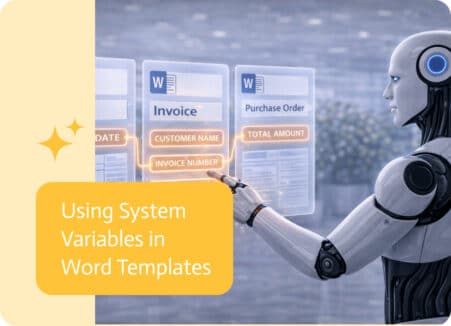
Word templates are often used to generate consistent, structured documents automatically. To make these documents more dynamic and adaptable, templates can now include system-level information…
Salesforce workflows tend to look clean right up until the moment they touch finance, fulfillment, or approvals, then the “simple update” turns into three teams…
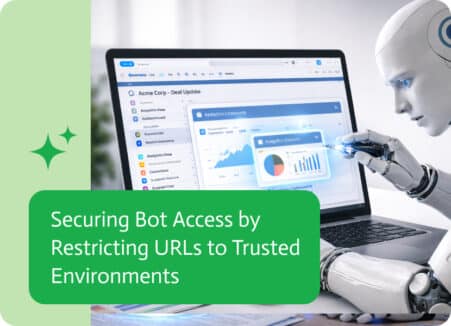
As conversational bots become more integrated into business systems, controlling who can access them and from where becomes increasingly important. Bots often interact with sensitive…