Generate Salesforce Quotes From Your Word Template
Generate Salesforce quotes from your own Word template automatically.
- Salesforce quote template
- Salesforce document generation
- Word template automation
- quote generation

Browse 681 Noca videos: demos of AI apps, chatbots, voice agents, workflows, documents and e-signatures, plus integrations like Salesforce and NetSuite.
Generate Salesforce quotes from your own Word template automatically.
Connect HubSpot, Google Drive, Slack and Gmail in one AI-built workflow.
Connect Claude to Salesforce, documents and e-signatures in under a minute with the Noca MCP Server, and turn your AI assistant into one that actually does the work.
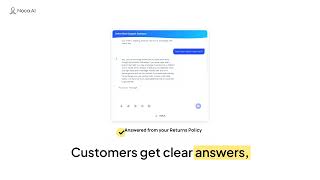
I built an AI customer support chatbot for an online store with Noca AI from one prompt and two documents.
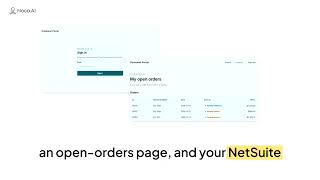
I used Noca AI's AI app builder to create a working customer portal from a single prompt: secure email sign-in, an open-orders page connected to NetSuite, and a layout that works…
Noca AI is an AI business automation platform that turns one prompt into apps, forms, documents, e-signatures, workflows and AI agents, connected to Salesforce, NetSuite, SAP…
Set up the Noca MCP Server and connect Claude, ChatGPT or any MCP-compatible AI assistant to your Noca workspace, with full control over which tools they can use.
Learn how to build a project with MCP (Model Context Protocol) in Noca AI.
Send HTTP/S requests with your own custom parameters, then pull values out of the response and use them in the next step of your no-code workflow.
Trigger UI logic the moment a parameter changes, so your no-code app reacts to new data without anyone refreshing the page or clicking a button.
Show or hide form fields the moment a page loads, based on data you already have, like customer type, account status or a record coming from Salesforce.
Add events to the Next and Previous buttons in a multi-step form, so every click runs a real action while it moves the user forward or back.
AI bot file processing in Noca: upload an Excel spreadsheet or PDF, tell the bot what to do, and it runs the action for each record to update your CRM or database.
Run your AI bot under each user's own Salesforce session, so every query and action respects that user's exact permissions and record access.
Build a Slack AI bot by connecting a Noca bot to an automated flow: it reads Slack messages, queries live data and takes actions like creating Salesforce cases.
Connect an AI chatbot to Shopify so it answers questions about products, prices, inventory and orders using live store data.
Encrypt URL parameters before they go into a link and decrypt them on arrival, so record IDs and user references can't be read or edited in the address bar.
Map app data to Word templates automatically, instead of connecting every field to the right spot in the document by hand.
Recover deleted apps, bots, AI workers and voice agents in Noca: deleted resources go to account trash first, so you can restore them later.
Replace All updates every matching value in a text string in one action, so you can clean and standardize data in a single step instead of several.
Zoho CRM integration with Noca: create, retrieve and update CRM records automatically from your apps, bots and workflows, so customer data stays current.
Box integration with Noca: store, retrieve and organize files automatically from your apps, bots and workflows, with no manual uploads or downloads.
Discussion mode lets you test app ideas with AI before you build: ask questions, compare approaches and refine requirements without changing your app.
Integration logs in Noca now show the name of the flow behind every entry, so you know exactly where each action came from.
Filter analytics by app or bot in Noca to see all related flows in one view, instead of piecing performance together one flow at a time.
Show each element's system name on the app canvas, so you always know which field, button or dropdown you're connecting to data and actions.
JWT user ID mapping connects every stored chatbot conversation to the authenticated user behind it, in your CRM, database or analytics tool.
Noca release notes for June 2026: what's new across Apps, Flows, Bots, Docs and the platform, from smarter debugging to easier deployment between environments.
Connect live Salesforce data to your AI chatbot with object data sources: query opportunities and records in real time and get instant pipeline summaries.
Build a custom Contact Us page with AI: describe the fields and style you want, and Noca generates a clean, responsive contact form, with no code or CSS.
Build a custom web portal connected to Salesforce with AI: sync data, manage customer pipelines and update records in real time, all defined through simple prompts.
Connect your AI apps to automated workflows and third-party integrations: trigger actions, sync data and run background processes, all defined through simple prompts.
Build event flows inside the App Builder: create the automation behind buttons, forms and page events without switching tabs or losing your place.
Deploy apps from development to testing or production together with their flows, integrations and connections, and map each connection to the right system.
App variables let you store data once and use it on every page of your app, without passing customer IDs, carts or selections through URL parameters.
Connect Shopify to your CRM, ERP, accounting systems and customer portals with a native integration, without custom APIs or middleware.
Manage events across multi-page apps faster: switch between pages directly while configuring events, instead of hunting around the builder.
Add general context to your app style, like your company, industry, users and brand personality, so every AI-generated app reflects your identity, not just your colors.
Connect your apps and automations directly to SAP Business One with a native integration, without custom development for every project.
Branded OTP login pages, automatically: the one-time password page users see after entering their email now matches your app's login branding.
Organize your apps, bots and flows into folders, so a growing workspace stays easy to navigate instead of becoming one long list.
See which app created each flow right in your automation library, so you know whether a flow is standalone or part of an application.
Work with Priority ERP file objects in your automations: access contracts, invoices, images, certificates and signed documents attached to your records.
Secure SFTP connections with SSH keys instead of passwords, so automated file transfers stay protected and meet enterprise security standards.
Embedded payments let users pay an invoice, complete an order or register for a service right inside your business app, without redirecting to an external payment page.
Automate Salesforce lead capture by connecting your app's forms to Salesforce: upsert contacts, create cases and map submissions in real time in a visual event flow.
Edit identical inputs more efficiently: when an input appears in several places, choose whether a change applies to all of them or only the one you're editing.
Support multiple signers for PDF documents: route a PDF to several people in a set order, so each one signs when it's their turn, with no manual handoffs.
Roll back any AI-generated app change and return to the previous version, so building with natural language never means keeping a result you didn't want.
Manage app modals more efficiently: find and edit modals from the same navigation area as your pages, with the same editing experience.
Add Google Places address autocomplete to your forms: users start typing and pick a verified address, so typos, missing postal codes and bad formatting stay out of your data.
Connect apps without losing context: pass the user, order or request from one app to the next, so nobody re-enters the same information twice.
Edit every page, modal and component of your app without being sent back to the Login screen: authentication runs for your users, not for you while you build.
Browse cloud storage folders directly inside your workflows, so automations find where files live instead of breaking on hard-coded paths.
Validate AI bot changes before applying them: test updated instructions with real conversations, so you know a change actually improved the bot.
Nested webhook data is now recognized automatically, so customer, shipping, billing and line-item details arrive as usable parameters in your no-code workflow.
Improve your AI bot through conversation: refine it right inside the chat where you're testing, and turn feedback into better instructions without switching screens.
Troubleshoot loop errors in seconds: when a loop fails, the debugger takes you straight to the iteration that broke, with its inputs, variables and execution path.
Automation event lists now refresh automatically, so the moment you open the page you're building from the latest triggers in your connected systems.
Build an address autocomplete form with prompts: a lead capture form that suggests addresses in real time, so users don't type their full location by hand.
Connect any Noca app to your tech stack, like Salesforce, and push data into it the moment someone submits a form, with no copy-paste.
Automate Salesforce invoice creation from Gmail: watch incoming attachments, extract line-item tables with Doc RAG AI and map them into Salesforce records.
AI agents for Salesforce: see what an AI agent platform can do for teams that run on Salesforce, and how no-code AI agents connect to your data and processes.
AI agents for Microsoft Dynamics 365: see what an AI agent platform can do for teams that run on Microsoft Dynamics 365, and how no-code AI agents connect to your data and…
AI agents for HubSpot: see what an AI agent platform can do for teams that run on HubSpot, and how no-code AI agents connect to your data and processes.
AI agents for Oracle CX: see what an AI agent platform can do for teams that run on Oracle CX, and how no-code AI agents connect to your data and processes.
AI agents for SAP CX: see what an AI agent platform can do for teams that run on SAP CX, and how no-code AI agents connect to your data and processes.
AI agents for monday.com: see what an AI agent platform can do for teams that run on monday.com, and how no-code AI agents connect to your data and processes.
AI agents for Zoho CRM: see what an AI agent platform can do for teams that run on Zoho CRM, and how no-code AI agents connect to your data and processes.
AI agents for ServiceNow: see what an AI agent platform can do for teams that run on ServiceNow, and how no-code AI agents connect to your data and processes.
AI agents for Pipedrive: see what an AI agent platform can do for teams that run on Pipedrive, and how no-code AI agents connect to your data and processes.
AI agents for Zendesk: see what an AI agent platform can do for teams that run on Zendesk, and how no-code AI agents connect to your data and processes.
AI agents for Freshsales: see what an AI agent platform can do for teams that run on Freshsales, and how no-code AI agents connect to your data and processes.
AI agents for SAP S/4HANA: see what an AI agent platform can do for teams that run on SAP S/4HANA, and how no-code AI agents connect to your data and processes.
AI agents for Oracle Fusion Cloud ERP: see what an AI agent platform can do for teams that run on Oracle Fusion Cloud ERP, and how no-code AI agents connect to your data and…
AI agents for Microsoft Dynamics 365 Finance and Operations take manual data entry off your team, working on top of your ERP and syncing data in real time.
An AI agent platform for Oracle NetSuite helps growing businesses escape the manual data entry bottleneck by building a digital workforce instead of adding headcount.
AI agent platforms for Workday cut the manual clicking and approvals that keep HR teams in grunt work, with agents that find and fix problems instead of just answering.
AI agents for Infor CloudSuite close the gap between a powerful ERP and manual workflows, with agents that don't just analyze data but take action.
An AI agent platform for Priority ERP turns a manual data entry hub into a growth engine, with proactive digital workers that automate workflows without code.
AI agent platforms for Sage Intacct take the manual work out of the month-end close, with AI agents acting as digital junior accountants available 24/7.
An AI agent platform for Epicor Kinetic releases the energy manual processes lock up, with digital workers that solve problems instead of just following scripts.
Why you need an AI agent platform for Acumatica: unlimited users can mean unlimited noise, and AI agents act as a digital governor that keeps data clean and secure.
An AI agent platform for Odoo turns manual clicking between apps into proactive digital workers that don't just flag problems, they solve them.
Generate short URLs inside your workflows, so links in SMS, email and WhatsApp stay clean while still carrying the context the destination needs.
Map record IDs into app table rows, so selecting a row opens the right detail page, updates the right record or triggers the right action.
Pick parameters for internal redirects right where you configure them, so the destination page opens with the right record and context, not an empty page.
Create apps from a requirement specification file: upload the PDF or Word spec you already have and the first version starts from the real requirements.
Edit stepper pages freely while building a multi-step app: jump to any step without filling required fields or passing validations.
Use any URL as an app reference: point to an existing page and the AI app builder uses its structure, style and layout as context for your new app.
Add processing indicators to app buttons: show a loading state on click and disable the button while the action runs, so users can't submit twice.
Download files from a public URL inside your workflow, so the next step can attach, store, convert or pass the file along automatically.
Create picklists from a list of values returned by a connected system, so dropdown options come straight from your CRM, ERP or database.
Add images to generated documents: signatures, uploaded files, form photos, scans and logos placed directly inside the final PDF.
Add an extra validation value to email OTP login, so users confirm a customer number, employee ID or account code along with the one-time code.
Get the direct web URL of a SharePoint list item inside your workflow, so people can open the exact record with one click.
Manage roles across products, so each user works only in the areas their job calls for, like apps, flows, documents or admin.
Search files in S3 from your workflow: get the list of files in a bucket or folder, then act on whatever the workflow finds.
Use dynamic S3 buckets and folders, so your workflow stores each file by customer, region or document type instead of one fixed location.
Pass signatures from apps to document generation in Noca: map every form field, including the signature, to a Word template and output a signed PDF.
Redirect to a modal in your Noca app, so the next page opens as a pop-up over the current one instead of loading a whole new screen.
Add a file viewer to your app and load the real PDF from Salesforce, so documents open inside the app instead of being downloaded.
Build a calendar app from one prompt, load real appointments and make every event clickable to open its details.
Build a searchable lookup that queries Salesforce as you type, lets users pick a record and saves it back with the rest of the form.
Load picklist values straight from Salesforce into your app forms, so dropdowns always match your system of record.
Learn how to use variables in the Noca AI app builder: custom variables and URL parameters that pass, set and store data across your whole app.
Make your Noca apps responsive: preview and edit on phones, tablets and desktop so the app looks right on every device.
Build conditional app logic that branches by user input: route each form choice to a different path, with no switch statements or custom routers.
Build a live Salesforce accounts table from one prompt, with sortable columns, filters and search built in.
Embed any Noca app on a Salesforce record page, where it auto-scales to the browser with no extra configuration.
Create dynamic events in your Noca app: wire any button or field to a flow, so a single click runs the automation behind it.
Map Salesforce data into your web app automatically: an on-load event pulls the record by URL parameter and fills your form fields.
Preview your app on desktop, tablet and mobile instantly with the built-in simulator, and check responsive layouts without writing media queries.
Edit web apps with AI prompts: describe the change in plain language and Noca adds new steps, generates relevant fields and updates the layout for you.
Learn how to write a good prompt for an AI app builder: compare a vague prompt with a detailed one and see how the details shape the app you get.
A quick intro to the Noca AI App Builder: build smart web apps from prompts, with fields and sections that react to user input in real time.
UI actions in the Noca App Builder decide what happens when a user acts: show or hide fields, set values, make fields mandatory or redirect to another page.
Start the Noca Flows Basics course: a quick intro to the workflow canvas and the core ideas behind no-code workflow automation in Noca.
Connect HubSpot to Noca AI in about a minute, then use your contacts, deals and tickets in every flow, app and bot you build.
Use the Webhook trigger in Noca Flows to connect any app, including custom or in-house tools, by catching its JSON payloads at your own endpoint URL.
Extract tables from invoices and other documents with the Extract Table node, turning line items into clean rows your workflow can loop through.
Format dates and strings mid-flow with Noca's Formatting utilities, so data arrives in the exact format the next system expects.
Use DocRag AI in Noca Flows to extract data from PDF and image attachments with plain-language prompts, without manual entry or downloads.
Work with Salesforce files in Noca Flows: use Related Files to pull attachments from records and route them to the next step automatically.
Set up a Salesforce event trigger in Noca Flows so your workflow runs automatically the moment a record changes, instead of being started by hand.
Configure a Read Action in Noca Flow to fetch live data from Salesforce, like a list of contacts, and bring it straight into your workflow.
Generate Word tables from live data sources, with rows that expand or shrink to match whatever the source returns when the document is created.
Map data to any UI element in your no-code app, not just input fields, so headings, labels, buttons and helper text all reflect the underlying data.
Connect Tranzila payments to automated workflows, so payment initiation, confirmation and follow-up actions run in the same process as everything else.
Asynchronous loop execution runs workflow loops in parallel instead of one record at a time, so hundreds of records from Salesforce or any system finish much faster.
Bring live NetSuite data into document generation, so customer records, transactions and account details land in the right place without copying or exporting.
Use system variables in Word templates so generated documents fill in the right contextual information automatically, without manual input.
Store files in workflow variables, so the same document, PDF, image or report moves from step to step without asking the user to upload it again.
Create tables from Excel data: turn .xls and .xlsx rows into structured tables you can filter, process and pass to the next step, with no copy-paste cleanup.
Reverse row order on tables extracted from PDFs and other documents, so the data is in the order you need before it moves to the next step.
Convert Excel files (.xls and .xlsx) to PDF automatically inside your process, so spreadsheet data becomes a clean, shareable document without manual exporting.
Doc RAG now works with Excel (.xls and .xlsx), so spreadsheets become part of your searchable knowledge source alongside PDFs and Word files.
Build a branded customer survey from a single prompt in about 30 seconds, with the styling you ask for and integrations that send responses to Salesforce, airSlate or anywhere in…
NetSuite + AI: From Prompts to Business Outcomes.
Unified Doc RAG search lets you search all your documents in one step, combining multiple content sources into a single AI-powered answer.
Handle nested data in webhooks the way it arrives, with arrays, objects and multi-level JSON passed through your integrations with the hierarchy intact.
Connect your workflows to AI bots so any workflow step can become a conversation that understands requests, responds dynamically and completes actions.
Build a Slack AI chatbot that reads data from Salesforce, NetSuite and monday.com and creates new records, without leaving Slack.
Build a Mailchimp AI chatbot that answers questions about your audience and campaign performance in plain language, without digging through dashboards.
Build a monday.com AI chatbot that gives teams real-time onboarding status, so nobody has to chase people across departments for an update.
Connect Google Sheets to Salesforce with an AI flow builder: every new row in your sheet automatically becomes a lead in Salesforce.
Build an Affinity CRM AI chatbot with a prompt, so teams can query CRM data in real time by simply asking a question.
Generate PDFs straight from app inputs, with no database, no intermediate storage and no extra architecture between the form and the finished document.
Redirect users after form submission to the right next page, like a confirmation screen, payment portal, onboarding step or external system.
Multi-page app parameters in Noca: define a parameter once and use it on every page, with no manual pass-through or broken context between steps.
Pass picklist and radio field selections from your app into CRM, ERP and automation systems, with consistent values every time and no manual cleanup.
Pass parameters into workflow error emails, so when something breaks your team sees exactly which record, step and data caused the failure.
Turn CRM and ERP records into interactive calendar views and see meetings, milestones, deliveries and deadlines on one visual timeline, no code required.
Use mandatory inputs in document generation to make sure every required field is filled before a document is created, with no gaps or follow-ups.
Integrate Israel Toremet (Israel Gives) into no-code workflows to automate donation processing, donor management and fundraising campaigns.
Secure AI bot access by restricting the bot URL to trusted environments like Salesforce, so there's no public endpoint for outsiders to reach.
Build conditional UI logic with prompts: fields that appear, sections that change and screens that react to user input in real time.
Move SharePoint content to OneDrive automatically, including sites, files and lists, with no downloading, re-uploading or manual file handling.
Convert raw data to XML and TXT files automatically, with consistent structure and no manual formatting or broken imports.
Generate a Priority ERP app from a single prompt: a branded interface that creates new customers and their related contacts in Priority.
Build an Affinity partner portal with prompts, so partners and customers can manage their leads in your Affinity CRM without an Affinity license.
Get monday.com deleted item alerts in Slack and log every deletion to Google Sheets, creating a simple audit trail for product issues.
monday.com to Salesforce integration: archiving an item on a monday.com board automatically sets the related Salesforce account to inactive.
Use monday.com AI enrichment to send a customer summary to Slack whenever an item moves to a new group, for faster, better-informed handoffs.
Connect monday.com to Google Drive and automatically create an onboarding folder when an item moves to the next group.
Send monday.com Slack notifications automatically whenever an item moves from one group to another, so the right team knows right away.
Alert your team in Slack when a monday.com product issue is marked resolved, so you can close the loop and share updates faster.
Connect monday.com to Jira so every new product issue item automatically becomes a Jira issue with the context engineering needs.
Log monday.com status changes to Google Sheets automatically: each status update adds a new row for CRM reporting and tracking.
Send monday.com email alerts automatically when a deal's priority changes, so owners can follow up sooner without watching the board.
Learn how to use Noca's Webhook Listener to receive webhook requests, capture parameters automatically and use them throughout your flow.
Get started with DocRag AI in Noca: read documents with AI, extract answers to specific questions and map the data anywhere in your tech stack.
Add signature fields in Noca Docs and automate a signing workflow triggered by Salesforce, with the signing link and the signed document delivered in Slack.
Post-login routing in Noca sends each user to the right page after sign-in, based on role, data, status or custom logic, instead of one generic landing page.
Use SharePoint search inside your Noca workflows to find the content your automation needs, as part of smarter, no-code automation.
Variable concatenation in Noca lets you combine variables on the fly, so your workflows build dynamic values and clearer output without complex workarounds.
Keep consistent branding at scale: set brand defaults once and apply them across all your Noca apps, instead of styling each one by hand.
Multi-sheet support lets your Noca workflows read and act on data across every tab of a spreadsheet workbook, not just a single sheet.
AI agents for Jira help keep work moving by handling tickets, updates and follow-ups that would otherwise be done by hand.
Automated PDF merging in Noca combines files into one PDF as part of your flow, so you stop stitching documents together by hand.
Regenerate your app's styles with AI in one action and pick a fresh look, without design skills and without breaking how the app works.
Turn static files into interactive multi-step apps with AI: upload a file and Noca generates guided steps, UI elements and workflows, with no code.
Generate documents from monday.com board data automatically with Noca, with no cut-and-paste and no template hunting.
Add conditional logic to document automation so your flows make decisions based on what's in the document, instead of producing the same static output.
Choose the Doc RAG engine that fits your use case when building a Noca flow, and control how document retrieval works instead of leaving it to defaults.
Automate compliance document review in monday.com with a Noca AI flow you can build in about 5 minutes: uploads are classified and board fields update on their own.
Prepare a Noca Word document for e-signature and automate the full signing process, from a Salesforce trigger to the signed document landing in Slack.
Add input fields to a Word template for Noca Doc Gen, collect values through a fill link and write them back into Salesforce automatically.
Publish a Word document template in Noca and turn it into an automated workflow: a Salesforce Opportunity stage change generates the document and sends it to Slack.
Pull Salesforce fields into a Microsoft Word document with a Noca flow, in a few simple steps and without code.
Salesforce lead routing with Google Sheets: every new Salesforce lead automatically creates a row in a spreadsheet with the mapped lead fields.
Automate Salesforce lead notifications: when a lead is created, Noca emails the lead owner via SMTP, so new leads don't go unnoticed.
When a customer is created in NetSuite, Noca automatically creates a Google Drive folder for onboarding, in a consistent shared location.
NetSuite Customer 360 automation: when a customer is created in NetSuite, Noca creates a matching account in Salesforce with key customer details.
When an account is created in Salesforce, Noca automatically creates the matching customer in NetSuite, so finance stays aligned without manual entry.
Send an automatic email to the opportunity owner whenever a Salesforce opportunity stage changes, so pipeline movement never goes unnoticed.
Salesforce opportunity management automation: every new opportunity sends the owner an email with key deal details, right away.
Sync NetSuite customer changes to Salesforce: when a customer record changes, Noca finds the matching account and updates it with the latest data.
NetSuite to Google Sheets automation: every new NetSuite customer adds a row to a specific spreadsheet, with no manual exports.
When a Salesforce account's upsell opportunity field changes to YES, Noca creates a monday.com item so the upsell team can follow up right away.
Start account planning in Salesforce with a concrete action: every new account automatically creates a related task for the owner.
Post a Slack message to the opportunity owner or a team channel whenever a Salesforce opportunity stage changes, in real time.
Send a Slack message to the opportunity owner whenever a new opportunity is created in Salesforce, with the key deal details included.
Send Salesforce lead scoring updates straight to Slack, so lead owners see score changes in real time without checking reports or dashboards.
Sync new Salesforce leads to monday.com automatically, so teams working in monday boards can see and act on leads the moment they're created.
Notify lead owners in Slack the moment Salesforce lead assignment rules assign them a new lead, with the key lead details included.
Salesforce to Mailchimp automation: each new Salesforce lead becomes a Mailchimp contact and joins a campaign based on a custom Salesforce field.
Send a Slack alert whenever a new customer is created in NetSuite, so your team can start onboarding, setup or follow up right away.
Get Slack alerts when Salesforce account plan fields change, so the account owner or responsible team can act quickly without waiting for a meeting.
Send an email alert when a new Salesforce account is created, so the account owner gets useful context and can start onboarding right away.
Sync new Salesforce accounts to a Google Sheets planning spreadsheet automatically, with data from the account and related Salesforce objects.
Create a monday.com item automatically when a Salesforce opportunity hits Closed Won, so delivery and onboarding get the deal details right away.
Auto-create a Salesforce task for the opportunity owner whenever a new opportunity is created, so every deal starts with a clear next step.
Sync new Salesforce opportunities to Google Sheets automatically, so your spreadsheet stays current for reporting and collaboration without manual exports.
Email lead owners automatically when a Salesforce lead is updated, so lead scoring changes and context reach them as soon as they happen.
Auto-create a Salesforce task for every new lead, so follow up starts immediately instead of relying on lead status alone.
Enrich new Salesforce leads with OpenAI and deliver an AI summary to the lead owner in Slack, so every lead arrives with context, not just raw data.
Sync monday.com status changes to Salesforce leads automatically, so your teams avoid double entry and lead data stays consistent.
Turn new monday.com board items into Jira issues automatically, so requests move into the delivery queue without manual ticket creation.
Create Salesforce contacts automatically from new monday.com items, so CRM data stays accurate without manual entry.
Turn monday sales CRM items into Salesforce accounts automatically, so teams can work in monday.com while Salesforce stays accurate.
Sync NetSuite sales order attachments to Google Drive automatically, so fulfillment documents are available to teams working in Drive.
Log NetSuite sales order updates to Google Sheets automatically for tracking, reporting and operational visibility, with no manual export.
Automate NetSuite customer onboarding: when a customer's status changes to ready, a monday.com item is created for the onboarding team.
Log NetSuite customer updates to Google Sheets automatically, so teams can track changes and report on customers without manual exports.
Create a sales order in NetSuite and automatically create a monday.com item with the order details, so delivery can start immediately.
Sync closed lost deals and lost reasons from monday.com to Salesforce automatically, so opportunity reporting stays accurate.
See what monday CRM can do with Salesforce: status changes in monday.com update the matching Salesforce opportunity automatically.
Sync opportunity updates from monday.com to Salesforce automatically, so pipeline changes made in monday are reflected in your CRM.
Add a Google Sheets row automatically for every new monday.com item, so your CRM reporting spreadsheet stays current without exports.
Create Salesforce opportunities automatically from new monday.com items, so your Salesforce pipeline stays updated without manual entry.
Sync PO numbers from NetSuite sales orders to the related Salesforce opportunity automatically, so CRM and ERP stay aligned.
Sync files from NetSuite customer records to Google Drive automatically, so teams can access and collaborate on documents without re-uploading.
Create a Salesforce opportunity automatically whenever a sales order is created in NetSuite, so CRM visibility matches what's happening in the ERP.
Turn monday.com item assignments into Salesforce tasks automatically, assigned to the same person and linked to the right Salesforce record.
NetSuite sales order automation that creates a Salesforce Task on the right opportunity every time a sales order is edited or updated.
Log every new NetSuite sales order to Google Sheets automatically, for reporting and operational tracking without exports from NetSuite.
Send a Slack alert when a new sales order is created in NetSuite, with key order details, so the right owner can act without checking the ERP.
Get Slack alerts when NetSuite customer details change, so the right person can follow up on billing, onboarding or operations right away.
Using monday as a CRM?
Speed up NetSuite sales order processing: every new sales order automatically gets its own Google Drive folder for order documents and files.
Build a NetSuite sales order approval workflow that sends a Slack message to the right person or team whenever a sales order is edited.
Automatically create a Google Drive onboarding folder whenever a new customer item is added to your monday CRM board.
monday CRM software automation that posts a Slack notification to a team channel when a product issue item changes to Resolved.
Keep a monday CRM audit trail: when a product issue item is deleted, your team gets a Slack alert and the deletion is logged to Google Sheets.
Turn Closed Won Salesforce opportunities into NetSuite sales orders automatically, built from a single prompt with Prompt to Flow.
Slack workflow automation that updates a Salesforce lead in real time from a message posted in a Slack channel, without opening the CRM.
Push Zoom meeting transcripts into Salesforce automatically, so deal context stays attached to the opportunity.
monday CRM task management made easier: when an item's due date changes, a Google Calendar event or Google Task is created automatically.
Build a Mailchimp AI chatbot that answers questions about your audience and campaign performance in plain language, like subscriber counts and open rates.
Mailchimp automation with Prompt to Flow: when a contact's email changes in Mailchimp, the matching Salesforce Contact is updated in real time.
Vibe code a Slack lead capture app: one prompt builds a lead form that sends every submission straight to a Slack channel.
Build a Salesforce web-to-lead landing page from a single prompt, with form submissions creating new Salesforce leads instantly.
Build an AI chatbot for Salesforce with Prompt to Bot: ask about real-time CRM data and update opportunities in plain language.
Connect Google Sheets to Salesforce with an AI flow builder: every new lead row in a Google Sheet creates a lead in Salesforce automatically.
Give sales teams a simple NetSuite portal, built from a single prompt, so they can work with customers and orders without full ERP access.
Build a branded SMTP email app from a prompt, with To, CC, subject and multi-file attachments, powered by your existing SMTP integration.
Salesforce and Priority ERP integration that checks for an existing customer before creating a new one, so records stay clean across systems.
Twilio Salesforce integration: when a new lead is created in Salesforce, Twilio places a call and runs a voicemail interaction automatically.
Dropbox automation that updates Salesforce: when a file is added to a Dropbox folder, the Salesforce account gets a link to it.
Automate Typeform to Salesforce: each Typeform submission creates a new Salesforce account and a related contact in real time.
A Priority ERP AI chat agent lets you find customers, contacts, deals and purchase orders just by asking questions in plain language.
Build a secure, branded monday.com portal with Prompt to App, so people without monday.com accounts can view boards, create tasks and change statuses.
Docusign Salesforce automation with an AI automation agent: when an agreement is signed, the related Salesforce opportunity is updated automatically.
Build a Twilio SMS application with vibe coding: send texts to one or many numbers, receive messages and log every conversation, from a single prompt.
Create a branded Zendesk portal with Prompt to App, so partners and external users can view and work their cases without logging into Zendesk.
Gmail to Zendesk automation: inbound emails that match your rules automatically become Zendesk tickets, so requests don't get buried in the inbox.
Turn Google Sheets into a branded web app with AI app generation: view, add, update, delete and filter sheet data from a single prompt.
Build an SFTP file browser web app from a single prompt: browse folders, list files, and upload or download through your SFTP integration.
monday.com Salesforce integration: when a client is moved to Active in monday.com, the matching Salesforce account is created or updated and set to Active.
Zendesk to Salesforce automation with an AI flow builder: every new Zendesk ticket creates a matching Salesforce case automatically.
Send Google Forms submissions straight into Salesforce as new leads, including uploaded files, with AI automation and no manual data entry.
A NetSuite AI chatbot built with Prompt to Bot returns real-time ERP data by conversation, like your last five sales orders.
Google Docs automation with Prompt to Flow: when a new doc lands in a Drive folder, Noca reads its content and posts it to Slack in real time.
Automate Salesforce to SFTP file transfers: files attached to a Salesforce account move into an SFTP folder as soon as they're added.
Google Drive to Slack automation: when a purchase order is uploaded to a Drive folder, the sales team gets a Slack message right away.
NetSuite to Salesforce customer sync with an AI automation agent: new NetSuite customers become Salesforce accounts, with duplicates flagged in Slack.
SMTP email automation with an AI flow builder: when a Salesforce case matches your criteria, an email with the case details goes out automatically.
Affinity to Slack automation: when a new organization is created in Affinity, your team gets a Slack alert with the right context right away.
Excel to monday.com automation with an AI automation agent: each new spreadsheet row becomes an item on the right monday.com board.
Build a Jira portal with Prompt to App: view project issues, create new ones, update status and search by key or summary in a clean UI.
Salesforce SMS automation with the 019 texting integration: new cases trigger an instant personalized text confirming the request was received.
Jira to Salesforce automation with an AI automation agent: every new Jira issue creates a Salesforce case and returns the case ID.
Use monday.com as a CRM with escalation automation: when an account or opportunity goes high priority, the owner gets a Slack message.
Salesforce account engagement automation: every new Salesforce account sends a Slack message to the Customer Success team automatically.
Build a secure, private login portal in Noca AI that pulls authenticated data from Salesforce, without custom backend code or a maintenance trap.
Embed a Noca AI chatbot in Salesforce with JWT authentication, so users reach the bot inside Salesforce with secure SSO and no extra login.
Embed a Noca app in Salesforce with JWT authentication, so users open the app inside Salesforce with secure SSO and no extra login.
Automate the SDR to AE (or AE to CS) handoff in Salesforce: Noca AI reads every related file and writes a clean handoff summary back to the opportunity.
An AI agent platform for monday.com turns static boards into a self-managing system that handles repetitive updates, status changes and cross-team work.
A HubSpot AI agents platform helps you scale beyond manual outreach: agents find hot leads, send personalized emails and keep your data clean.
A guide to choosing an AI agent platform for Microsoft Dynamics 365 Sales, turning a passive database into an active sales engine.
A Salesforce AI agents platform turns your CRM from a passive data store into an active digital worker that cleans data and moves deals forward.
How to integrate Salesforce with AI agents that read context, understand intent and take action, from updating records to qualifying leads.
How to pick an AI agent platform for Salesforce, so reps spend time selling instead of updating fields and logging notes.
11x vs OpenAI compared: why a general AI engine and a finished digital salesperson solve different problems, and how to choose.
11x vs Emergent comes down to one question: do you buy a finished AI employee off the shelf, or build your own digital workers from raw material?
Emergent vs Sintra: compare ready-made AI helpers that are productive on day one with custom AI workers you build for your own business problems.
Emergent vs Moveworks: one digital employee fixes internal IT and HR issues the moment they arise, the other builds custom apps that prevent problems up front.
Emergent vs UiPath: compare an AI-native platform that builds digital workers from text prompts with an enterprise automation giant, and see which fits.
Emergent vs 11x: hire ready-made digital workers that run on their own, or build your own tools in plain English and own the software your business runs on.
Emergent vs Relevance AI: assemble specialized AI agents with predefined skills, or have AI build and deploy custom applications your team owns.
Emergent vs OpenAI: raw AI intelligence you talk to, or an AI builder that creates and deploys working software.
Voice-enabled automation uses natural speech to trigger real business actions across CRMs, ERPs and internal systems, not just basic voice commands.
Looking for the best AI voice agent?
Voicebot 2.0 leaves robotic phone menus behind: modern voice AI understands meaning, tone and intent, and actually gets work done instead of just talking.
A voice AI platform turns business calls into productive, human-like conversations, with voice agents that update CRMs, book meetings and take action.
A voice AI agent works 24/7, speaks multiple languages and scales from one call to thousands, without the cost and churn of hiring customer service reps.
How to pick an AI voice agent platform: compare no-code, low-code and pro-code options, integrations, latency and scalability before you commit.
The voice agent revolution: real-time conversational AI that understands intent, fetches data and responds naturally, replacing press-1 phone menus.
AI voice agent 101: modern voice agents understand intent, remember context, detect frustration and connect to your CRM, unlike the scripted bots of the past.
Bolt vs Lindy AI: one turns plain English prompts into full-stack apps in your browser, the other builds autonomous digital workers that automate tasks.
Bolt vs Windsurf: compare browser-based vibe coding with instant deployment against a professional AI-powered IDE, and pick the right fit for your workflow.
SAP MES integration connects SAP ERP with your Manufacturing Execution System for real-time visibility from business operations down to the shop floor.
Priority Xpert is the official support portal for Priority Software users: submit and track tickets, browse documentation and find answers in one hub.
AI document generation goes beyond templates: it understands context, applies business logic and creates compliant, personalized documents at scale.
How to integrate AI into an app: define the use case, choose build or buy, prepare your data, add guardrails and monitor results from MVP to scale.
Customer support automation helps teams handle growing ticket volumes with AI chatbots, smart workflows and routing, without sacrificing customer experience.
Noca vs Windsurf: both promise faster software through vibe coding, but one is built for business users and the other is an AI IDE for developers.
Build a custom AI analytics dashboard for Priority ERP with vibe coding: natural-language prompts generate the queries, transformations and UI, no coding.
HR automation with no-code integration platforms takes repetitive HR tasks off your team's plate, from feedback collection to benefits enrollment.
AI hype vs operational reality: why so many enterprise AI pilots never reach production, and what secure, auditable, reliable AI actually requires.
SAP S/4HANA integration without ABAP: use natural language, pre-built connectors and automatic data mapping to sync systems in real time.
Make vs Noca AI: compare a simple visual workflow builder for small teams with an AI-powered no-code iPaaS built to scale with your business.
Priority ERP integration guide: connect Priority with Salesforce and monday.com, extend it with the SDK and API, and keep data consistent in real time.
Mailchimp Salesforce integration syncs CRM data with email marketing in real time, so you can automate workflows and personalize campaigns.
Zapier makes it easy for small businesses to connect apps without code.
Turn a static Salesforce portal into a dynamic data hub where users view, update and write back Salesforce records in real time, from one AI prompt.
DocuSign Salesforce integration automates contract creation, signature collection and real-time status tracking right from your CRM.
Salesforce WhatsApp integration enables real-time, personalized customer conversations and logs every interaction in your CRM automatically.
Vibe code a custom reporting app for monday.com in plain language: pull data from multiple boards into one live, automated report without writing code.
Build a proactive AI monitor for monday.com that watches your boards in real time, spots risks early and takes action automatically.
SAP integration made easier: see how AI-first, no-code iPaaS platforms connect SAP to the rest of your business stack without slow, costly projects.
Looking for Make alternatives?
SAP Business Technology Platform (BTP) Integration Suite explained: what it does, its key features, and when a no-code, AI-first alternative fits better.
MuleSoft accounting software integration connects your accounting tools with other business apps to automate invoicing, payroll, expenses and reporting.
Priority ERP and monday.com integration unifies finance, operations and project workflows in one real-time system, with no manual data entry.
NetSuite EDI integration automates the exchange of purchase orders, invoices and shipping notices between trading partners and your NetSuite ERP.
What does a Salesforce Integration Architect do?
How to choose a document generation solution in 2026: what matters beyond templates, how leading tools compare, and how to avoid costly missteps.
Zoom Salesforce integration schedules meetings, logs interactions and tracks engagement in your CRM automatically, so every team sees the full picture.
Salesforce WhatsApp integration brings real-time messaging, automated responses and centralized tracking into your CRM for support, sales and marketing.
Cursor vs Lindy AI: compare an AI coding tool for developers with a no-code automation platform, and see which fits your work.
Cursor vs Windsurf: compare speed, control, AI agents and context handling in two popular AI code editors to pick the right one for your team.
Noca vs v0: compare a front-end UI generator with a platform for full enterprise apps, AI agents and system integrations.
How to build AI agents, step by step: a beginner's guide to digital employees that handle end-to-end business processes safely.
How to integrate AI agents and digital workers into your business without disruption: start small, involve your team and choose tools that fit your stack.
Is vibe coding bad or just different?
Priority ERP integration with an iPaaS connects Priority to your CRM, eCommerce and finance tools for accurate real-time data and automated workflows.
Navigating agentic AI regulations: how to manage the security, compliance and governance risks of AI systems that plan, learn and act on their own.
The benefits of AI in business: 12 practical ways AI improves decisions, automates workflows and strengthens customer experience and security.
Why enterprise AI adoption is still slow despite the hype, and the security, compliance and integration foundations companies need first.
Document management AI agents automate data extraction, validation and compliance checks, turning manual document work into fast, accurate workflows.
An AI agent for monday.com syncs your marketing, sales and HubSpot workflows automatically, so no one copy-pastes data between tools.
Digital employees explained: AI teammates that deliver outcomes end to end, handle full workflows and integrate directly with your systems.
AI agents at work: real-world examples of digital employees in healthcare, logistics, retail, HR and legal.
Noca vs 11x: compare a specialized AI sales agent platform with a platform for building custom digital employees across your whole business.
What is a conversational AI platform?
AI agents and iPaaS integration together: how autonomous agents automate tasks and act across platforms in real time.
Agentic AI trends to track: multi-agent collaboration, human-AI hybrid teams, cross-platform interoperability and secure, ethical AI governance.
Build a data and AI platform for real-time insights: capture data as it happens, detect anomalies and trigger actions automatically.
Your AI agent is smart but can't act without hands: secure authentication, trusted integrations and real write access.
AI agents vs AI integration: how autonomous agents and AI-enhanced systems differ, and how combining both gives businesses an edge.
The Job Activity Feed shows real-time execution data for your Noca flows, so you can track running, failed, paused and attention-needing jobs in one place.
Use the Noca AI Dashboard to monitor automation health, activity and performance, with flow statistics, job status and system issues in one central hub.
AI content personalization is now expected: see how it transforms user engagement across websites, emails and apps with tailored experiences at scale.
Use events to trigger your Noca AI flows, so automations start in real time when something happens in Gmail, Salesforce or your own app.
Noca Flows turns natural language into working system-to-system integrations: type it, Noca builds it, you publish it.
Build web apps from a prompt with Noca Web Apps, from landing pages and stores to a live calendar that syncs with Salesforce.
Bolt vs Cursor compared: one generates full-stack apps from a prompt, the other is an AI code editor for experienced developers.
Cursor vs Replit compared: two very different approaches to vibe coding, from AI-assisted pro development to building apps in the browser.
Cursor vs Bolt: an AI copilot for developers who write the code, or a build-it-for-me platform that ships a full app from a prompt.
The top vibe coding platforms shaping 2026, where natural-language prompts turn ideas into apps, automations and full business workflows.
Lovable vs Lindy AI: build custom apps from natural language, or deploy AI employees that automate workflows without building an app at all.
Cursor vs v0: a full AI-powered IDE for multi-file projects, or Vercel's AI for generating production-ready React UI from a prompt.
The HubSpot Calls object and Calls API keep your CRM timelines clean, contextual and ready for automation.
Lovable vs v0: full-stack AI-native apps from simple prompts, or beautiful production-ready React UI components with Tailwind CSS.
Lovable vs Base44: two vibe coding challengers that help non-technical users turn ideas into working apps, with different priorities.
Lovable vs Windsurf: build full apps from plain-English prompts without code, or code faster with an AI copilot for developers.
HubSpot Appointment objects let you define and enforce custom data schemas across all accounts, for scalable, reliable CRM apps.
Lovable vs Replit: build full web apps from plain-English prompts, or accelerate real coding with AI agents in the cloud.
Lovable vs Bolt: two ways to turn ideas into working software fast, one for non-technical founders and one for developers.
Lovable vs Cursor: prompt-to-app for founders and fast prototypes, or an AI-powered IDE for professional engineers.
Looking for the best document generation software in 2026?
Document generation tools end the Friday panic of realizing you still have 50 proposals to send, by creating them for you automatically.
Document generation tools end the copy-paste routine: create proposals and other documents automatically instead of building them one by one.
A document generation system works like a printing press for contracts, proposals and invoices, automating accuracy, branding and distribution.
Choosing automated document generation software?
Automated document generation replaces manual document work with documents that write, route and update themselves.
The HubSpot Deals object and CRM Deals API keep your sales pipeline data accurate, automated and connected.
Vibe code with Salesforce in Noca AI: build automations just by describing them, where natural language meets real execution.
Build a Salesforce to Jira integration in minutes from a single prompt: new Salesforce cases create Jira issues automatically.
Document generation software helps companies create contracts, proposals and reports with accuracy, compliance and speed.
What is document generation, and why does your business need it?
The HubSpot Contacts object keeps every lead, customer and interaction in one place.
Building a digital workforce in 2026: how AI employees plan steps, take action and escalate to humans, and how to deploy them across finance, HR and operations.
AI workers help a growing business scale fast: digital employees that run end-to-end workflows, make decisions and work across sales, finance and support.
Noca vs Lindy AI: both offer no-code AI workforce tools, but they focus on different needs.
Noca vs Sintra AI: two digital employee platforms built for very different users.
The HubSpot Companies object is the backbone of B2B CRM data.
Noca vs Moveworks: compare customizable AI agents that plug into your existing systems with pre-built agents inside the ServiceNow ecosystem.
Noca vs Motion: both promise AI employees, but one is a purpose-built digital workforce platform and the other a productivity suite.
Watch an AI voice bot call a patient, handle a cancellation, reschedule the appointment and update Salesforce automatically when the call ends.
Noca vs Creatio: compare plain-language AI employees built in hours with AI added to a legacy platform, and see which fits fast, transparent automation.
Noca vs UiPath: compare context-aware AI digital employees with RPA-based orchestration, and see which approach fits how your teams work.
Noca vs Relevance AI: compare a no-code, plain-English approach to AI agents with a low-code agent builder, and see which fits your business processes.
iPaaS tools make business software integration simple: connect your systems for faster decisions, smoother workflows and less manual work.
Use AI for creative brainstorming: break creative blocks, generate fresh ideas and go from a vague concept to a clear creative direction in minutes.
Noca vs OpenAI for building digital employees: a no-code platform for apps, chatbots and AI workers versus powerful models and agent tooling for engineers.
Noca vs Emergent: one automates internal operations with digital employees and internal apps, the other generates full-stack products from prompts.
The top 10 digital employee platforms for 2026: AI worker agents that handle end-to-end tasks, build apps and automate workflows with minimal supervision.
Noca vs Base44: a vibe coding comparison.
Noca vs Replit: compare two vibe coding platforms that let you build web applications from prompts, from collaboration to AI assistance.
Noca vs Bolt: a vibe coding comparison of two AI platforms that turn plain-language prompts into software, and how each is shaping its future.
Looking for MuleSoft alternatives for cloud computing integration?
Workday integration with an AI-first iPaaS: streamline Workday workflows, improve data accuracy and make smarter business decisions.
ServiceNow integrations that transform IT operations: connect ServiceNow with your stack using AI-first platforms for more efficiency and collaboration.
Automate patient packets in seconds: pull PDFs from Salesforce, Google Drive, Dropbox, NetSuite and monday.com, merge them and send the packet to Slack.
The top benefits of B2B integration with an AI-driven, no-code iPaaS: simpler connections, empowered teams and more agility across your business.
The top 9 B2B integration use cases, from supply chain automation to marketing analytics, and how smart integrations drive efficiency, accuracy and growth.
MuleSoft DevOps integration: streamline DevOps workflows and collaboration, with key use cases, benefits and alternatives to consider.
Noca vs Cursor: the vibe coding showdown.
Noca vs Lovable: compare a fast prototyping tool with a platform for production-ready apps, workflows and digital employees, and see who leads vibe coding.
The top 7 vibe coding platforms for 2026: describe what you want in plain language and AI builds apps, automations or full business processes.
How to build your first digital employee, step by step: an AI agent that doesn't just chat, but works, decides and delivers.
The rise of AI employees: digital workers that own outcomes from lead generation to invoicing, and how hybrid human and AI teams work in practice.
Automate your Salesforce Closed Won handoff: send deal data and the contract to Slack and create a monday.com item, in a workflow built in two minutes.
The digital employee experience: how AI software colleagues handle whole workflows, from prospect research to invoice reconciliation, alongside your people.
AI worker vs AI employee vs digital worker: learn what separates these digital colleagues and how to pick the right one for your automation goals.
AI agents explained: meet digital employees, teammates that deliver results, adapt in real time and scale your operations without adding headcount.
Build hyper-personalized applications for Priority ERP with Noca AI: connect Salesforce, e-commerce and monday.com and automate workflows without waiting on IT.
Vibe-code a custom AI analytics dashboard for Priority ERP in plain English and get the reports you need fast, without waiting on IT.
Transform Salesforce automation with vibe coding: business users describe what they need in plain language and turn prompts into production-ready workflows.
Build tailored Salesforce solutions with vibe coding: describe what you need in plain language and get a working Salesforce app.
Build an AI chatbot that spots a struggling student, creates a high-priority Salesforce case and alerts the advisor in Slack in real time.
Use vibe coding to create apps that improve Salesforce: describe what you need and a working app appears inside Salesforce, no coding skills required.
Make NetSuite workflows easier with vibe coding: describe a process in plain language and Noca builds a working app that integrates with NetSuite.
Vibe-code NetSuite financial dashboards, time-tracking apps and invoice workflows in plain language to boost visibility and efficiency.
Vibe-code an automated inventory management app for NetSuite: describe your needs in plain language and get an AI-powered app that monitors stock and triggers reorders.
Streamline NetSuite operations with vibe-coded apps: create apps and automate tasks in NetSuite using plain English prompts.
Build customized NetSuite front ends with vibe coding: describe the app in plain English and get role-specific dashboards and mobile-friendly interfaces.
Vibe-code an automated lead qualification app for Salesforce: describe your goal in plain language and Noca generates the logic, backend and integrations.
Vibe-code custom front-end apps on top of your existing CRM, like Salesforce: describe what you need and get fully integrated apps without code.
Vibe-code a Salesforce form that creates opportunities: describe your intent in plain English and Noca builds the form, field mapping and workflow.
Build a Salesforce opportunity dashboard with vibe coding: turn plain-English prompts into an integrated app that highlights at-risk deals.
Vibe-code an automated case management app: capture requests, route cases, meet SLAs and spot trends, without writing code.
Build custom CRM applications in minutes with vibe coding: lead trackers, ticketing systems and 360-degree client views from plain-language prompts.
See how Noca's vibe coding platform enhances your CRM, turning ideas into purpose-built apps in minutes with no coding required.
AI in gaming is making games more dynamic and personal, from adaptive enemies to worlds that keep growing.
Automated customer retention uses AI and automation to keep customers engaged and loyal, from predicting churn to sending timely, personalized offers.
AI fitness trackers are turning workouts from routine logging into intelligent coaching.
AI tutoring systems act like personal tutors, adapting lessons to each student with instant feedback and personalized learning paths.
AI background image removal turns hours of editing into seconds.
What is a chatbot app?
AI code generators are transforming software development, from coding assistants to idea builders that turn plain language into working apps.
What is an AI symptom checker?
How do AI chatbots work?
The Noca AI chatbot does more than chat: it acts as an AI agent that connects to your CRM and ERP and turns commands into real automated tasks.
Build a NetSuite lead capture landing page from a single AI prompt: a responsive page whose sign-up form creates leads in NetSuite automatically.
Meet the Noca chatbot builder: turn plain-language requests into working business apps, bots and AI workers that connect to your CRM and ERP, with no code.
SAP Cloud Platform Integration explained: how cloud-to-cloud and cloud-to-on-premise connections keep Salesforce, HubSpot and SAP ERP in sync.
Build Salesforce parent-child relationships in a grant management portal with Noca AI: add budget line items that sync straight to Salesforce.
iPaaS integration makes it easy to build, manage and monitor the workflows that connect your systems, so your business runs smarter, not harder.
Build bidirectional Salesforce data flow into a portal with one prompt: read every record detail, let users update it, and write changes back in real time.
iPaaS meaning, explained: what an integration platform as a service is, how it works, and why it has become a core driver of business agility.
Embedded iPaaS lets SaaS companies offer native, in-app integrations by embedding a full integration engine instead of building every connector themselves.
Looking for the best iPaaS platform?
What is iPaaS?
iPaaS solutions simplify application integration by connecting your apps and data and automating the workflows between them.
iPaaS enables seamless data exchange between your applications, simplifying integration and automating workflows across your business.
AI pets and companions learn from interactions, recognize emotions and respond in ways that feel personal.
Snowflake data integration helps unify fragmented systems so decisions are based on connected data, and no-code tools like Noca make it easier.
AI language translation tools have moved far beyond word swaps: they read context, detect tone and improve with use.
Onboarding process automation turns paperwork and endless emails into smooth digital workflows, so new hires have everything they need from day one.
What is process orchestration?
SaaS integration platforms connect your CRM, marketing and accounting tools so data flows automatically, errors drop and you scale without adding headcount.
Application integration middleware connects your software so data moves between systems, workflows run automatically and your tech stack is ready for the future.
Customer support automation gives customers fast, consistent help around the clock, while cutting costs and reducing agent burnout.
SAP Business One brings SME operations onto one platform, and pairing it with a no-code iPaaS like Noca AI adds agility and insight without the complexity.
Get more from AI chatbots with clear instructions, context and an understanding of their limits, and see how Noca's chatbot connects to your data and workflows.
One AI chatbot for Salesforce, NetSuite and monday.com: retrieve account info, track deals, update records and manage tasks from a single conversation.
AI tools for business are becoming a core strategy, from smart automation to predictive insights.
The best AI coding tools for website design make building sites and apps faster, smarter and more accessible, whether or not you're a developer.
AI coding tools are changing how software gets built, boosting productivity, reducing errors and opening software creation to more people.
HR workflow automation turns onboarding, leave requests, interviews, reviews and offboarding into fast, accurate digital processes.
IoT integrated solutions connect your devices so they work together and their data drives intelligent action, not just more dashboards.
The best AI for coding helps beginners, pros and businesses build, test and optimize programs faster, from debugging to translating code.
Free AI chatbots let businesses and individuals automate conversations, answer questions and guide customers, without coding skills.
Chatbot AI at a glance: how modern AI chatbots use NLP, machine learning and LLMs to understand context and offer 24/7, personalized support.
AI chatbots are taking over mundane, repetitive work, from customer inquiries to HR and IT requests, so people can focus on high-value, creative tasks.
Will AI replace developers?
What is a no-code mobile app builder?
Vibe coding tools turn plain-language prompts into working apps, dashboards, workflows and AI-powered automations, fast and without technical headaches.
HR software integration connects payroll, recruiting, time tracking, benefits and HRIS systems so employee data flows automatically across platforms.
Middleware integration tools are the layer that translates, routes and secures data across your tech stack.
The 3 best AI coding tools for website design, compared: Noca, Wix and Relume, and how each one helps you build faster, smarter websites.
The best AI coding tools of 2025, from full-stack app generators to AI coding companions and AI-native editors, and how they're changing software development.
What is a no-code website builder?
What is an AI chatbot app?
AI coding assistants like GPT and Gemini are changing how developers build apps, solve problems and learn.
Why do so many enterprise AI automation workflows fall short?
What is an AI chatbot and what does it do?
No-code app building lets anyone create web apps, dashboards and AI automations without writing code.
How does vibe coding work?
A cost center in SAP is an organizational unit where costs are incurred and tracked independently.
The best free AI chatbots compared: ChatGPT, Google Gemini, Microsoft Copilot, Claude, Perplexity and more, with what each one does best.
Build an AI chatbot for free: the best free chatbot platforms, from drag-and-drop builders to open-source powerhouses.
A profit center in SAP measures the financial performance of a specific business segment.
AI chatbot customer service handles FAQs, purchases, bookings and inquiries 24/7, so human agents can focus on complex issues.
The project definition in SAP Project System (PS) is the highest-level element of a project's structure.
What is vibe coding, and what does it mean for developers?
A position in SAP is a key part of a structured, adaptable organizational model.
AI chatbots in 2025 understand intent, remember context and act across your systems.
Employee data in SAP is critical for HR operations, payroll and integration.
A customer invoice in SAP is a binding financial statement of amounts receivable from a customer.
Chatbot vs AI chatbot: what's the difference?
iPaaS benefits explained: connect SaaS apps, on-prem systems, APIs and data streams in one platform, without custom spaghetti code.
A WBS element (Work Breakdown Structure element) in SAP is a core building block for structuring and managing projects.
HR automation examples that streamline hiring: resume screening, payroll, time-off tracking and onboarding, so HR can focus on people, not paperwork.
AI coding is rewriting software development.
Build a Salesforce page from a single prompt: pull opportunities, contacts, accounts and cases into one page with inline editing, in minutes and without code.
Manage Salesforce leads with external forms you vibe-code from prompts: add leads, style forms and see updates in Salesforce, without writing code.
Activity management in SAP helps you record every interaction with business partners.
Vibe coding is the future of software development: turn ideas, typed, spoken or sketched, into working apps with AI.
Automated incident management (AIM) helps IT and DevOps teams handle failures, outages and performance issues, from detection to resolution.
The SAP Interaction Record explained: how agents in the SAP Interaction Center document, process and follow up on customer engagements in one structured screen.
SAP Business Partner explained: how the BP model in SAP S/4HANA brings customer, vendor and contact data into one unified master data structure.
Handwriting to text converters turn notebooks, whiteboards and scribbled notes into searchable digital text.
Watch AI read a Salesforce attachment for you: ask questions in plain English and get answers straight from an agreement stored on an opportunity.
Real-time AI transcription tools convert live speech into accurate text instantly, so you can focus on the conversation instead of taking notes.
Office automation systems take repetitive tasks off your team's plate, from emails and workflows to data and scheduling, so people can focus on meaningful work.
SAP Organizational Unit explained: how departments, teams and branches are modeled in SAP to define responsibilities and reporting relationships.
AI exam prep tools build personalized study schedules, generate custom exercises and give instant feedback, so every study session counts.
AI flashcard apps help you learn smarter with adaptive repetition, auto-generated content and performance tracking.
SAP Internal Orders explained: how to track and manage costs for projects, marketing campaigns and maintenance activities in SAP.
Manage Salesforce, NetSuite and monday.com from one AI chat: access data, update records and take action across all three without switching tabs.
Employee onboarding automation turns Day One chaos into a smooth experience, from account creation and welcome emails to training and swag kits.
IT automation takes repetitive work off your IT team's plate, from server setups and deployments to backups, patches and monitoring.
Automated CSS generators produce clean, ready-to-use CSS in seconds, speeding up web design while keeping layouts consistent and responsive.
Middleware integration explained: how it connects systems, apps and databases for smooth data flow, orchestration and automation.
AI code generation and debugging tools help you write functional code faster and catch bugs before they reach production.
Business software integration connects disconnected tools, cuts manual work and errors, and helps growth-focused companies scale faster.
HR system integration connects payroll, recruiting, benefits and time tracking so employee data flows automatically and HR can focus on people.
API data integration explained: how APIs work, why they're crucial for automation, and how to connect systems without writing code.
Workflow automation eliminates the repetitive admin work that slows you down, from dragging files and repetitive emails to copying data between tools.
SAP Consolidation explained: why the 0BCS_ASSET characteristic matters when eliminating interunit profit or loss on transferred assets.
B2B sales automation puts repetitive sales tasks on autopilot, from logging calls and updating your CRM to follow-ups and scheduling.
What is intent data?
General Ledger accounts in SAP Fieldglass explained: their role in financial tracking, reporting and linking task and expense codes.
AI website design tools make it easier than ever to build good-looking, functional websites in minutes, with no code required.
SAP Material Master Data explained: how the MARA table stores general material data as a single source of truth across business functions.
CRM and ERP integration turns isolated data into one connected system, linking customer data with finance, inventory and operations.
SAP Production Order explained: the formal instruction to manufacture a specific quantity of materials within a set timeframe.
AI for UX/UI design studies user behavior, predicts preferences and suggests layouts that feel natural, for interfaces that are easier to use.
Automated onboarding turns tedious, repetitive tasks into seamless workflows, giving every new hire or client a consistent, error-free start.
Build a full Salesforce salesperson dashboard with a single prompt: no manual setup, no code, just plain English.
SAP Bill of Materials (BOM) explained: the list of materials and components required to manufacture a product.
App prototyping with AI: turn your next app idea into a working concept in minutes, complete with UI, sample content and front-end code.
Incident management automation uses AI and smart workflows to detect, respond to and resolve IT incidents, without waking your team at 2 AM.
A quick look at inventory in SAP: a short explainer to help you understand inventory management in SAP.
A quick look at the purchase order in SAP and how 0DF_PONUM helps identify and manage purchase orders across the procurement process.
Onboarding automation takes repetitive new hire tasks off HR's plate, from welcome emails and account setup to documents and training schedules.
Background noise removal made quick: if your podcast sounds like it was recorded in a wind tunnel, here's how to fix background noise in seconds.
Compare 3 AI script writing tools, Sudowrite, ScriptBook and Squibler, and find the one that takes you from rough idea to production-ready script fast.
A quick look at goods receipt in SAP: the moment returned goods physically arrive at a warehouse and are recorded in the system.
Marketing automation integration connects your marketing tools so data, workflows and customer actions flow across platforms without manual copying.
Cloud integration connects apps, systems and data, on-prem or in the cloud, for real-time workflows, automation and seamless data flow.
Build workflows with prompts in Noca AI: describe the flow in natural language and the AI assistant drafts it on the canvas for you.
ERP integration explained: what it is, why it matters and how it streamlines sales, inventory, HR and finance instead of manual data entry and spreadsheets.
Recover archived flows and web apps, or delete them permanently, from one place: the Recovery and Maintenance section in Noca AI.
Monitor integration logs in Noca AI to track, analyze and debug every integration event across your flows, and rerun or resolve errors in one place.
Manage roles and permissions in Noca AI: use the Admin and Member roles or create custom roles with granular access to connections and flows.
Automation integration connects your tools, CRMs, email and reporting systems so repetitive tasks happen automatically, with no manual data moving.
A quick look at billing documents in SAP: how SAP finalizes the financial side once a repair is complete and the customer approves the price.
Manage log settings in Noca AI to control how long your flow debug history is kept, balancing storage use with the ability to troubleshoot past runs.
AI copywriting assistants help businesses create blogs, social posts, emails and marketing copy faster, with more consistency and less manual writing.
SaaS integration explained: if your team spends hours copying data between HubSpot, Mailchimp, Zendesk and QuickBooks, this video shows why your apps need to talk to each other.
What is a purchase requisition in SAP?
AI hashtag generators like Flick, All Hashtag and Display Purposes help you reach the right audience faster, with smarter hashtag picks for every platform.
API integration tools explained: why APIs are the digital railways of your tech stack, and how they drive efficiency, automation, customer experience and scalability.
What is API integration?
HR chatbots handle repetitive HR tasks like PTO questions, onboarding, recruitment, time-off requests and employee surveys, 24/7 and at scale.
Quotations in SAP's In-House Repair process let customers approve repair costs before any service begins, with full transparency.
What is systems integration?
Speed to lead can make or break a sale: responding quickly improves conversion rates, shortens sales cycles and builds trust.
Sales orders in SAP are a core part of order management, streamlining internal processes and connecting to forecasting and demand planning.
Customer master data in SAP: why clean, structured customer data is critical for accurate reporting, legal compliance and smooth operations.
What do software integrators do?
What is software integration?
Vibe coding a real, working website from a single prompt: no code, no templates, just AI turning words into functionality.
AI caption generators turn spoken words in your videos into readable text, making content more accessible, engaging and searchable.
AI SEO optimization: how AI is reshaping SEO, from smarter keyword research to real-time optimization and automation.
Vibe coding is powerful, but it's not the full story: real apps also need real CRM, ERP and database integrations.
Extract invoice data with Noca AI's DocRAG and create Salesforce opportunities with line items automatically, straight from an email attachment.
AI photo restoration tools remove scratches, improve resolution, fix colors and bring old photos back to life in seconds.
What is vibe coding?
AI social media post generators help marketers keep up with content demands across every platform.
Build a Salesforce to Priority integration from one Noca AI prompt: new Salesforce accounts are checked and created in Priority automatically.
Set up a NetSuite integration connection in Noca AI with certificate-based OAuth 2.0 authentication, step by step.
Vibe coding explained: type what you want in plain English and watch AI generate working code in real time, no syntax nightmares.
A NetSuite sandbox is an isolated test environment that mirrors production, so you can safely test features, integrations and customizations.
NetSuite two-factor authentication (2FA) strengthens account security and helps meet IT compliance standards using mobile devices your team already owns.
A credit memo in NetSuite lowers the amount a customer owes by reversing charges that were previously invoiced.
NetSuite saved searches let you create, customize and reuse advanced search queries, with full control over filters and results.
Journal entries in NetSuite are essential for managing ledger accounts and keeping financial records accurate.
Return authorization in NetSuite helps you manage customer returns efficiently, and it's available through REST web services.
NetSuite item fulfillment explained: how NetSuite records the shipment of some or all items on a customer order, and how it ties into invoicing.
Set up a Slack integration in Noca AI to automate workflows that involve Slack: add the connection, grant permissions, test and save.
Set up a secure Salesforce integration in Noca AI to automate processes and sync data, using OAuth or JWT authentication for Production or Sandbox.
AI branding tools like Looka, Designs.ai and Tailor Brands help businesses create logos fast.
The NetSuite estimate (quote) record explained: a non-posting record of estimated charges that you can later convert into a sales order, invoice or cash sale.
The NetSuite opportunity record represents a potential sales deal.
NetSuite billing makes sure customers are charged accurately for goods and services, with bills that show the exact amount owed for each item.
The NetSuite vendor record and vendor payment automation: manage vendor payments, payment methods and approvals for smooth, efficient transactions.
The NetSuite employee record helps you manage employment status, work locations, terminations and rehires with accurate record-keeping.
The NetSuite item record represents anything your business buys, sells or monitors, organized in flexible hierarchies of up to three levels.
The NetSuite invoice record explained: a sale to a customer, used to bill for goods and services delivered when payment isn't received right away.
The NetSuite purchase order transaction is available through REST web services, so businesses can manage procurement programmatically.
NetSuite sales orders explained: manage customer purchases, track inventory and deliver a seamless buying experience across multiple sales channels.
The NetSuite customer record holds the individuals and companies that buy from you, and lets client applications create, update or delete customer data.
Add a new app connection in Noca AI step by step: pick the app, authorize it, configure authentication and environment, then test and save.
AI 3D modeling tools like Masterpiece X, Rokoko Vision and Spline are making 3D modeling, animation and motion capture faster and more accessible.
Supply chain AI agents automate demand forecasting, inventory management, logistics planning and risk monitoring, so teams can focus on strategy.
Automate Salesforce to NetSuite: when an opportunity is Closed Won, create the NetSuite customer and sales order automatically, line items included.
AI meme generators make it fast and fun to create on-trend content.
Access control AI agents automate access approvals, verify roles and monitor access continuously, so enterprises stay secure and compliant with less admin work.
Automate employee onboarding with a personalized welcome: Noca uses Salesforce data to generate a welcome video and a custom joke for each new hire, delivered in Slack.
AI cartoon generators are changing animation.
AI lead enrichment for Salesforce: automatically fill in contact and company details for leads captured from Google Forms, with no manual research or mapping.
Connect Noca AI to monday.com and automate your workflows with no coding skills: a quick look at setting up the monday.com integration.
AI voice generation explained: how realistic AI voiceovers are made, the top tools, and how to automate voice workflows with Noca AI.
Autonomous AI agents for the enterprise: email a single PDF and an agent creates the matching Salesforce records for you, starting from one prompt.
A system health AI agent monitors APIs, ERP, CRM and cloud platforms, detects anomalies in real time and applies self-healing automation to prevent downtime.
The top AI art generators, NightCafe, WOMBO Dream and Adobe Firefly, turn simple prompts into high-quality visuals in seconds.
Research AI agents turn unstructured data from surveys, feedback and industry reports into actionable insights, automatically and in real time.
AI-powered anomaly detection explained: how tools like Splunk Enterprise, Anodot and Cynet spot unusual patterns, and how to scale detection with Noca AI.
AI customer insights tools like Insight7, HubSpot and Teradata ClearScape Analytics help you analyze data, predict trends and improve customer experience.
AI creative tools like Midjourney, DALL-E, Soundverse, Runway, Rytr and Jasper are speeding up design, music and video work.
AI story generators like Squibler, Originality.AI and Canva's AI Story Generator are changing how stories are written.
What is a Salesforce Contact?
What is a Salesforce Lead?
What is a Salesforce Case?
What is a Salesforce Task?
AI writing assistants like INK Editor, ContentBot and Scalenut help writers draft faster, improve SEO and readability, and beat writer's block.
HR AI agents automate onboarding, policy updates and employee requests, so HR teams can focus on strategy, culture and employee growth.
AI animation video generators like Animaker, InVideo and Leonardo.Ai are transforming content creation.
What is a Salesforce Event?
What is the Salesforce User object?
What is a Salesforce Order?
What is a Salesforce Campaign?
AI song generators like Soundverse, Aitubo and SOUNDRAW are making music composition easier, faster and more creative.
AI summary generators like TLDRThis, Grammarly and QuillBot condense articles, reports and transcripts into actionable insights.
Marketing AI agents automate workflows, optimize campaigns, generate content and qualify leads, turning marketing into a measurable growth engine.
AI document generators like Graip.AI, Docubee and Scribe take the tedious manual work out of document creation.
The Salesforce Product object explained: how it represents the products and services your company sells, and why it's the foundation of catalog management and pricing.
The Salesforce Pricebook object explained: a catalog of the products and services you sell with their prices, so you can run several pricing strategies at once.
The Salesforce Quote object explained: a professional quote with prices on products and services that you can author, manage and send to prospects.
Why businesses choose iPaaS for CRM: connect any AI tool with your CRM without the high costs, limited flexibility and complex setups of native AI integrations.
AI chatbots for customer support give customers 24/7 assistance and automate responses.
AI meal planning with recipe generators like DishGen and ChatGPT: get instant, personalized meal ideas based on your dietary preferences and the ingredients you have.
Sales AI agents automate lead qualification, engagement, follow-ups and forecasting, so your reps can focus on relationships and closing deals.
What is a Salesforce opportunity?
What is a Salesforce asset?
What is a Salesforce report?
What is a Salesforce Account?
AI blog writing tools like Jasper, Writesonic and Rytr generate full-length blog posts and help optimize them for SEO, making content creation faster and smarter.
AI music video generation is making music video production more accessible, affordable and creative, from indie artists to industry legends.
AI text generators help businesses scale content creation, from product descriptions to social media posts, while saving time and costs.
Speech-to-text AI tools turn spoken words into text, from real-time transcription to compliance-ready documentation, so teams can automate more of their work.
The top 5 AI text-to-speech tools of 2025 for voiceovers, accessibility and automated responses, compared by features and ideal use cases.
The top 5 AI video generators of 2025 let creators produce videos from text, images or prompts, in styles from realistic to artistic or fully 3D.
The top 5 AI image generators of 2025: tools that turn text prompts into professional-quality visuals for designers, marketers and creators.
SaaS integration connects your software systems so data flows smoothly between applications, improving data accuracy and streamlining operations.
Cloud integration links your cloud applications with each other or with on-premises systems, so data flows freely and data silos disappear.
ERP integration connects your ERP with other business apps to streamline operations, improve data accuracy and support better decisions.
Data synchronization keeps data accurate and consistent across your systems, so every department works with up-to-date information.
System integrators combine software systems into one working whole.
Customer 360 brings data from your CRM, email marketing and support systems into one place, giving you a complete view of every customer.
API integration connects your software so data flows automatically, ending manual data entry and fragmented information, now possible without writing code.
Software integration connects the tools every department uses, so data flows between them and silos disappear, powered by AI and no-code.
Workflow apps automate repetitive business processes, so tasks get done consistently and your team can focus on strategic work.