

How to Build an Approval Workflow (With Examples)
An approval workflow is a process that routes a request to the right people for review and records their decision before the work continues. Automating it removes email chains, speeds up decisions and gives you a complete audit trail.
Common approval workflows
- Purchase requests and purchase orders.
- Expense reports and reimbursements.
- Sales discounts and non-standard pricing.
- Contracts and legal review.
- New vendor or customer onboarding.
- Access requests to systems and data.
The building blocks
- Request: a form or a record in a system that starts the workflow.
- Routing rules: who approves, based on amount, department, region or risk.
- Approval step: approve, reject or request changes, from email, Slack, Microsoft Teams or an app.
- Escalation: reminders and escalation when an approver does not respond.
- Outcome: what happens next, such as creating a purchase order in the ERP or sending a contract for signature.
- Audit trail: who approved what, and when.
Example: purchase request approval
An employee submits a purchase request through a form. Requests under $1,000 go to the team manager; requests above go to the manager and then finance. Approvers act from Slack. Once approved, the workflow creates the purchase order in NetSuite or SAP, generates the PDF and emails it to the supplier. Rejected requests return to the requester with comments.
Design tips
- Keep rules simple and visible, and avoid more than three approval levels.
- Show approvers everything they need in the request itself.
- Set clear deadlines and escalation paths.
- Automate what happens after approval, not just the approval.
Approval workflows in Noca
With Noca Flows you can describe an approval process in plain language and Noca builds it, with forms, routing conditions, approvals, document generation and updates to systems like NetSuite, SAP and Salesforce. Notifications can go to Slack or Microsoft Teams, and every step is logged.
Frequently Asked Questions

What is an approval workflow?
An approval workflow routes a request to the right reviewers, records their decisions and triggers the next steps once it is approved or rejected.
How do you automate an approval process?
Start the process from a form or system event, define routing rules, send approval requests where people work, add reminders and automate the actions that follow approval.
Can approvals happen in Slack or Microsoft Teams?
Yes. Automated workflows can notify approvers in Slack or Teams and continue once they respond.
What are the key elements of an approval workflow?
Key points include: Purchase requests and purchase orders; Expense reports and reimbursements; Sales discounts and non-standard pricing; Contracts and legal review.
How do you get started with an approval workflow?
1) Request: a form or a record in a system that starts the workflow 2) Routing rules: who approves, based on amount, department, region or risk 3) Approval step: approve, reject or request changes, from email, Slack, Microsoft Teams or an app 4) Escalation: reminders and escalation when an approver does not respond 5) Outcome: what happens next, such as creating a purchase order in the ERP or sending a contract for signature.
What else should you consider about an approval workflow?
Consider the following: Keep rules simple and visible, and avoid more than three approval levels; Show approvers everything they need in the request itself; Set clear deadlines and escalation paths; Automate what happens after approval, not just the approval.
How does Noca help with an approval workflow?
With Noca Flows you can describe an approval process in plain language and Noca builds it, with forms, routing conditions, approvals, document generation and updates to systems like NetSuite, SAP and Salesforce. Notifications can go to Slack or Microsoft Teams, and every step is logged.
Can I use an approval workflow from ChatGPT, Claude or Grok?
Yes. With the Noca MCP Server, ChatGPT, Claude, Grok and other MCP-compatible assistants can run your published Noca flows and use Noca tools for approval workflow, within the permission groups and per-tool approvals you set.
Does an approval workflow work with Salesforce, NetSuite, SAP and Priority?
Yes. Noca connects natively to Salesforce, NetSuite, SAP, SAP Business One, Priority ERP, HubSpot, monday.com and 60+ other systems, so approval workflow can use live data from them and update them automatically.
Do I need developers to implement an approval workflow?
No. In Noca you describe what you need in plain language and Noca builds the forms, apps, flows and documents. Developers can extend any process with REST APIs, OpenAPI definitions and webhooks.
How do you keep an approval workflow secure?
Use least-privilege permissions, require approval for sensitive actions and keep a log of every run. Noca follows the TRAPS framework (Trusted, Responsible, Auditable, Private and Secure), records every flow run in integration logs and lets you control data storage for specific flows.
How long does it take to implement an approval workflow?
A first working version can often be built from a prompt and tested quickly. The total time depends on how many systems, approvals and documents are involved and how much testing your team requires before publishing.
How do I measure the results of an approval workflow?
Compare cycle time, manual steps, error rates and adoption before and after. Noca integration logs show how often each process runs, how long it takes and where it fails.
Can Noca automate workflows?
Yes. Noca Flows include triggers, conditions, loops, approvals, documents, signatures and AI steps.
What can trigger a Noca flow?
Can I see what each automation did?
Yes. Every flow run is recorded in integration logs with status, timing, errors and the step where it stopped.
What is Noca?
Noca is an AI-powered business process automation platform that combines forms, document generation, e-signatures, workflow automation, AI agents and 60+ integrations, with an MCP server for ChatGPT, Claude and Grok.
Do I need to code to use Noca?
No. Noca builds apps, flows, bots and documents from plain-language prompts; developers can extend them with APIs and webhooks.
Is Noca secure?
Noca follows the TRAPS framework (Trusted, Responsible, Auditable, Private and Secure), with permissions, approvals and integration logs.
How is Noca different from Zapier?
Zapier connects apps with triggers and actions. Noca builds complete business processes, including forms, documents, signatures, apps and AI agents, with deep CRM and ERP integrations.
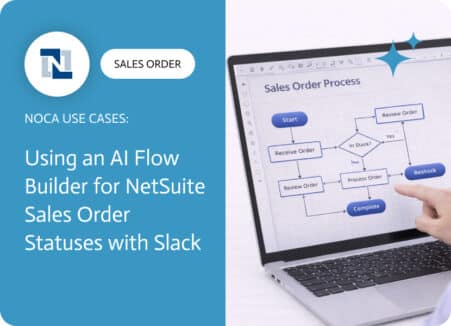
A NetSuite sales order approval workflow exists to protect margins, reduce risk, and prevent avoidable downstream work. Approvals catch discount exceptions, unusual terms, non standard…

An agentic workflow combines AI reasoning with automated steps and human approvals. See examples and a step-by-step method to build agentic workflows safely.

Business process automation (BPA) uses technology to run complete processes end to end. Learn the definition, examples, benefits and how to choose a BPA platform.

HR automation using AI means leveraging smart technology to handle the repetitive, time-consuming parts of human resources—sorting resumes, tracking vacation days, managing payroll, or sending…

In today’s fast-paced business world, seamless integration between different systems and partners is essential. B2B integration enables companies to automate and streamline operations, enhance collaboration,…