
What Is a Digital Employee (AI Worker)?
Noca Workers: AI workers you can set up from a plain-language prompt, connected to your CRM, ERP and other systems. Free plan available.
A digital employee, or AI worker, is an AI agent assigned to a specific business role that completes tasks inside your systems, such as your CRM, ERP, help desk or HR platform, under the same kinds of permissions, rules and oversight as a human team member. It reads requests, decides what to do, takes action and hands off to people when judgment or approval is needed.
Key takeaways
- A digital employee = AI model + a defined job + access to business systems + guardrails.
- Unlike a chatbot, it acts: it creates records, generates documents, routes approvals and updates systems.
- Unlike classic RPA bots, it handles unstructured input such as emails and documents, and adapts when inputs vary.
- The safest digital employees work within role-based permissions, approval steps and audit trails.
How does a digital employee work?
- A job description: you define the role in plain language, for example “process incoming vendor requests” or “prepare renewal quotes 60 days before contract end.”
- Inputs: the worker watches for triggers, such as a new email, form submission, ticket, record change or schedule.
- Reasoning: an AI model interprets the input, classifies it, extracts the data it needs and decides on next steps based on your instructions.
- Tools: the worker acts through integrations: looking up records, creating tickets, generating documents, sending messages and updating systems.
- Guardrails: permissions limit what it can touch, approval steps keep people in control of sensitive actions, and every action is logged.
- Handoffs: when something is unclear or outside its rules, the worker escalates to a person with the context already gathered.
Digital employee examples by team
| Team | Digital employee | What it does | Systems |
|---|---|---|---|
| Sales ops | Quote assistant | Prepares quotes from opportunities, routes discounts for approval, sends for signature | Salesforce, HubSpot |
| Procurement | Vendor onboarding worker | Checks submissions, chases missing documents, creates suppliers after approval | Forms, NetSuite, Priority |
| Finance | Invoice intake worker | Extracts invoice data, matches it to purchase orders, flags exceptions | Email, Amazon Textract, ERP |
| HR | Onboarding coordinator | Generates offer letters, collects signatures, creates the employee record | HR system, e-signature |
| IT | Access request worker | Reads requests, gets manager approval, provisions access, logs everything | Jira, Slack, identity tools |
| Support | Ticket triage worker | Classifies tickets, fills in fields, drafts replies, escalates urgent cases | Zendesk, CRM |
Digital employee vs chatbot vs RPA
- Chatbots answer questions in a conversation. They are great for self-service, but usually do not complete back-office work.
- RPA bots follow fixed scripts, often by clicking through user interfaces. They are reliable for stable, structured tasks but break when inputs or screens change.
- Digital employees combine AI reasoning with API-level integrations and workflows. They handle variable input, decide on next steps and act in systems, with people approving key decisions.
Digital employees are one form of agentic AI. For background, read What Is Agentic AI?
Benefits of digital employees
- Capacity: routine work gets done around the clock without adding headcount to queues.
- Speed: requests that waited days in an inbox are handled in minutes.
- Consistency: the same rules apply every time, with documents built from approved templates.
- Better use of people: staff focus on exceptions, relationships and decisions instead of data entry.
- Traceability: every action is logged, which makes reviews and audits easier than with manual work.
What are the risks, and how do you manage them?
- Wrong actions: start in draft or read-only mode, and require approval for anything involving money, contracts or access.
- Over-broad access: give each worker only the permissions its job needs, just as you would a new hire.
- Opaque decisions: choose platforms that log inputs, decisions and actions so you can review them.
- Drift: review a sample of the worker’s output regularly and update instructions as processes change.
How to choose a digital employee platform
- Integrations: native connections to the CRM, ERP, HR and support systems the worker must use.
- Process pieces: forms, approvals, document generation and e-signatures, since many jobs need them.
- Guardrails: role-based permissions, approval steps and audit trails.
- Ease of building: can a process owner describe the job, or does every worker need a developer?
- Openness: MCP, REST APIs and webhooks so workers and AI assistants can reach systems beyond one vendor.
Compare platforms in Best AI Agent Builders for Business in 2027, and see how assistants connect to systems in Best MCP Servers for Business Systems in 2027.
How to start with your first digital employee
- Pick one high-volume, rules-based job with clear inputs and outcomes, such as access requests or vendor onboarding.
- Write the job description as you would for a new hire: what triggers the work, what good output looks like, and when to escalate.
- Run it in draft mode for a few weeks, with people approving every action.
- Measure and widen permissions for the steps that prove reliable, keeping approvals on sensitive actions.
How Noca builds digital employees
Noca Digital Employees are AI workers that operate inside CRMs and ERPs such as Salesforce, HubSpot, NetSuite, SAP and Priority. You describe the job with Prompt to Worker, and Noca builds the worker along with the forms, approval workflows, document generation and e-signature steps it needs. For example: “When an access request arrives, check the employee’s role, ask their manager to approve in Slack, then provision access and log the change.” Workers run within the TRAPS security framework, with role-based permissions, integration logs, data storage controls and audit trails. Noca’s MCP server also lets ChatGPT, Claude and Grok work with the same systems under build, read, write and admin permissions.
Frequently asked questions
What is a digital employee in simple terms?
It is an AI worker given a specific job, such as processing vendor requests or triaging tickets. It works inside your business systems, takes action within set permissions and asks people for help or approval when needed.
Is a digital employee the same as an AI agent?
A digital employee is a type of AI agent. The term emphasizes a defined business role, access to company systems and the same oversight you would give a team member.
Will digital employees replace human employees?
They mostly take over repetitive tasks such as data entry, routing and document preparation. People stay responsible for decisions, exceptions, relationships and approvals, and usually spend more time on that higher-value work.
How are digital employees different from RPA?
RPA bots follow fixed scripts and often break when inputs or screens change. Digital employees use AI to handle variable input such as emails and documents, and act through integrations and workflows.
Are digital employees safe to use with company data?
They can be when the platform enforces role-based permissions, approval steps for sensitive actions and audit logs. Start in draft mode and widen access as the worker proves reliable.
What is a good first job for a digital employee?
Choose a high-volume, rules-based process with clear inputs and outcomes, such as access requests, vendor onboarding or invoice intake. These jobs show value quickly and are easy to review.
Partners want a simple way to update leads, and you want those updates captured in Affinity without turning licensing and onboarding into a side quest….
Modern business processes rarely happen inside a single application. A customer might begin in a self-service portal, continue to an approval app, and…
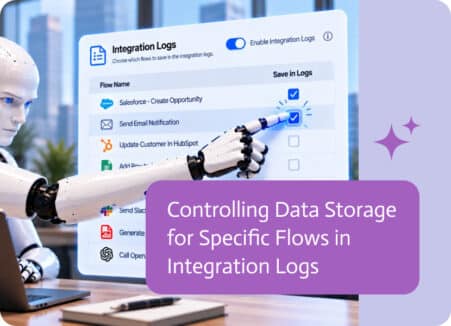
When businesses connect different systems and automate processes, information moves between applications every day.