

What Is Agentic AI? A Practical Guide for Operations Teams
Agentic AI refers to AI systems that can plan, decide and take actions toward a goal, rather than only generating an answer. An agentic system receives an objective, breaks it into steps, uses tools such as APIs, databases and business applications to carry those steps out, and checks the results along the way.
For operations teams, the difference is practical. A traditional AI assistant can draft an email about a late order. An agentic AI system can look up the order in the ERP, check the shipment status, update the customer record, and send the customer a tailored message, while asking a human for approval where it matters.
How agentic AI differs from generative AI
- Generative AI produces content: text, images, summaries and code.
- Agentic AI uses generative models as a reasoning engine, but adds goals, tools, memory and the ability to act.
- Traditional automation follows fixed, predefined rules and breaks when inputs change.
Agentic AI sits between the two: it is more flexible than rule-based automation because it can interpret unstructured inputs, and more useful than a chatbot because it can complete work across systems.
The building blocks of an agentic system
- A goal or instruction, for example “onboard this new supplier”.
- Tools the agent is allowed to use, such as reading a CRM, creating an ERP record or generating a document.
- Context and data, including documents, knowledge bases and live system records.
- Guardrails: permissions, approval steps and limits on what the agent may change.
- Observability: logs of every step so people can review and correct what happened.
Where agentic AI delivers value first
- Order and invoice operations: reading incoming emails or PDFs, extracting data and creating ERP entries.
- Customer onboarding: collecting information, generating agreements, requesting signatures and creating accounts.
- Support triage: classifying tickets, enriching them with CRM data and routing them to the right team.
- Sales operations: preparing quotes, updating opportunities and following up automatically.
Risks to manage
Agentic AI acts on real systems, so governance matters. Teams should limit write access to what each agent needs, require approval for irreversible actions, keep audit logs, and start with processes where mistakes are easy to detect and reverse. A good rule is to automate the routine path fully and route exceptions to a person.
How Noca approaches agentic AI
Noca lets teams build AI agents and automated flows from plain-language prompts, connected to Salesforce, NetSuite, SAP, Priority and 60+ other systems. Agents can work with forms, generate documents and collect e-signatures as part of a single process, and every run is recorded in integration logs.
Through the Noca MCP Server, the same processes can be started from ChatGPT, Claude or Grok. Permission groups and per-tool approvals keep humans in control of sensitive actions.
How to start with agentic AI
- Pick one high-volume process with clear inputs and outcomes.
- Map the systems and documents involved.
- Define what the agent may do automatically and what needs approval.
- Run it on a small scope, review the logs, then expand.
Frequently Asked Questions

What is agentic AI in simple terms?
Agentic AI is AI that can take actions to reach a goal. It plans steps, uses tools such as business applications, and checks results, instead of only producing text.
Is agentic AI the same as an AI agent?
An AI agent is a single system built with agentic AI capabilities. Agentic AI describes the broader approach of goal-driven AI that acts using tools.
What are examples of agentic AI in business?
Common examples include processing invoices into an ERP, onboarding customers or suppliers, triaging support tickets, and preparing and sending quotes from CRM data.
How do you keep agentic AI safe?
Limit permissions to what each agent needs, require human approval for sensitive or irreversible actions, keep detailed logs, and start with processes where errors are easy to catch.
What are the key elements of agentic AI?
Key points include: Generative AI produces content: text, images, summaries and code; Agentic AI uses generative models as a reasoning engine, but adds goals, tools, memory and the ability to act; Traditional automation follows fixed, predefined rules and breaks when inputs change.
How do you get started with agentic AI?
1) A goal or instruction, for example “onboard this new supplier” 2) Tools the agent is allowed to use, such as reading a CRM, creating an ERP record or generating a document 3) Context and data, including documents, knowledge bases and live system records 4) Guardrails: permissions, approval steps and limits on what the agent may change 5) Observability: logs of every step so people can review and correct what happened.
What else should you consider about agentic AI?
Consider the following: Order and invoice operations: reading incoming emails or PDFs, extracting data and creating ERP entries; Customer onboarding: collecting information, generating agreements, requesting signatures and creating accounts; Support triage: classifying tickets, enriching them with CRM data and routing them to the right team; Sales operations: preparing quotes, updating opportunities and following up automatically.
How does Noca help with agentic AI?
Noca lets teams build AI agents and automated flows from plain-language prompts, connected to Salesforce, NetSuite, SAP, Priority and 60+ other systems. Agents can work with forms, generate documents and collect e-signatures as part of a single process, and every run is recorded in integration logs.
Can I use agentic AI from ChatGPT, Claude or Grok?
Yes. With the Noca MCP Server, ChatGPT, Claude, Grok and other MCP-compatible assistants can run your published Noca flows and use Noca tools for agentic AI, within the permission groups and per-tool approvals you set.
Does agentic AI work with Salesforce, NetSuite, SAP and Priority?
Yes. Noca connects natively to Salesforce, NetSuite, SAP, SAP Business One, Priority ERP, HubSpot, monday.com and 60+ other systems, so agentic AI can use live data from them and update them automatically.
Do I need developers to implement agentic AI?
No. In Noca you describe what you need in plain language and Noca builds the forms, apps, flows and documents. Developers can extend any process with REST APIs, OpenAPI definitions and webhooks.
How long does it take to implement agentic AI?
A first working version can often be built from a prompt and tested quickly. The total time depends on how many systems, approvals and documents are involved and how much testing your team requires before publishing.
How do I measure the results of agentic AI?
Compare cycle time, manual steps, error rates and adoption before and after. Noca integration logs show how often each process runs, how long it takes and where it fails.
Can Noca build AI agents?
Yes. Noca builds AI agents that act inside your CRM, ERP and business tools, within permissions and with every run logged.
Can Noca build chatbots?
Yes. Noca Bots answer from files and websites and take actions such as creating leads or tickets.
Which integrations does Noca support?
Noca offers 60+ integrations, including Salesforce, NetSuite, SAP, Priority, HubSpot, Microsoft Dynamics 365, monday.com, Zendesk, Slack, Google Workspace, Microsoft 365, DocuSign and Shopify.
Can Noca connect to systems without a native connector?
Yes. Noca can call any REST API, import OpenAPI definitions, use OData services and SQL databases, and start flows from webhooks.
What is Noca?
Noca is an AI-powered business process automation platform that combines forms, document generation, e-signatures, workflow automation, AI agents and 60+ integrations, with an MCP server for ChatGPT, Claude and Grok.
Do I need to code to use Noca?
No. Noca builds apps, flows, bots and documents from plain-language prompts; developers can extend them with APIs and webhooks.
Is Noca secure?
Noca follows the TRAPS framework (Trusted, Responsible, Auditable, Private and Secure), with permissions, approvals and integration logs.
Companies often use agentic AI agents in various systems. It refers to systems that can plan and learn with minimal supervision. The possibilities are reaching…
Artificial intelligence is known for its ongoing transformation. Many companies use it for automation and planning. Today, 10 trends for 2025 are worth paying attention…

If your team ships anything through NetSuite, the Item Fulfillment record is the one that actually documents it happening — and it’s worth understanding properly…
Support teams do not struggle to send messages. They struggle to send the right message at the right time without creating a new manual step…
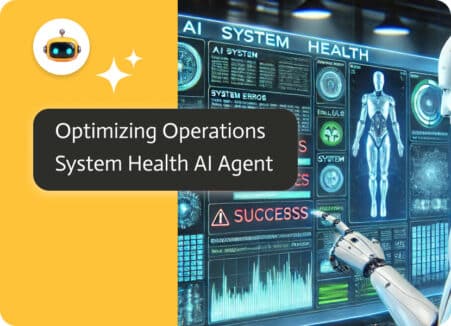
Ensuring Seamless System Integrations and Workflow Efficiency In today’s fast-paced digital landscape, enterprises rely on complex integrations and automated workflows to maintain operational efficiency. However,…