


Secure App Access with One-Time Passcodes (OTP)
Business apps often contain sensitive information: customer records, financial details, employee data, and internal processes. Making sure only the right people can access them is essential.
Passwords have long been the standard way to sign in, but they come with problems. People forget them, reuse them, and share them. One-time passcodes, or OTPs, offer a simpler and more secure alternative.
What Is a One-Time Passcode?
A one-time passcode is a short code, usually sent by email or text message, that can be used only once to sign in.
With OTP login:
- The user enters their email address or phone number.
- A one-time code is sent to them.
- They enter the code in the app.
- If the code is correct, they’re signed in.
Each code usually expires after a short time, so an old code can’t be reused.
Why Use OTP Instead of Passwords?
- No passwords to remember, reset, or store
- Each code works only once
- Codes expire quickly
- Access depends on having the user’s email or phone
- A simpler sign-in experience for occasional users
OTP login is especially useful for apps used by customers, partners, or employees who don’t sign in every day and may not want to manage another password.
Common Use Cases
- Customer portals for viewing orders or documents
- Partner and supplier portals
- Employee self-service apps
- Signing pages for contracts and agreements
- Internal tools used occasionally
Passwords vs. One-Time Passcodes
| Passwords | One-time passcodes | |
|---|---|---|
| Remembering | Required | Not needed |
| Reuse risk | Often reused across sites | Each code works once |
| Resets | Frequent | Not needed |
| Best for | Frequent daily use | Occasional and external users |
Setting Up OTP Login
A complete OTP setup usually includes:
- A login page where the user enters their email
- A code page where they enter the code
- A process that creates and checks the code
- An email or message that sends the code
Some app builders can set all of this up automatically from a simple request, such as “add login with OTP”, without building each part by hand.
Tips for Using OTP Login
- Use a clear, recognizable sender name and subject for code emails
- Keep code expiry times short
- Explain on the login page that a code will be sent
- Check that the code page and login process work together before going live
- Test the full sign-in flow with a real email address
Simple Sign-In, Strong Security
OTP login gives users a fast, password-free way to sign in while keeping apps protected.
Because the best security is the kind that’s easy to use.

What enterprise teams need from an AI web app builder: real integrations, governance, security, workflows, documents and AI assistant access.

In high-volume enterprise environments, synchronous API integrations often become a bottleneck. Salesforce Event-Driven Architecture (EDA) offers a robust alternative to direct REST SOAP calls, specifically…
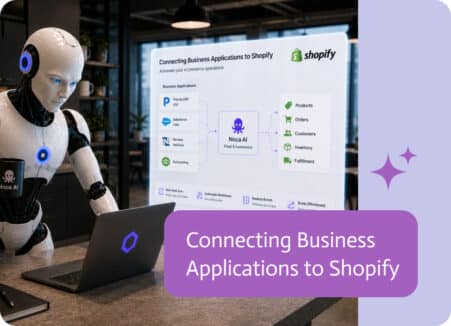
For many businesses, Shopify is more than an online store—it’s the system that manages products, customers, orders, inventory, and the overall shopping…