

Affinity Web Application Built With Prompts
Partners want a simple way to update leads, and you want those updates captured in Affinity without turning licensing and onboarding into a side quest. A web application via prompt solves the mismatch by giving partners a purpose built portal that writes to Affinity without exposing the full CRM.
The use case is a partner lead management app connected to your Affinity instance. With a single prompt, Noca generates a production ready interface where customers and partners can view their leads, update lead details, and manage progress, all without needing an Affinity license or even logging into Affinity directly. In the demo, the app is created from the prompt, the Affinity integration is selected, and the result is a clean portal designed for external users. If you are searching for an Affinity partner portal, partner lead management software, or ai app generation for CRM collaboration, this prompt to app workflow is built for that exact gap.
▶ Watch “Affinity Partner Portal: Lead Management App Built With Prompts” with summary and FAQ
In Noca, you start with prompt to app and describe the portal screens, the lead fields partners should see, and what they are allowed to change, then connect the Affinity integration when Noca detects what is needed. Mapping links portal fields to Affinity lead and organization fields, and the destination actions read lead lists, update lead status, and write notes or activity back to the right records. Conditions and routing keep permissions tight, like restricting partners to only their assigned leads, enforcing required fields before a status change, and routing edge cases into a review queue instead of allowing bad updates. If you want the portal to trigger follow ups, you can connect it to prompt to flow or build in the visual builder to add triggers, conditions, mapping, destination actions, and routing into Slack alerts, Salesforce updates, or onboarding tasks.The outcome is cleaner partner collaboration without the usual CRM sprawl. Partners get a simple tool that feels built for them, your team gets structured updates inside Affinity, and you avoid the cost and friction of expanding licenses. To explore Noca, visit https://noca.ai/ and learn more about prompt to app at https://noca.ai/prompt-to-app/ .
Frequently Asked Questions
Can partners update Affinity leads without an Affinity license?
Yes. With a Noca partner lead management app, customers and partners can view their leads, update lead details and manage progress without needing an Affinity license or logging into Affinity directly.
How do I build an Affinity partner portal in Noca?
Use prompt to app and describe the portal screens, the lead fields partners should see and what they can change. Noca generates the interface, and you connect the Affinity integration when it detects what is needed.
How does the portal keep partner permissions tight?
Conditions and routing can restrict partners to only their assigned leads, enforce required fields before a status change, and route edge cases into a review queue instead of allowing bad updates.
Can the portal trigger follow-up actions or be built with an AI assistant?
Yes. You can connect it to prompt to flow or the visual builder for Slack alerts, Salesforce updates or onboarding tasks. An AI assistant connected through the Noca MCP server can also help build and manage the app and flows.
Affinity is easy to keep updated and strangely tedious to interrogate on demand, especially for people who do not live inside the CRM. Someone asks…
NetSuite is not the place you want casual users wandering around. Many teams only need a few specific actions, like looking up customers or checking…
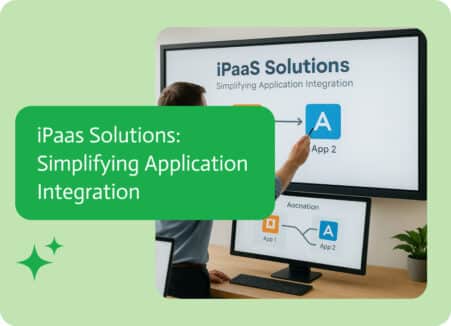
iPaaS, or Integration Platform as a Service, is a way to link different apps, data, processes, and systems using cloud-based software, like the brain that…
Four Ways to Connect NetSuite to AI Without Writing Code Most companies running NetSuite know the data is there. The problem is getting it out,…
Affinity can be doing its job perfectly and you still miss the moment. A new organization gets created, the team meant to follow up, and…