
What Is Prompt-to-App? Building Business Apps from a Prompt
Noca Apps: AI app builder you can set up from a plain-language prompt, connected to your CRM, ERP and other systems. Free plan available.
Prompt-to-app is a way of building software where you describe the application you need in plain language, and an AI platform generates a working app, including its screens, data model, forms, logic and integrations, which you can then review and refine. Instead of designing every screen and writing code, you start from a sentence such as “Build an app for managers to approve equipment requests and track their status.”
Key takeaways
- Prompt-to-app = plain-language description → generated app → human review and refinement → deploy.
- It is the business-app version of “vibe coding”: the focus is on working internal tools and portals connected to real systems, not on code you have to maintain.
- The best results come from platforms that also generate the workflows, approvals, documents and integrations the app depends on.
- Governance still matters: permissions, audit logs and testing do not go away because an AI built the first version.
How does prompt-to-app work?
- Describe the app. You write what the app should do, who uses it and which systems it connects to. Good prompts name the users, the data and the outcome.
- The AI plans the app. The platform turns your description into a data model, screens, forms, roles and the steps that happen when users act.
- It generates the building blocks. Tables or data connections, list and detail views, forms with validation, buttons, workflows and notifications.
- It connects your systems. On business platforms, the app reads from and writes to CRMs, ERPs, databases and APIs through existing integrations.
- You review and refine. You adjust with follow-up prompts (“add a status filter”) or with a drag-and-drop editor.
- You test and deploy. You set permissions, test with real users and publish the app internally or as a portal.
Prompt-to-app vs vibe coding vs traditional low-code
| Approach | What you get | Who maintains it | Best for |
|---|---|---|---|
| Traditional low-code | An app you assemble by hand from components | Makers and developers | Teams with dedicated builders |
| Vibe coding (code generation) | Source code generated by AI | Developers who own the codebase | Prototypes and custom software |
| Prompt-to-app on a business platform | A hosted app with workflows and integrations | Business teams, with IT governance | Internal tools, portals and process apps |
To see how this fits the broader trend, read about vibe coding for business and our list of the best vibe coding tools for business apps.
Prompt-to-app examples
| Team | Example prompt | What the app does |
|---|---|---|
| Sales ops | “An app for the deal desk to review discount requests from Salesforce and approve them.” | Lists pending requests, shows deal data, routes approvals and updates Salesforce |
| IT | “An access request portal where employees request software and managers approve.” | Request form, manager approval, provisioning task, status tracking |
| Procurement | “A vendor portal where suppliers submit details and upload documents.” | Vendor form, approvals, agreement, supplier created in the ERP |
| HR | “An onboarding tracker for new hires with tasks for IT, facilities and the manager.” | Checklist, assignments, reminders, offer letter and signature |
| Customer success | “A customer portal to view orders, open tickets and download invoices.” | Authenticated portal with CRM, ERP and support data |
What are the benefits of prompt-to-app?
- Speed: a first working version in minutes instead of weeks of requirements and builds.
- Access: the people who understand the process can build the tool, rather than waiting in an engineering backlog.
- Iteration: changing an app is as simple as describing the change.
- Consistency: apps built on one platform share permissions, logging and integrations.
- Less shadow IT: teams get governed apps instead of spreadsheets and ad-hoc scripts.
What are the limitations?
Prompt-to-app is not magic. The AI can only connect to systems the platform supports, vague prompts produce vague apps, and generated logic still needs testing. Highly custom consumer-facing software with unusual interfaces is often still a job for developers. Treat the generated app as a strong first draft that you review, not a finished product.
How to write a good prompt-to-app prompt
- Name the users and roles: “employees submit, managers approve, IT fulfills.”
- Name the data and systems: “read accounts from Salesforce, create tickets in Jira.”
- Describe the outcome: “when approved, create the user and notify the requester in Slack.”
- Add rules: “requests over $5,000 also need finance approval.”
Put together, a strong prompt reads like this: “Build an equipment request app. Employees choose an item and enter a business reason. Their manager approves; requests over $5,000 also go to finance. When approved, create a purchase request in NetSuite and notify the employee in Slack. Managers see a dashboard of pending requests.” Start there, then refine with short follow-up prompts.
How to choose a prompt-to-app platform
- Integrations: does it connect to the systems your app must read and write, such as your CRM, ERP and databases?
- Process coverage: can it also generate forms, approvals, documents and signatures, or only screens?
- Editing: can you refine with both prompts and a visual editor?
- Governance: role-based permissions, audit trails, integration logs and data storage controls.
- Who it is for: developer-first tools are compared in our Retool alternatives guide; business-first tools in the best internal tool builders.
Sometimes the “app” is really a smart form. If you mainly need to collect data, compare form tools in our Typeform alternatives guide.
How Noca does prompt-to-app
With Noca Prompt-to-App, you describe the app and Noca generates the screens, forms, data and workflow behind it, which you can then refine with drag-and-drop. Because Noca also includes forms, approval workflows, document generation, e-signatures, chatbots and AI workers, a generated app can run a full process: an access request portal that routes manager approval and triggers provisioning, or a vendor portal that generates an agreement, collects a signature and creates the supplier in NetSuite.
Apps connect to 60+ integrations plus REST APIs and webhooks, and follow Noca’s TRAPS security framework with role-based permissions, integration logs, data storage controls and audit trails. You can even build from ChatGPT or Claude through Noca’s MCP server. Explore the internal tool builder to see what you can build.
Frequently asked questions
What is prompt-to-app in simple terms?
It means describing the app you want in everyday language and letting AI build it. You then review the generated app, make changes and publish it for your team.
Is prompt-to-app the same as vibe coding?
They are related. Vibe coding usually means AI generating source code that developers then own. Prompt-to-app on a business platform generates a hosted, governed app with workflows and integrations, so business teams can maintain it without managing code.
Can prompt-to-app connect to Salesforce, NetSuite or SAP?
It depends on the platform’s integrations. Noca connects to Salesforce, NetSuite, SAP and 60+ other systems, plus REST APIs, so generated apps can read and write real business data.
Are apps built from a prompt secure?
They can be, if the platform enforces role-based permissions, audit trails and data storage controls. Always review permissions and test the app before sharing it, just as you would for any internal tool.
Do I need to know how to code to use prompt-to-app?
No. Business-focused prompt-to-app platforms are designed for non-developers. Technical users can still extend apps with APIs, webhooks and custom logic when needed.
What kinds of apps work best with prompt-to-app?
Internal tools, approval apps, request portals, trackers and customer or vendor portals work especially well. These apps follow common patterns of forms, lists, approvals and system updates that AI can generate reliably.
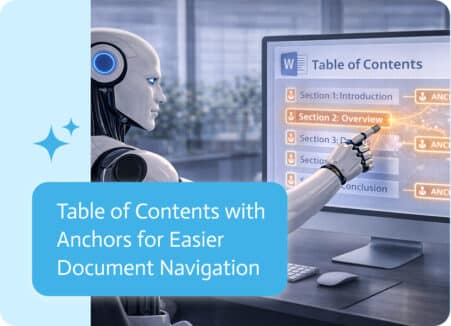
Some documents start simple.A few pages, a clear structure, and a straightforward flow from beginning to end. In those cases, finding information is easy—you just…
What to look for in electronic signature software: signing experience, templates, workflow automation, digital signatures, integrations and audit trails.
Account hierarchy salesforce data is where reality gets complicated fast. Parent accounts, subsidiaries, billing entities, regional branches, and internal rollups are useful, but they also…