

Electronic Signature Software: The Features That Matter for Business
Electronic signature software lets people sign documents online instead of on paper, and tracks who signed, when and what. For businesses, the real value comes from what happens around the signature: generating the document, routing it, storing the signed copy and updating other systems.
Core features to expect
- Simple signing experience on desktop and mobile, without requiring signers to create an account.
- Templates and fields for signatures, initials, dates and form data.
- Multiple signers and signing order for contracts that need several parties.
- Reminders and status tracking so nothing stalls.
- Audit trail showing every view and signature.
Features that separate business-grade tools
Document generation built in
Most signing tools expect a finished PDF. Business teams save the most time when the document is generated from CRM or ERP data and sent for signature in the same step.
Workflow automation after signing
When a document is signed, something should happen next: update the deal, create the customer in the ERP, file the PDF and notify the team. Look for tools that trigger workflows on completion.
Electronic and digital signatures
Simple electronic signatures suit most agreements. Some documents, such as invoices or official records, benefit from cryptographic digital signatures that prove the file has not been altered.
Integrations
Native connections to systems like Salesforce, HubSpot, NetSuite, SAP, Google Drive, Box and Dropbox avoid manual exporting and uploading.
Questions to ask before you buy
- Can we generate documents from our own data, or only upload PDFs?
- What happens automatically after a document is signed?
- Do you support both electronic signatures and certificate-based digital signatures?
- Which storage and CRM systems receive the signed file?
- Can we start signing processes from AI assistants?
E-signatures in Noca
Noca collects signatures inside forms and documents, places signature fields on PDFs automatically, and supports DocuSign and GlobalSign digital signatures. Because signing runs inside Noca Flows, the signed PDF can be stored and written back to your CRM or ERP automatically. See document generation and e-signatures.
Frequently Asked Questions

What is electronic signature software?
It is software that lets people sign documents online and records an audit trail of who signed, when and from where.
Are electronic signatures legally binding?
In many countries, electronic signatures are legally recognized for most business agreements. Requirements vary by country and document type, so check the rules that apply to you.
What is the difference between an electronic and a digital signature?
An electronic signature is any electronic indication of agreement. A digital signature is a specific, certificate-based type that cryptographically proves identity and that the document was not changed.
Can e-signatures be automated?
Yes. With a workflow platform like Noca, documents can be generated, sent for signature, stored and synced to other systems automatically.
What are the key elements of electronic signature software?
Key points include: Simple signing experience on desktop and mobile, without requiring signers to create an account; Templates and fields for signatures, initials, dates and form data; Multiple signers and signing order for contracts that need several parties; Reminders and status tracking so nothing stalls.
How do you get started with electronic signature software?
1) Can we generate documents from our own data, or only upload PDFs? 2) What happens automatically after a document is signed? 3) Do you support both electronic signatures and certificate-based digital signatures? 4) Which storage and CRM systems receive the signed file? 5) Can we start signing processes from AI assistants?.
How does Noca help with electronic signature software?
Noca collects signatures inside forms and documents, places signature fields on PDFs automatically, and supports DocuSign and GlobalSign digital signatures. Because signing runs inside Noca Flows, the signed PDF can be stored and written back to your CRM or ERP automatically. See document generation and e-signatures.
Can I use electronic signature software from ChatGPT, Claude or Grok?
Yes. With the Noca MCP Server, ChatGPT, Claude, Grok and other MCP-compatible assistants can run your published Noca flows and use Noca tools for electronic signature software, within the permission groups and per-tool approvals you set.
Does electronic signature software work with Salesforce, NetSuite, SAP and Priority?
Yes. Noca connects natively to Salesforce, NetSuite, SAP, SAP Business One, Priority ERP, HubSpot, monday.com and 60+ other systems, so electronic signature software can use live data from them and update them automatically.
Do I need developers to implement electronic signature software?
No. In Noca you describe what you need in plain language and Noca builds the forms, apps, flows and documents. Developers can extend any process with REST APIs, OpenAPI definitions and webhooks.
How do you keep electronic signature software secure?
Use least-privilege permissions, require approval for sensitive actions and keep a log of every run. Noca follows the TRAPS framework (Trusted, Responsible, Auditable, Private and Secure), records every flow run in integration logs and lets you control data storage for specific flows.
How long does it take to implement electronic signature software?
A first working version can often be built from a prompt and tested quickly. The total time depends on how many systems, approvals and documents are involved and how much testing your team requires before publishing.
How do I measure the results of electronic signature software?
Compare cycle time, manual steps, error rates and adoption before and after. Noca integration logs show how often each process runs, how long it takes and where it fails.
Does Noca support e-signatures?
Yes. Noca collects signatures in forms and on generated PDFs, and integrates with DocuSign.
What happens after a document is signed in Noca?
The flow can store the signed PDF, update your CRM or ERP and notify the team automatically.
What is Noca?
Noca is an AI-powered business process automation platform that combines forms, document generation, e-signatures, workflow automation, AI agents and 60+ integrations, with an MCP server for ChatGPT, Claude and Grok.
Do I need to code to use Noca?
No. Noca builds apps, flows, bots and documents from plain-language prompts; developers can extend them with APIs and webhooks.
Is Noca secure?
Noca follows the TRAPS framework (Trusted, Responsible, Auditable, Private and Secure), with permissions, approvals and integration logs.
How is Noca different from Zapier?
Zapier connects apps with triggers and actions. Noca builds complete business processes, including forms, documents, signatures, apps and AI agents, with deep CRM and ERP integrations.
How can I try Noca?
Noca offers plans from a Free tier to Enterprise. See pricing or book a demo.

Electronic signatures in Salesforce help businesses move documents, approvals, and agreements forward without relying on manual printing, signing, and scanning. They are commonly used for…
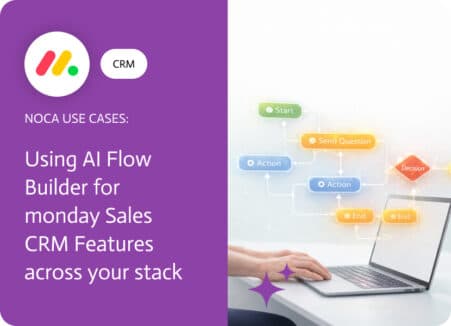
Moving an item between groups in monday.com is not just housekeeping. In a sales workflow, a group change usually means ownership shifted, the deal entered…
A board can be perfectly organized and still fail at one basic job: telling the right person that something new just landed. When a new…

IoT integrated solutions refer to systems where Internet of Things (IoT) devices are connected, managed, and automated together with other technologies (software, platforms, or business…
Artificial Intelligence (AI) has been shaking up creative industries for years now, and storytelling is no exception. Writers of all kinds—whether novelists, content marketers, or…