
Too Big for a Spreadsheet, Too Small for IT: The Best Online Database Software in 2027
You know the spreadsheet. Fourteen tabs, three people editing at once, a VLOOKUP nobody dares touch, and a column called “status (new)”.
It has outgrown the grid. But when you ask IT for a proper database, you get a ticket number and a quarter-long timeline.
That gap is where the best online database software earns its keep. These tools give a team relational data, permissions and forms in an afternoon, without a schema review board. This guide is written for exactly that middle ground.
What is the best online database software in 2027?
The best online database software in 2027 is Airtable for most teams leaving spreadsheets, Noca for teams that need apps, portals and approvals on top of their data, SmartSuite for work management, Baserow and NocoDB for open-source control, and Knack and Caspio for larger record counts and customer-facing database apps.
At a glance: online database software compared
| Tool | Best for | Free plan | Starting price | Standout |
|---|---|---|---|---|
| Airtable | Spreadsheet refugees | Yes, 1,000 records per base | $20/user/mo (Team, annual) | Familiar grid with real relations |
| Noca | Apps and workflows on your data | Yes, 50 daily credits (up to 300/month) | $20/mo Starter | Apps, portals, approvals and AI agents on live data |
| SmartSuite | Work management on a database | 14-day trial | $15/seat/mo (Team, annual, 3-seat minimum) | Project views plus records |
| Baserow | Open-source, budget-conscious teams | Yes, 3,000 rows per workspace | $10/user/mo (Premium, annual) | Self-hosting option |
| NocoDB | Teams with an existing SQL database | Yes, 1,000 records, up to 3 users | $12/seat/mo (Plus, annual) | Free self-hosted Community edition |
| Knack | Database apps for external users | Free trial | $49/mo (Starter, annual) | Flat pricing, not per seat |
| Caspio | High-volume and regulated data apps | Free trial | $270/mo (Team, annual) | Unlimited app users, HIPAA edition |
All prices as of November 2026.
How we evaluated
We scored each tool against the problems that push a team out of spreadsheets but don’t yet justify an IT project:
- Headroom: how many records you get before the next pricing tier, on paper.
- Relations: linked records, lookups and rollups without formulas that break.
- Permissions: who can see and edit which records, including people outside the company.
- Interfaces: forms, views and apps so non-builders never touch the raw table.
- Automation: what happens when a record changes.
- Exit path: APIs, exports and connections to real databases when IT eventually arrives.
Record limits and prices come from each vendor’s published plan pages. We did not load-test any product.
The best online database software, reviewed
1. Airtable: best for teams leaving spreadsheets
Verdict: Airtable is the easiest landing spot for a team escaping spreadsheets, because it keeps the grid people know while adding linked records, interfaces and automations. Watch the per-seat cost as editors multiply.
Standout features
- Linked records, lookups and rollups across tables.
- Interface Designer for simple apps on top of a base.
- Read-only collaborators and form submissions don’t count as paid seats.
Limitations
- The free plan caps each base at 1,000 records and 100 automation runs a month.
- Business plan bases top out at 125,000 records, which large operations can hit.
Pricing: Free; Team $20/user/month and Business $45/user/month billed annually (as of November 2026). Official pricing.
Best for: marketing, content and ops teams with a few editors and many viewers.
2. Noca: best for turning your data into apps, portals and workflows
Verdict: Noca is the right pick when the database is not the end goal but the base for request apps, customer portals, approvals and documents. It works on live data in your existing systems instead of making you copy records into another grid.
Standout features
- Build internal tools and portals on top of Salesforce, HubSpot, NetSuite, SAP Business One, Priority and databases.
- Connectors for PostgreSQL, Airtable and Google Sheets, so you can keep the data where it lives.
- Roles and permissions per app, screen and action, for employees, customers and partners.
- Noca Flows add approvals, notifications and document generation when a record changes.
- Build from a prompt with prompt-to-app.
Limitations
- Noca is an app and automation layer, not a spreadsheet-style database, so teams that only want a better grid should start with Airtable or Baserow.
- Credit-based pricing needs a usage estimate for heavy automations.
Pricing: Free plan with 50 daily credits (up to 300/month); Starter $20/month; Growth $150/month; Scale custom (as of November 2026). See Noca pricing.
Best for: ops teams whose “database” really needs to be an app with approvals and a portal.
3. SmartSuite: best for work management on a database
Verdict: SmartSuite suits teams that want project and process views (Kanban, timelines, dashboards) on top of structured records, with generous record limits on its Professional plan.
Standout features
- 100,000 records per Solution on Professional.
- Built-in project and process templates.
- Dashboards and automations included.
Limitations
- No permanent free plan, only a 14-day trial.
- Seat minimums (3 on Team, 5 on Professional) raise the floor for tiny teams.
Pricing: Team $15/seat/month and Professional $32/seat/month billed annually (as of November 2026). Official pricing.
Best for: PMOs and operations teams replacing spreadsheets plus a project tool.
4. Baserow: best open-source pick on a budget
Verdict: Baserow gives you an Airtable-style experience at a lower per-user price, plus a self-hosting option when data must stay on your own servers.
Standout features
- Free cloud plan with 3,000 rows per workspace and 2,000 automation credits a month.
- Advanced plan with 250,000 rows per workspace.
- Up to 500 external app users even on the free plan.
Limitations
- Smaller integration ecosystem than Airtable.
- Self-hosting shifts maintenance to your team.
Pricing: Free; Premium $10/user/month; Advanced $18/user/month billed annually (as of November 2026). Official pricing.
Best for: cost-sensitive teams and organizations with data-residency rules.
5. NocoDB: best when you already have a SQL database
Verdict: NocoDB is the bridge between spreadsheets and IT, because it can put a spreadsheet-style interface on top of a real SQL database, and its self-hosted Community edition has no record limits.
Standout features
- Free self-hosted Community edition with unlimited records and seats.
- Flat unlimited-seat pricing on Plus and Business.
- Scale plan with 1 million records.
Limitations
- The cloud free plan is small: 1,000 records and 3 users.
- Less polished app-building than dedicated app platforms.
Pricing: Free; Plus $12/seat/month; Business $24/seat/month billed annually (as of November 2026). Official pricing.
Best for: teams with a technical owner and an existing Postgres or MySQL database.
6. Knack: best for database apps with external users
Verdict: Knack prices by plan rather than by seat, which makes it a strong choice for member, client or vendor databases where many outside people log in.
Standout features
- Flat plans with record and storage allowances.
- Login-protected pages for external users.
- HIPAA and GovCloud options on Enterprise.
Limitations
- No permanent free plan.
- Starter caps you at 20,000 records.
Pricing: Starter $49/month and Pro $110/month billed annually (as of November 2026). Official pricing.
Best for: associations, agencies and nonprofits with portal-style databases.
7. Caspio: best for high-volume and regulated data
Verdict: Caspio is the heavyweight of the middle ground, with records in the hundreds of thousands to millions, unlimited app users and a separate HIPAA Compliance Edition that includes a signed BAA.
Standout features
- Team plan includes 250,000 data records and 50 GB of storage.
- Unlimited app users on all plans.
- Compliance Edition with encryption at rest and an audit trail.
Limitations
- The entry price is high for small teams.
- The builder feels more technical than Airtable-style tools.
Pricing: Team $270/month and Business $540/month billed annually (as of November 2026). Official pricing.
Best for: healthcare, government and education teams with large datasets.
Record limits side by side
| Tool | Free tier | Mid tier | Top self-serve tier |
|---|---|---|---|
| Airtable | 1,000 per base | 50,000 per base (Team) | 125,000 per base (Business) |
| SmartSuite | Trial only | 5,000 per Solution (Team) | 100,000 per Solution (Professional) |
| Baserow | 3,000 per workspace | 50,000 (Premium) | 250,000 (Advanced) |
| NocoDB | 1,000 | 50,000 (Plus) | 1,000,000 (Scale) |
| Knack | Trial only | 20,000 (Starter) | 50,000 (Pro) |
| Caspio | Trial only | 250,000 (Team) | 1,000,000 (Business) |
Noca is not listed because it works on data in your existing systems rather than metering records in its own store.
How to choose online database software
- If you want the smallest jump from a spreadsheet, pick Airtable.
- If the data must drive approvals, documents and a customer portal, pick Noca.
- If you also need project views and dashboards, pick SmartSuite.
- If budget or self-hosting matters most, pick Baserow or NocoDB.
- If hundreds of outside users need logins, pick Knack or Caspio.
- If you handle PHI, look at Caspio’s Compliance Edition or Knack Enterprise.
One more test: ask where the data will live in three years. If the answer is “in Salesforce” or “in our SQL database”, choose a tool that can sit on top of that system rather than another silo. Our walkthrough on building a Salesforce form that creates and updates records shows that approach in practice.
Frequently asked questions about online database software in 2027
What is online database software?
Online database software is a cloud tool that stores structured records in linked tables and lets non-developers build views, forms and automations on them in a browser. It sits between a spreadsheet and a custom database, adding relations, permissions and record history without needing a database administrator.
What is the best online database for small businesses?
The best online database for most small businesses is Airtable, because its free plan and familiar grid make the switch from spreadsheets painless. Baserow is the cheaper alternative at $10 per user a month, and Noca fits small businesses that need the data to power apps, approvals and documents.
Is there a free online database?
Yes, Airtable, Baserow and NocoDB all have free online database plans in 2027. Airtable allows 1,000 records per base, Baserow allows 3,000 rows per workspace and NocoDB’s cloud plan allows 1,000 records, while NocoDB’s self-hosted Community edition has no record limit.
How much does online database software cost in 2027?
Online database software costs roughly $10 to $45 per user per month for per-seat tools such as Baserow and Airtable, as of November 2026. Flat-priced tools cost more up front, with Knack from $49 a month and Caspio from $270 a month, but they don’t charge per user.
When should a team move from Excel or Google Sheets to a database?
A team should move from Excel or Google Sheets to a database when several people edit the same file, the same data is copied across tabs, or rows need different permissions. Another trigger is needing an approval or notification whenever a record changes.
Is Airtable better than a real SQL database?
Airtable is better than a SQL database for teams that need speed and ease of use without a developer, while a SQL database such as PostgreSQL is better for millions of rows, complex queries and strict data integrity. Tools such as NocoDB and Noca let you keep SQL underneath and still give teams a friendly interface.
Can ChatGPT or Claude query an online database?
ChatGPT and Claude can query and update online databases when connected through an MCP server or integration. The Noca MCP Server, for example, lets Claude, ChatGPT and Grok read and write data in connected systems within read and write permission groups set by an admin.
Which online database software is HIPAA compliant?
Caspio and Knack offer HIPAA options for online databases: Caspio through its Compliance Edition from $500 a month with a signed BAA, and Knack on its Enterprise plan. Always confirm that the vendor will sign a BAA for the specific plan before storing protected health information.
Can Noca be used as an online database?
Noca is best used as the app, portal and workflow layer on top of an online database rather than as a standalone grid. It reads and writes data in systems such as Salesforce, NetSuite, Airtable, Google Sheets and PostgreSQL, and adds permissions, approvals and document generation.
Outgrown the spreadsheet but not ready for an IT project? Start free with Noca and turn your data into a working app with the Noca internal tool builder.
Last updated: November 2026.
January delivered a strong set of releases, with significant new features and meaningful improvements across the platform. Much of this progress focused on Flows, which…

Businesses are continuously seeking ways to better their processes and at the same time, build on their overall efficiency. Businesses have to rapidly meet the…
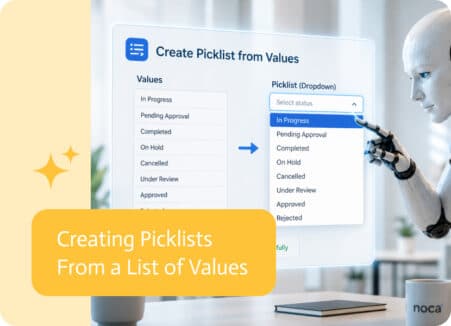
Picklists are supposed to make forms easier. Instead of asking users to type an answer manually, they can choose from a defined list of options. Simple.