
How to connect Noca to your monday account
In this guide we will learn how to connect Noca AI to your monday account.
1. Log into Noca.
2. Under the Flows menu locate Connection, Add New and choose a monday connection.
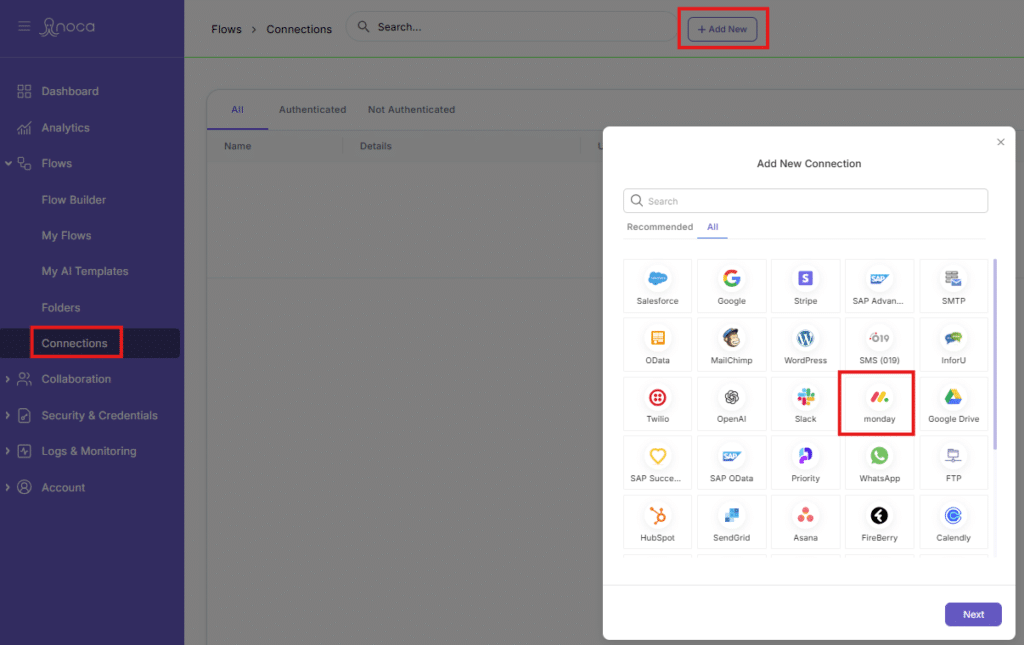
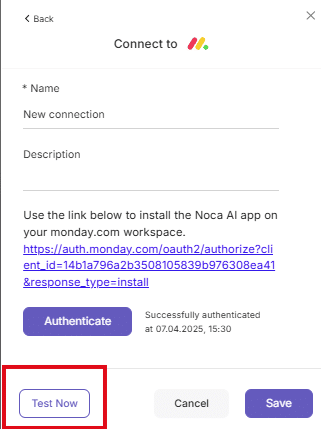
3. Give a name to the connection and then install the Noca app using the link
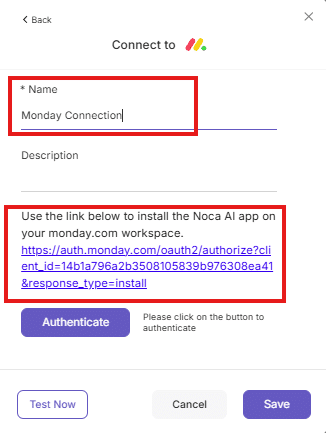
4. Approve the Noca App for Monday
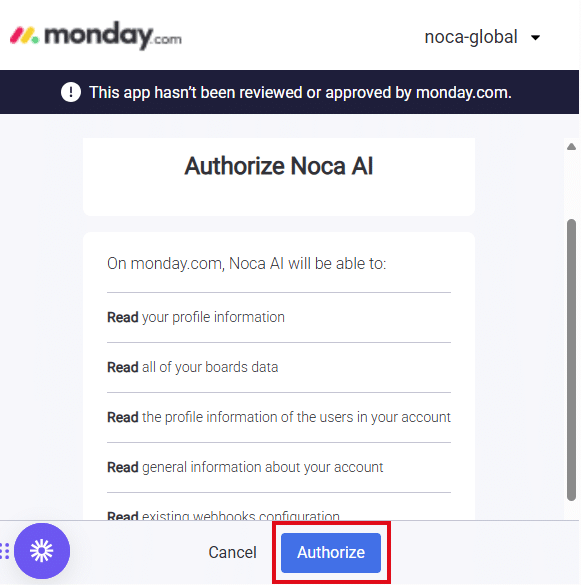
5. Run Test
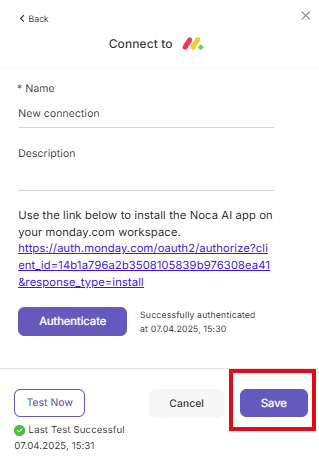
6. Click Save and you are done.
What is Workato? Workato is an integration platform as a service (iPaaS) that enables businesses to automate workflows across various applications and systems. Designed to…

If engineering logs it in Jira and support logs it in Salesforce, you just invented duplicate work and called it process. An AI automation agent…
Zendesk Salesforce Integration refers to the collaborative connection between two leading customer engagement platforms, Zendesk and Salesforce. This integration is designed to streamline customer support…