

AI Web App Builder for Enterprise Teams
An AI web app builder creates working web applications from plain-language descriptions. For enterprise teams, it must also connect to core systems, enforce permissions and keep IT in control of what goes live.
Enterprise requirements
- Native integrations with CRM, ERP, HR and databases.
- Authentication and role-based access.
- Workflows, approvals, documents and signatures inside apps.
- Preview, testing and controlled publishing.
- Version history and logs.
AI web app builder vs AI code generators
AI code generators produce code you must host, secure and maintain. An AI web app builder produces apps on a managed platform, so integrations, security and hosting come built in.
Typical enterprise apps
- Customer and partner portals.
- Request and approval apps.
- Operational dashboards.
- Field and mobile apps.
- Internal admin tools.
Building from AI assistants
Teams increasingly start in ChatGPT, Claude or Grok. Through MCP, these assistants can build apps on the platform while IT keeps publishing rights.
With Noca
Noca Apps are built from prompts or from AI assistants via the Noca MCP Server, connected to 60+ systems and governed with Builder and Admin permissions. See building a web app with ChatGPT.
Frequently Asked Questions

What is an AI web app builder?
It is a platform that creates web applications from plain-language descriptions.
Is an AI web app builder suitable for enterprise?
Yes, if it offers integrations, access control, testing, controlled publishing and logs.
Can AI assistants build enterprise apps?
Yes. Through the Noca MCP Server, ChatGPT, Claude and Grok can build apps that IT publishes.
What are the key elements of an AI web app builder?
Key points include: Native integrations with CRM, ERP, HR and databases; Authentication and role-based access; Workflows, approvals, documents and signatures inside apps; Preview, testing and controlled publishing.
How do you get started with an AI web app builder?
1) Customer and partner portals 2) Request and approval apps 3) Operational dashboards 4) Field and mobile apps 5) Internal admin tools.
How does Noca help with an AI web app builder?
Noca Apps are built from prompts or from AI assistants via the Noca MCP Server, connected to 60+ systems and governed with Builder and Admin permissions. See building a web app with ChatGPT.
Can I use an AI web app builder from ChatGPT, Claude or Grok?
Yes. With the Noca MCP Server, ChatGPT, Claude, Grok and other MCP-compatible assistants can run your published Noca flows and use Noca tools for AI web app builder, within the permission groups and per-tool approvals you set.
Does an AI web app builder work with Salesforce, NetSuite, SAP and Priority?
Yes. Noca connects natively to Salesforce, NetSuite, SAP, SAP Business One, Priority ERP, HubSpot, monday.com and 60+ other systems, so AI web app builder can use live data from them and update them automatically.
Do I need developers to implement an AI web app builder?
How do you keep an AI web app builder secure?
Use least-privilege permissions, require approval for sensitive actions and keep a log of every run. Noca follows the TRAPS framework (Trusted, Responsible, Auditable, Private and Secure), records every flow run in integration logs and lets you control data storage for specific flows.
How long does it take to implement an AI web app builder?
A first working version can often be built from a prompt and tested quickly. The total time depends on how many systems, approvals and documents are involved and how much testing your team requires before publishing.
How do I measure the results of an AI web app builder?
Compare cycle time, manual steps, error rates and adoption before and after. Noca integration logs show how often each process runs, how long it takes and where it fails.
Can Noca build web apps and portals?
Yes. Noca Apps creates customer portals, internal tools, dashboards and request apps from a prompt, connected to your systems.
Where are Noca apps hosted?
Apps are hosted by Noca and get a live URL when an admin publishes them.
Can I preview and roll back Noca apps?
Yes. You can preview apps on desktop, tablet and mobile before publishing, and restore earlier saved versions.
Which integrations does Noca support?
Noca offers 60+ integrations, including Salesforce, NetSuite, SAP, Priority, HubSpot, Microsoft Dynamics 365, monday.com, Zendesk, Slack, Google Workspace, Microsoft 365, DocuSign and Shopify.
Can Noca connect to systems without a native connector?
Yes. Noca can call any REST API, import OpenAPI definitions, use OData services and SQL databases, and start flows from webhooks.
What is Noca?
Noca is an AI-powered business process automation platform that combines forms, document generation, e-signatures, workflow automation, AI agents and 60+ integrations, with an MCP server for ChatGPT, Claude and Grok.
Do I need to code to use Noca?
No. Noca builds apps, flows, bots and documents from plain-language prompts; developers can extend them with APIs and webhooks.
Is Noca secure?
Noca follows the TRAPS framework (Trusted, Responsible, Auditable, Private and Secure), with permissions, approvals and integration logs.
Modern enterprises face increasing challenges in managing employee access to critical systems. Security, compliance, and efficiency are key concerns as organizations navigate the complexities of…
In today’s rapidly evolving digital landscape, businesses face the challenge of connecting a growing number of applications, data sources, and devices. For medium to large…
As businesses increasingly rely on diverse software ecosystems, the need for robust integration platforms has become more critical than ever. SnapLogic has long been a…
NetSuite is not the place you want casual users wandering around. Many teams only need a few specific actions, like looking up customers or checking…
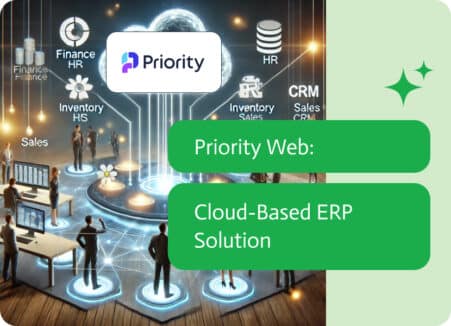
In the fast-paced world of business today, agility and real-time data access are key to success. Priority Web, a product of Priority Software, stands at…