

Workflow Automation: The Complete Guide for 2026
Workflow automation is the use of software to carry out a repeatable sequence of business tasks, such as collecting data, routing approvals, updating systems and notifying people, without manual effort. A workflow starts from a trigger, follows defined steps and conditions, and ends with an outcome such as a signed contract or a created order.
In 2026, workflow automation has moved beyond simple “if this, then that” rules. Modern platforms combine forms, documents, e-signatures, integrations and AI so that complete processes run end to end.
The parts of an automated workflow
- Trigger: what starts the workflow, such as a form submission, a new CRM record, an email, a schedule or an API call.
- Steps: the actions the workflow performs, for example creating a record, generating a document or sending a message.
- Logic: conditions, loops and branches that decide which path to follow.
- Approvals: points where a person reviews and approves before the workflow continues.
- Integrations: connections to the systems where data lives.
- Monitoring: logs that show every run, its status and any errors.
Types of workflow automation
- Integration workflows keep data in sync between systems, for example CRM to ERP.
- Document workflows generate, sign and store documents.
- Approval workflows route requests for purchase orders, expenses or discounts.
- Customer-facing workflows handle onboarding, orders and support.
- AI-driven workflows use AI to read, classify and decide inside the process.
Workflow automation examples
- A won deal in Salesforce creates a customer and sales order in NetSuite and notifies the account team in Slack.
- A supplier fills in an onboarding form, an agreement is generated and signed, and the supplier is created in the ERP.
- An invoice arrives by email, its data is extracted with OCR, and an approval request is sent before it is posted.
- An employee submits an expense, the manager approves it in Slack or Teams, and finance is updated automatically.
How to choose a workflow automation platform
- Does it connect natively to your CRM and ERP, not only to lightweight SaaS tools?
- Can it handle forms, documents and e-signatures inside the same process?
- Does it support approvals, error handling and detailed logs?
- Can non-developers build workflows, and can developers extend them?
- Does it support AI steps and AI assistants through MCP?
AI and the future of workflow automation
AI changes workflow automation in two ways. First, AI steps can handle unstructured inputs such as emails and PDFs that used to need people. Second, teams can describe a workflow in plain language and have it built for them. With MCP, workflows can also be started and monitored from AI assistants like ChatGPT, Claude and Grok.
Workflow automation with Noca
Noca Flows turn a plain-language description into an automated workflow. Flows include triggers, conditions, loops, approvals, document generation, e-signatures and AI steps, and connect to Salesforce, NetSuite, SAP, Priority, HubSpot, monday.com and 60+ other systems. Published flows can also run from ChatGPT, Claude or Grok through the Noca MCP Server.
Frequently Asked Questions

What is workflow automation?
Workflow automation is using software to run a repeatable sequence of business tasks automatically, from a trigger through steps, logic and approvals to a final outcome.
What is an example of workflow automation?
A common example is turning a won CRM deal into an ERP customer and sales order, generating the contract, collecting a signature and notifying the team, all without manual data entry.
What is the difference between workflow automation and RPA?
RPA mimics clicks in user interfaces, while workflow automation connects systems through integrations and APIs. Workflow automation is usually more reliable and easier to maintain.
Can AI build workflows?
Yes. Platforms like Noca can build a workflow from a plain-language description, and AI steps can read documents and emails, classify requests and make decisions inside the workflow.
What are the key elements of workflow automation?
Key points include: Trigger: what starts the workflow, such as a form submission, a new CRM record, an email, a schedule or an API call; Steps: the actions the workflow performs, for example creating a record, generating a document or sending a message; Logic: conditions, loops and branches that decide which path to follow; Approvals: points where a person reviews and approves before the workflow continues.
How do you get started with workflow automation?
1) A won deal in Salesforce creates a customer and sales order in NetSuite and notifies the account team in Slack 2) A supplier fills in an onboarding form, an agreement is generated and signed, and the supplier is created in the ERP 3) An invoice arrives by email, its data is extracted with OCR, and an approval request is sent before it is posted 4) An employee submits an expense, the manager approves it in Slack or Teams, and finance is updated automatically.
What else should you consider about workflow automation?
Consider the following: Integration workflows keep data in sync between systems, for example CRM to ERP; Document workflows generate, sign and store documents; Approval workflows route requests for purchase orders, expenses or discounts; Customer-facing workflows handle onboarding, orders and support.
How does Noca help with workflow automation?
Noca Flows turn a plain-language description into an automated workflow. Flows include triggers, conditions, loops, approvals, document generation, e-signatures and AI steps, and connect to Salesforce, NetSuite, SAP, Priority, HubSpot, monday.com and 60+ other systems. Published flows can also run from ChatGPT, Claude or Grok through the Noca MCP Server.
Can I use workflow automation from ChatGPT, Claude or Grok?
Yes. With the Noca MCP Server, ChatGPT, Claude, Grok and other MCP-compatible assistants can run your published Noca flows and use Noca tools for workflow automation, within the permission groups and per-tool approvals you set.
Does workflow automation work with Salesforce, NetSuite, SAP and Priority?
Yes. Noca connects natively to Salesforce, NetSuite, SAP, SAP Business One, Priority ERP, HubSpot, monday.com and 60+ other systems, so workflow automation can use live data from them and update them automatically.
Do I need developers to implement workflow automation?
No. In Noca you describe what you need in plain language and Noca builds the forms, apps, flows and documents. Developers can extend any process with REST APIs, OpenAPI definitions and webhooks.
How do you keep workflow automation secure?
Use least-privilege permissions, require approval for sensitive actions and keep a log of every run. Noca follows the TRAPS framework (Trusted, Responsible, Auditable, Private and Secure), records every flow run in integration logs and lets you control data storage for specific flows.
How long does it take to implement workflow automation?
A first working version can often be built from a prompt and tested quickly. The total time depends on how many systems, approvals and documents are involved and how much testing your team requires before publishing.
How do I measure the results of workflow automation?
Compare cycle time, manual steps, error rates and adoption before and after. Noca integration logs show how often each process runs, how long it takes and where it fails.
Can Noca automate workflows?
Yes. Noca Flows include triggers, conditions, loops, approvals, documents, signatures and AI steps.
What can trigger a Noca flow?
Can I see what each automation did?
Yes. Every flow run is recorded in integration logs with status, timing, errors and the step where it stopped.
What is Noca?
Noca is an AI-powered business process automation platform that combines forms, document generation, e-signatures, workflow automation, AI agents and 60+ integrations, with an MCP server for ChatGPT, Claude and Grok.
Do I need to code to use Noca?
No. Noca builds apps, flows, bots and documents from plain-language prompts; developers can extend them with APIs and webhooks.
Is Noca secure?
Noca follows the TRAPS framework (Trusted, Responsible, Auditable, Private and Secure), with permissions, approvals and integration logs.

We have to say something about Monday.com. It feels so good when you click the little gray “Working on it” box and change it to…
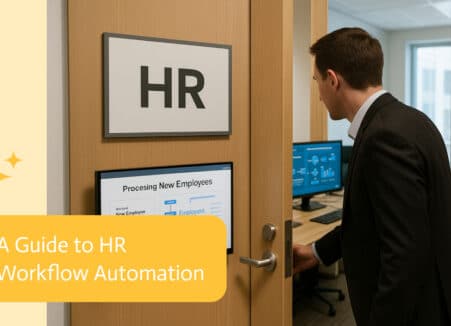
HR work used to mean stacks of paperwork and endless email chains. With workflow automation, special software now picks up that freight and keeps things…
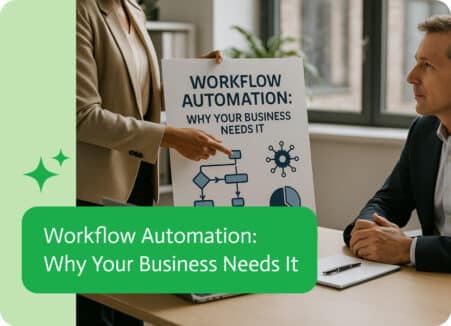
To be honest, most of us didn’t go start a business just to spend hours dragging files into folders, sending emails, or copy-pasting data between…
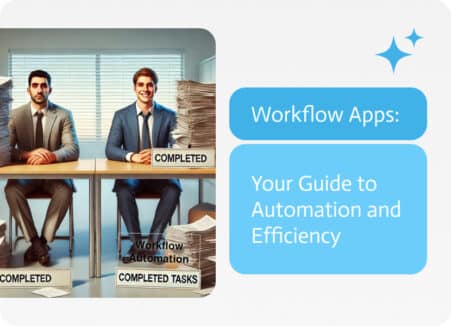
In the ever-evolving business landscape, workflow apps are emerging as game-changers because of their ability to automate and optimize complex processes. This guide delves into…