

Human-in-the-Loop Automation: When AI Should Ask for Approval
Human-in-the-loop automation is a design where automated processes and AI agents handle routine work, but pause for a person to review or approve at defined points. It combines the speed of automation with human judgment where it matters.
When to require human approval
- Irreversible actions such as deleting data or sending payments.
- High-value decisions above a financial threshold.
- Customer-facing communications with legal or commercial impact.
- Low-confidence AI results, such as unclear document extraction.
- Publishing changes to live apps and workflows.
When not to
- Routine, reversible steps with clear rules.
- Read-only lookups and reports.
- Notifications and internal updates.
Designing good approval steps
- Show the approver everything needed to decide in one place.
- Let them approve where they work: Slack, Teams, email or an app.
- Set deadlines, reminders and escalation.
- Log the decision with the reason.
- Review approval rates: if almost everything is approved, consider automating it.
Human in the loop for AI assistants
When AI assistants connect to business systems through MCP, approvals can be set per tool. For example, reading data is always allowed, while running a write flow or publishing an app needs confirmation.
In Noca
Noca flows include approval steps with notifications in Slack and Teams. The Noca MCP Server lets you set each tool to always allow, needs approval or blocked, and destructive actions require confirmation.
Frequently Asked Questions

What is human-in-the-loop automation?
It is automation that pauses for human review or approval at defined points, especially for sensitive or uncertain decisions.
Does human-in-the-loop slow automation down?
Only where approval is required. Routine steps still run automatically, and approvals can happen in Slack or Teams.
How do AI assistants ask for approval?
In MCP-connected assistants, tools can be set to need approval, so the user confirms before the action runs.
What is human in the loop automation?
Human-in-the-loop automation is a design where automated processes and AI agents handle routine work, but pause for a person to review or approve at defined points.
What are the key elements of human in the loop automation?
Key points include: Irreversible actions such as deleting data or sending payments; High-value decisions above a financial threshold; Customer-facing communications with legal or commercial impact; Low-confidence AI results, such as unclear document extraction.
How do you get started with human in the loop automation?
1) Show the approver everything needed to decide in one place 2) Let them approve where they work: Slack, Teams, email or an app 3) Set deadlines, reminders and escalation 4) Log the decision with the reason 5) Review approval rates: if almost everything is approved, consider automating it.
What else should you consider about human in the loop automation?
Consider the following: Routine, reversible steps with clear rules; Read-only lookups and reports; Notifications and internal updates.
How does Noca help with human in the loop automation?
Noca flows include approval steps with notifications in Slack and Teams. The Noca MCP Server lets you set each tool to always allow, needs approval or blocked, and destructive actions require confirmation.
Can I use human in the loop automation from ChatGPT, Claude or Grok?
Yes. With the Noca MCP Server, ChatGPT, Claude, Grok and other MCP-compatible assistants can run your published Noca flows and use Noca tools for human in the loop automation, within the permission groups and per-tool approvals you set.
Does human in the loop automation work with Salesforce, NetSuite, SAP and Priority?
Yes. Noca connects natively to Salesforce, NetSuite, SAP, SAP Business One, Priority ERP, HubSpot, monday.com and 60+ other systems, so human in the loop automation can use live data from them and update them automatically.
Do I need developers to implement human in the loop automation?
How do you keep human in the loop automation secure?
Use least-privilege permissions, require approval for sensitive actions and keep a log of every run. Noca follows the TRAPS framework (Trusted, Responsible, Auditable, Private and Secure), records every flow run in integration logs and lets you control data storage for specific flows.
How long does it take to implement human in the loop automation?
A first working version can often be built from a prompt and tested quickly. The total time depends on how many systems, approvals and documents are involved and how much testing your team requires before publishing.
How do I measure the results of human in the loop automation?
Compare cycle time, manual steps, error rates and adoption before and after. Noca integration logs show how often each process runs, how long it takes and where it fails.
Can Noca automate workflows?
Yes. Noca Flows include triggers, conditions, loops, approvals, documents, signatures and AI steps.
What can trigger a Noca flow?
Can I see what each automation did?
Yes. Every flow run is recorded in integration logs with status, timing, errors and the step where it stopped.
What is Noca?
Noca is an AI-powered business process automation platform that combines forms, document generation, e-signatures, workflow automation, AI agents and 60+ integrations, with an MCP server for ChatGPT, Claude and Grok.
Do I need to code to use Noca?
No. Noca builds apps, flows, bots and documents from plain-language prompts; developers can extend them with APIs and webhooks.
Is Noca secure?
Noca follows the TRAPS framework (Trusted, Responsible, Auditable, Private and Secure), with permissions, approvals and integration logs.
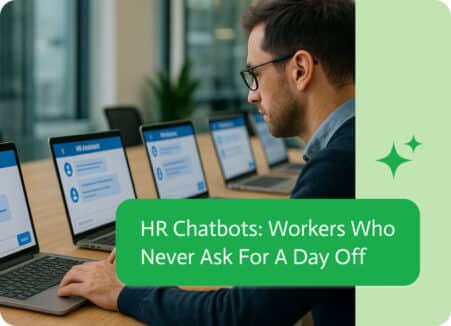
If we’re being brutally honest, nobody takes the job of answering “How do I reset my password?” for the 73rd time and thinks, Yes, this…
A practical framework for governing AI agents in business: permissions, approvals, audit logs, testing, data controls and ownership.

Automate purchase order approvals: request forms, routing by amount, Slack and Teams approvals, PO creation in the ERP and PDF delivery to suppliers.
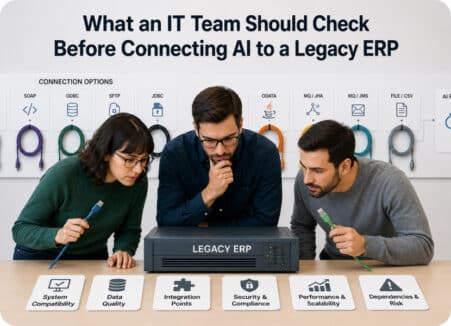
Legacy ERP systems often contain some of the most important information in a business. They may manage inventory, purchasing, suppliers, orders, finance…
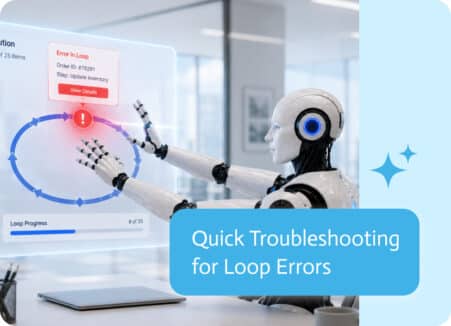
Loops are one of the most powerful building blocks in automation. They allow a single process to work through lists of records, files, orders, invoices,…