

AI PDF Tables and Reports From Business Data
AI PDF report generation turns business data into formatted PDF tables, charts and summaries automatically, so recurring reports are produced without spreadsheets and copy-paste.
Reports teams automate
- Weekly sales and pipeline summaries.
- Overdue invoices by customer.
- Inventory and order status.
- Support metrics by account.
- Project status reports.
How it works
- Pull data from CRM, ERP, databases or sheets.
- Generate tables and charts.
- Add an AI summary of key changes.
- Create the PDF and send it on a schedule or on request.
Branding
Reports can use your brand colors and fonts, extracted from your website, for a consistent look.
With Noca
Noca includes table, chart and auto-PDF generation steps, AI summarization and scheduling in flows, and reports can be requested from ChatGPT, Claude or Grok through the Noca MCP Server. See AI-generated PDF layouts.
Frequently Asked Questions

Can AI generate PDF reports from business data?
Yes. Noca creates tables, charts and summaries as PDFs from your data.
Can reports be scheduled?
Yes. Flows can run on a schedule and email the PDFs.
Can I request a report from an AI assistant?
Yes, through the Noca MCP Server.
What is an AI PDF report generator?
AI PDF report generation turns business data into formatted PDF tables, charts and summaries automatically, so recurring reports are produced without spreadsheets and copy-paste.
What are the key elements of an AI PDF report generator?
Key points include: Weekly sales and pipeline summaries; Overdue invoices by customer; Inventory and order status; Support metrics by account.
How do you get started with an AI PDF report generator?
1) Pull data from CRM, ERP, databases or sheets 2) Generate tables and charts 3) Add an AI summary of key changes 4) Create the PDF and send it on a schedule or on request.
How does Noca help with an AI PDF report generator?
Noca includes table, chart and auto-PDF generation steps, AI summarization and scheduling in flows, and reports can be requested from ChatGPT, Claude or Grok through the Noca MCP Server. See AI-generated PDF layouts.
Can I use an AI PDF report generator from ChatGPT, Claude or Grok?
Yes. With the Noca MCP Server, ChatGPT, Claude, Grok and other MCP-compatible assistants can run your published Noca flows and use Noca tools for AI PDF report generator, within the permission groups and per-tool approvals you set.
Does an AI PDF report generator work with Salesforce, NetSuite, SAP and Priority?
Yes. Noca connects natively to Salesforce, NetSuite, SAP, SAP Business One, Priority ERP, HubSpot, monday.com and 60+ other systems, so AI PDF report generator can use live data from them and update them automatically.
Do I need developers to implement an AI PDF report generator?
How do you keep an AI PDF report generator secure?
Use least-privilege permissions, require approval for sensitive actions and keep a log of every run. Noca follows the TRAPS framework (Trusted, Responsible, Auditable, Private and Secure), records every flow run in integration logs and lets you control data storage for specific flows.
How long does it take to implement an AI PDF report generator?
A first working version can often be built from a prompt and tested quickly. The total time depends on how many systems, approvals and documents are involved and how much testing your team requires before publishing.
How do I measure the results of an AI PDF report generator?
Compare cycle time, manual steps, error rates and adoption before and after. Noca integration logs show how often each process runs, how long it takes and where it fails.
Can Noca generate documents?
Yes. Noca document generation fills Word templates and PDFs with live data, or creates an AI-generated PDF layout, and outputs DOCX or PDF files.
Can Noca use my existing Word templates?
Yes. Noca maps placeholders and sample values in your Word documents to data fields automatically.
Can Noca extract data from documents?
Yes. Noca uses Amazon Textract and Google Vision to extract text, key-value pairs, tables and signatures from documents.
What is Noca?
Noca is an AI-powered business process automation platform that combines forms, document generation, e-signatures, workflow automation, AI agents and 60+ integrations, with an MCP server for ChatGPT, Claude and Grok.
Do I need to code to use Noca?
No. Noca builds apps, flows, bots and documents from plain-language prompts; developers can extend them with APIs and webhooks.
Is Noca secure?
Noca follows the TRAPS framework (Trusted, Responsible, Auditable, Private and Secure), with permissions, approvals and integration logs.
How is Noca different from Zapier?
Zapier connects apps with triggers and actions. Noca builds complete business processes, including forms, documents, signatures, apps and AI agents, with deep CRM and ERP integrations.
Data-driven decision-making is a cornerstone of successful business management. Salesforce simplifies this process through its Report object, which allows users to generate, manage, and analyze…
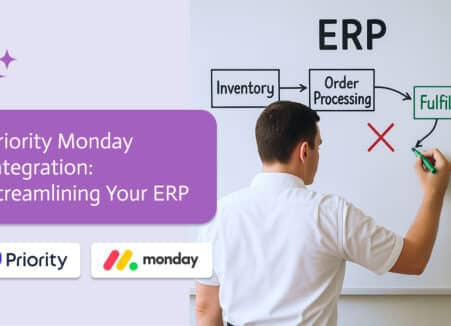
Build a field service report app: technicians fill a mobile form with photos and customer signature, and a branded PDF is emailed and filed automatically.

Many business documents are generated from Word templates that automatically produce structured, dynamic outputs.
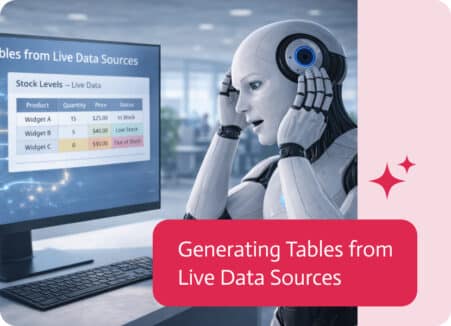
Tables are one of the most effective ways to present structured information in documents. They help organize data clearly, making it easier to read,…

Tables are one of the most common ways to present structured information in documents—whether it’s lists, summaries, reports, or structured data.