

What Is Document Automation? Benefits and Use Cases
Document automation is the use of software to create, route, sign, store and process business documents with little or no manual work. It covers the full life of a document: pulling data into a template, getting approvals and signatures, filing the result and extracting data from documents you receive.
Document generation vs document automation
Document generation is one part of document automation. Generation produces the file from a template. Automation also handles everything around it: the trigger that starts it, approvals, signatures, storage, updates to other systems and reading incoming documents with AI.
How document automation works
- A trigger starts the process, such as a won deal, a submitted form or a scheduled run.
- Data is collected from CRM, ERP, forms or databases.
- A Word, PDF or AI-generated template is filled with that data.
- The document is reviewed, approved and signed if needed.
- The final file is stored and linked to the right records, and the next steps run.
Benefits
- Documents are produced in seconds instead of hours.
- Fewer errors from retyping data.
- Consistent, approved wording and branding.
- Faster signatures and shorter sales and onboarding cycles.
- A clear audit trail of every version and signature.
Common use cases
- Sales: quotes, proposals, order forms and contracts.
- Finance: invoices, statements, receipts and payment reminders.
- HR: offer letters, employment contracts and policy acknowledgements.
- Legal: NDAs, agreements and Bates-numbered document sets.
- Operations: delivery notes, service reports and certificates.
- Inbound documents: extracting data from invoices, receipts and forms with OCR and AI.
Document automation with Noca
Noca turns Word documents into templates, fills and signs PDFs, creates layouts from data, merges and converts files, applies digital signatures and Bates numbering, and extracts data with Amazon Textract and Google Vision. Everything runs inside Noca Flows connected to 60+ systems.
Frequently Asked Questions

What is document automation?
Document automation is using software to create, approve, sign, store and process documents automatically, including extracting data from documents you receive.
What documents can be automated?
Quotes, contracts, invoices, statements, offer letters, NDAs, service reports and certificates are common examples.
Is document automation the same as document generation?
No. Generation creates the file from a template; document automation covers the whole process around it.
What are the key elements of document automation?
Key points include: Documents are produced in seconds instead of hours; Fewer errors from retyping data; Consistent, approved wording and branding; Faster signatures and shorter sales and onboarding cycles.
How do you get started with document automation?
1) A trigger starts the process, such as a won deal, a submitted form or a scheduled run 2) Data is collected from CRM, ERP, forms or databases 3) A Word, PDF or AI-generated template is filled with that data 4) The document is reviewed, approved and signed if needed 5) The final file is stored and linked to the right records, and the next steps run.
What else should you consider about document automation?
Consider the following: Sales: quotes, proposals, order forms and contracts; Finance: invoices, statements, receipts and payment reminders; HR: offer letters, employment contracts and policy acknowledgements; Legal: NDAs, agreements and Bates-numbered document sets.
How does Noca help with document automation?
Noca turns Word documents into templates, fills and signs PDFs, creates layouts from data, merges and converts files, applies digital signatures and Bates numbering, and extracts data with Amazon Textract and Google Vision. Everything runs inside Noca Flows connected to 60+ systems.
Can I use document automation from ChatGPT, Claude or Grok?
Yes. With the Noca MCP Server, ChatGPT, Claude, Grok and other MCP-compatible assistants can run your published Noca flows and use Noca tools for document automation, within the permission groups and per-tool approvals you set.
Does document automation work with Salesforce, NetSuite, SAP and Priority?
Yes. Noca connects natively to Salesforce, NetSuite, SAP, SAP Business One, Priority ERP, HubSpot, monday.com and 60+ other systems, so document automation can use live data from them and update them automatically.
Do I need developers to implement document automation?
No. In Noca you describe what you need in plain language and Noca builds the forms, apps, flows and documents. Developers can extend any process with REST APIs, OpenAPI definitions and webhooks.
How do you keep document automation secure?
Use least-privilege permissions, require approval for sensitive actions and keep a log of every run. Noca follows the TRAPS framework (Trusted, Responsible, Auditable, Private and Secure), records every flow run in integration logs and lets you control data storage for specific flows.
How long does it take to implement document automation?
A first working version can often be built from a prompt and tested quickly. The total time depends on how many systems, approvals and documents are involved and how much testing your team requires before publishing.
How do I measure the results of document automation?
Compare cycle time, manual steps, error rates and adoption before and after. Noca integration logs show how often each process runs, how long it takes and where it fails.
Can Noca generate documents?
Yes. Noca document generation fills Word templates and PDFs with live data, or creates an AI-generated PDF layout, and outputs DOCX or PDF files.
Can Noca use my existing Word templates?
Yes. Noca maps placeholders and sample values in your Word documents to data fields automatically.
Can Noca extract data from documents?
Yes. Noca uses Amazon Textract and Google Vision to extract text, key-value pairs, tables and signatures from documents.
Can Noca automate workflows?
Yes. Noca Flows include triggers, conditions, loops, approvals, documents, signatures and AI steps.
What can trigger a Noca flow?
Can I see what each automation did?
Yes. Every flow run is recorded in integration logs with status, timing, errors and the step where it stopped.
What is Noca?
Noca is an AI-powered business process automation platform that combines forms, document generation, e-signatures, workflow automation, AI agents and 60+ integrations, with an MCP server for ChatGPT, Claude and Grok.

Integrating Salesforce with QuickBooks is a powerful solution for businesses looking to streamline their financial processes, automate invoicing, and enhance payment tracking. By combining Salesforce’s…

The DocuSign Salesforce Integration is a powerful tool that combines DocuSign’s electronic signature features with Salesforce’s customer relationship management (CRM) system. This integration streamlines document…
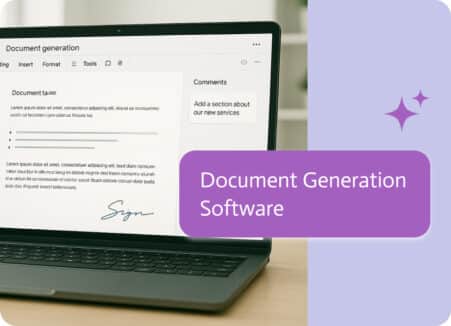
The engine that automatically transforms your data into completed documents is document generation software. By setting up templates once, connecting your data sources, and letting…
In today’s dynamic business landscape, HR departments face immense pressure to optimize operations, enhance employee experience, and boost overall efficiency. HR automation is crucial for…
Integrating CRM systems with other business applications is essential for enhancing customer engagement, streamlining operations, and gaining actionable insights. Boomi has been a prominent choice…