

Webhooks vs APIs vs MCP: How Systems Talk in 2026
APIs let one system request data or actions from another, webhooks let a system push an event to another as soon as it happens, and MCP lets AI assistants discover and use tools. Modern automation uses all three.
APIs: request and response
A client calls an API endpoint and receives a response. APIs are best for reading data on demand and performing actions, such as creating an order.
Webhooks: push on events
A webhook is an HTTP call a system sends when something happens, such as “payment succeeded”. It avoids constant polling and starts workflows in real time.
MCP: tools for AI
The Model Context Protocol describes tools in a way AI models understand, so assistants like ChatGPT, Claude and Grok can choose and call them. MCP servers usually use APIs underneath.
How they fit together
- A webhook from Shopify starts a workflow when an order is placed.
- The workflow calls ERP and CRM APIs to create records.
- An MCP server exposes the workflow so an AI assistant can run it or check its status.
In Noca
Noca flows can start from webhooks, API calls and schedules, call any REST API or OpenAPI definition, use native triggers from systems like Salesforce and Shopify, and be exposed to AI assistants through the Noca MCP Server.
Frequently Asked Questions

What is the difference between a webhook and an API?
An API responds when called; a webhook pushes an event to another system when something happens.
Is MCP an API?
MCP is a protocol for AI tool use. MCP servers often call APIs underneath.
When should I use webhooks?
Use webhooks to start workflows in real time when events happen, instead of polling for changes.
What is webhooks vs API?
APIs let one system request data or actions from another, webhooks let a system push an event to another as soon as it happens, and MCP lets AI assistants discover and use tools.
How do you get started with webhooks vs API?
1) A webhook from Shopify starts a workflow when an order is placed 2) The workflow calls ERP and CRM APIs to create records 3) An MCP server exposes the workflow so an AI assistant can run it or check its status.
How does Noca help with webhooks vs API?
Noca flows can start from webhooks, API calls and schedules, call any REST API or OpenAPI definition, use native triggers from systems like Salesforce and Shopify, and be exposed to AI assistants through the Noca MCP Server.
Can I use webhooks vs API from ChatGPT, Claude or Grok?
Yes. With the Noca MCP Server, ChatGPT, Claude, Grok and other MCP-compatible assistants can run your published Noca flows and use Noca tools for webhooks vs API, within the permission groups and per-tool approvals you set.
Does webhooks vs API work with Salesforce, NetSuite, SAP and Priority?
Yes. Noca connects natively to Salesforce, NetSuite, SAP, SAP Business One, Priority ERP, HubSpot, monday.com and 60+ other systems, so webhooks vs API can use live data from them and update them automatically.
Do I need developers to implement webhooks vs API?
No. In Noca you describe what you need in plain language and Noca builds the forms, apps, flows and documents. Developers can extend any process with REST APIs, OpenAPI definitions and webhooks.
How do you keep webhooks vs API secure?
Use least-privilege permissions, require approval for sensitive actions and keep a log of every run. Noca follows the TRAPS framework (Trusted, Responsible, Auditable, Private and Secure), records every flow run in integration logs and lets you control data storage for specific flows.
How long does it take to implement webhooks vs API?
A first working version can often be built from a prompt and tested quickly. The total time depends on how many systems, approvals and documents are involved and how much testing your team requires before publishing.
How do I measure the results of webhooks vs API?
Compare cycle time, manual steps, error rates and adoption before and after. Noca integration logs show how often each process runs, how long it takes and where it fails.
Does Noca have an MCP server?
Yes. The Noca MCP Server connects ChatGPT, Claude, Grok and other MCP-compatible assistants to your Noca workspace with 80 tools for apps, bots, flows, documents, connections and data.
Which permission groups does the Noca MCP Server use?
Tools are grouped into Builder, Data read, Data write and Admin. In your assistant, each tool can be set to always allow, needs approval or blocked, and destructive actions ask for confirmation.
Can AI assistants read CRM and ERP data through Noca?
Yes. The read-only query_records tool reads records from Salesforce, Priority, SAP Business One, Microsoft Dynamics 365 and Microsoft SQL Server without building a flow.
Can AI assistants change data in my systems through Noca?
Yes, by running published Noca flows with the run_flow tool, which requires the Data write group. The flow keeps your validation and mapping, and you can require approval for each run.
Is Noca also an MCP client?
Which integrations does Noca support?
Noca offers 60+ integrations, including Salesforce, NetSuite, SAP, Priority, HubSpot, Microsoft Dynamics 365, monday.com, Zendesk, Slack, Google Workspace, Microsoft 365, DocuSign and Shopify.
Can Noca connect to systems without a native connector?
Yes. Noca can call any REST API, import OpenAPI definitions, use OData services and SQL databases, and start flows from webhooks.
What is Noca?
Noca is an AI-powered business process automation platform that combines forms, document generation, e-signatures, workflow automation, AI agents and 60+ integrations, with an MCP server for ChatGPT, Claude and Grok.
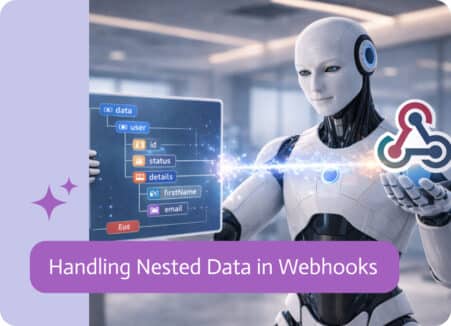
If you’ve ever worked with integrations, you’ve probably run into this: the data you get isn’t nice and flat. It comes layered, grouped, and nested in…

Connect ChatGPT to your CRM, ERP and documents with an MCP server. A step-by-step guide to setup, permissions and real business use cases.

Salesforce Flow is a powerful tool for automating business processes inside Salesforce. It allows organizations to create workflows that update records,…

Customers, invoices, orders, items, service calls, payments, inventory movements, and every other piece of operational data that somehow becomes urgent…
Take a stroll in any modern office, and you will immediately notice a busy calmness in the air: keyboards are busy, Slack notifications are pinging,…