
The Best AI Agent Guide for Microsoft Dynamics 365 Finance and Operations
Microsoft Dynamics 365 Finance & Operations (D365 F&O for short) is like the Lamborghini of the ERP world. It’s fast, strong, sleek, and works well with other Microsoft products. But here’s the harsh truth, if your highly skilled accountants and supply chain managers are spending their days manually entering data into this powerful machine, you’re not driving the Lamborghini, you’re pushing it up a hill in the mud.
A Digital Workforce “More training” or “faster typing” isn’t the answer. The solution lies in the use of AI agents. These aren’t the annoying pop-ups from the 1990s (I’m looking at you, Clippy). These bots are independent and goal-oriented, they function like a virtual workforce, doing the dirty work so your humans can do the thinking.
The only way to get out of the trap of manual administration with Microsoft Dynamics 365 Finance & Operations is to use a specialized AI agent platform. This will turn your ERP from a passive system of record into an active engine of autonomous execution.
Making the word “agent” less mysterious
What is an agent platform, really?
An AI agent platform is like a staffing agency for digital workers. You can build, deploy, and manage autonomous agents with this system. An AI agent knows what is going on, unlike a regular script that stops working if a column moves. It knows what a “invoice” is, no matter how it’s written.
Bot vs. Agent:
The difference is more important than you would think. A regular bot is like a traffic light in that it changes color when a timer goes off or a simple trigger happens. An AI agent is like a traffic cop in that it looks at the situation, makes a decision, and then directs traffic. A bot in D365 makes a record when you tell it to. An agent sees that a record is missing, finds the source data, makes the record, and sends you an email with a summary.
The Role of Dynamics 365
Your ERP is still the “Single Source of Truth.” The agents just live next to it, or “on top” of it, and change the data in D365 F&O to keep things running smoothly in finance and operations.
How AI Agents for Microsoft Dynamics 365 Finance & Operations Work
Native Language
Microsoft has a huge ecosystem. It’s not enough to just plug in a cable to connect Microsoft Dynamics 365 Finance & Operations to AI agents. You also need to know how to use OData, Logic Apps, and the Dataverse. A strong agent platform connects securely through Azure Active Directory (Entra ID), making sure that the agent is treated like a user with certain permissions, nothing more, nothing less.
Bidirectional Syncing
An integration is useless if it only goes one way, simply because everything needs to talk to each other. Bi-directional sync makes sure that data flows correctly. The agent reads inventory data from D365 to check stock levels and then writes a journal entry back to the general ledger. You’re making decisions based on old news if the sync isn’t instant and two-way.
Keeping the Fort Safe
You need bank-level security when you let AI access your financial information. The best platforms use the built-in security roles in D365. D365 shuts the door if the agent tries to get to a payroll table that it shouldn’t be able to. Following SOC2 and GDPR rules is not a feature; it’s a must.
Coding is not required: No-Code Integration of AI Agents for Microsoft Dynamics 365 Finance and Operations
Making the “Tech” in FinTech More Accessible
There was a time when you had to hire a special X++ developer to change a workflow. No-code AI integration agents for Microsoft Dynamics 365 Finance & Operations have made automation available to everyone. The controller or the warehouse manager, who are the ones who really feel the pain of the problem, can now build the solution.
Sanity with Drag and Drop
Picture a canvas where you can just drag blocks to make a process: “Check Bank Feed” -> “Match with D365 Customer Payments” -> “If Discrepancy > $5, Alert CFO.” This is how things really are with modern no-code platforms. It changes complicated API calls into logic that makes sense in English.
Days, Not Quarters to Get to Market
Projects in the world of business software can take months to finish. You can set up a specific agent (like one for onboarding vendors) in just a few days with no-code agent platforms. This flexibility lets you change your business right away when the market changes.
Where the Rubber Meets the Road: Examples of Real-World Use
What does this really look like in everyday life?
Work Orders and Predictive Maintenance:
An agent keeps an eye on data from IoT sensors on factory machines. When it detects a vibration problem, it checks the spare parts inventory in D365, makes a work order, and sets up a technician to come out before the machine breaks.
The “Zero-Touch” Financial Close:
Throughout the month, agents constantly check that the sub-ledgers match up with the general ledger. At the end of the month, the “close” is just a formality, not a panic attack.
Smart Collections:
An agent looks at the customer’s payment history and current order status in D365 instead of sending a generic dunning letter. Then, they write a personalized email that is firm but polite, which makes it more likely that the customer will pay.
Supply Chain Resilience:
Agents look for news stories about problems in the supply chain around the world, like a port strike. They check this against open purchase orders in D365 and automatically suggest other suppliers to the procurement team.
The Return on Investment of Laziness: Combining AI Agent for Microsoft Dynamics 365 Finance & Operations
To be honest, good automation is all about being strategically lazy. You can do the following with Microsoft Dynamics 365 Finance & Operations and AI Agent working together:
- Less work for the admin: Stop making your expensive human talent “data janitors.” Let them be planners and analysts.
- Make Data More Accurate: AI agents never make mistakes. They don’t put a debit in the credit column by mistake. Your data integrity goes through the roof.
- All the time Productivity: Your agents are processing invoices from your overseas suppliers while your finance team sleeps. You wake up to a blank slate.
How to Choose Your Digital Workforce
Not every platform is the same. This is your list:
- Deep Microsoft Affinity: Does the platform know what the Dataverse and D365 entities are without any help? If it can’t tell the difference between a “legal entity” and a “business unit,” leave.
- Can you change the agent’s tone and logic without calling a developer? This is a question of customizability versus complexity.
- Scalability: Can it handle the spike in transactions at the end of the quarter? D365 is built to grow, and your agent platform needs to be able to do the same.
- Reporting: You should know what your agents are up to. Find a platform with a “Control Tower” view that tells you exactly how many hours of work the agents have saved you.
Conclusion
The time of manual ERP has already come to an end. Microsoft Dynamics 365 Finance & Operations is a massive system, but it needs someone who knows how to use it. AI agents give you the control, speed, and accuracy you need to deal with the complexities of today’s business world.
Companies that know how valuable human creativity is will be the ones that succeed in the future. Combine the efficiency of AI with the skills of people, and you can’t be stopped.
Stop clicking buttons and start leading your industry. Try Noca AI and discover how our native Dynamics 365 agents can turn your manual “busy work” into automated “done work.” Give your team the gift of time and let Noca AI handle the heavy lifting inside your Microsoft ecosystem.
Another day…another release… Flows Enhancements Docs Features Enhancements
E-signature options for Salesforce compared: what to look for, how tools write back to records and when a full process platform makes sense.
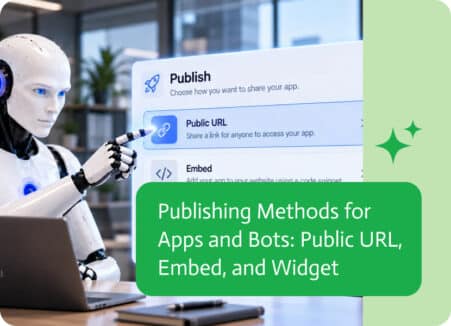
When building applications and automated workflows, getting data from one place to another is essential. Whether it’s a customer filling out a form, a…