

Verify Digitally Signed PDFs: A Practical Guide
To verify a digitally signed PDF, open it in a PDF reader that supports signature validation and check the signature panel: it shows who signed, when, whether the certificate is trusted and whether the document changed after signing.
What the signature panel tells you
- Signer identity from the certificate.
- Signing time, ideally from a trusted timestamp.
- Integrity: whether the document has been modified since signing.
- Trust: whether the certificate chains to a trusted authority.
Common results
- Valid: trusted signer, unchanged document.
- Unknown: the certificate is not in the reader trust list.
- Invalid: the document changed after signing or the certificate is not valid.
Issuing PDFs that verify cleanly
- Use certificates from a trusted provider.
- Sign the final file after all edits, merges and numbering.
- Include timestamps.
- Do not edit a signed PDF; regenerate and re-sign instead.
With Noca
Noca signs PDFs with GlobalSign Digital Signing Service as the last step of document workflows, so recipients get documents that validate. See digital signatures for PDFs.
Frequently Asked Questions

How do I check if a PDF is digitally signed?
Open it in a PDF reader with signature validation and view the signature panel.
Why does a signature show as unknown?
The signer certificate is not in the reader trusted list.
Can I edit a signed PDF?
Editing breaks the signature; regenerate and re-sign the document instead.
How do I verify digital signature PDF?
To verify a digitally signed PDF, open it in a PDF reader that supports signature validation and check the signature panel: it shows who signed, when, whether the certificate is trusted and whether the document changed after signing.
What can I do once I verify digital signature PDF?
Key points include: Signer identity from the certificate; Signing time, ideally from a trusted timestamp; Integrity: whether the document has been modified since signing; Trust: whether the certificate chains to a trusted authority.
What are the steps to verify digital signature PDF?
1) Use certificates from a trusted provider 2) Sign the final file after all edits, merges and numbering 3) Include timestamps 4) Do not edit a signed PDF; regenerate and re-sign instead.
What should I consider before I verify digital signature PDF?
Consider the following: Valid: trusted signer, unchanged document; Unknown: the certificate is not in the reader trust list; Invalid: the document changed after signing or the certificate is not valid.
How does Noca help me verify digital signature PDF?
Noca signs PDFs with GlobalSign Digital Signing Service as the last step of document workflows, so recipients get documents that validate. See digital signatures for PDFs.
Can I verify digital signature PDF from ChatGPT, Claude or Grok?
Yes. With the Noca MCP Server, ChatGPT, Claude, Grok and other MCP-compatible assistants can run your published Noca flows and use Noca tools, within the permission groups and per-tool approvals you set.
Do I need developers to verify digital signature PDF?
Is it secure to verify digital signature PDF?
Use least-privilege permissions, require approval for sensitive actions and keep a log of every run. Noca follows the TRAPS framework (Trusted, Responsible, Auditable, Private and Secure), records every flow run in integration logs and lets you control data storage for specific flows.
How long does it take to verify digital signature PDF?
A first working version can often be built from a prompt and tested quickly. The total time depends on how many systems, approvals and documents are involved and how much testing your team requires before publishing.
How do I measure the results of this approach?
Compare cycle time, manual steps, error rates and adoption before and after. Noca integration logs show how often each process runs, how long it takes and where it fails.
Can Noca generate documents?
Yes. Noca document generation fills Word templates and PDFs with live data, or creates an AI-generated PDF layout, and outputs DOCX or PDF files.
Can Noca use my existing Word templates?
Yes. Noca maps placeholders and sample values in your Word documents to data fields automatically.
Can Noca extract data from documents?
Yes. Noca uses Amazon Textract and Google Vision to extract text, key-value pairs, tables and signatures from documents.
Does Noca support digital signatures?
Yes. Noca applies certificate-based digital signatures to PDFs with GlobalSign Digital Signing Service.
What is the difference between an e-signature and a digital signature?
An e-signature shows that a person agreed. A digital signature uses a certificate to prove who signed and that the document was not changed.
Does Noca support e-signatures?
Yes. Noca collects signatures in forms and on generated PDFs, and integrates with DocuSign.
What happens after a document is signed in Noca?
The flow can store the signed PDF, update your CRM or ERP and notify the team automatically.
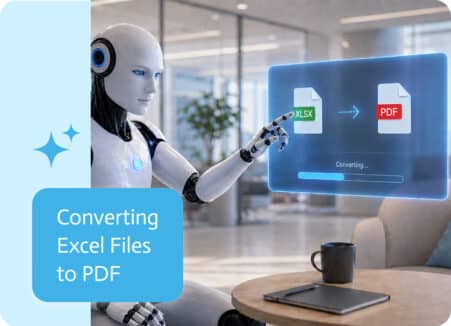
Excel files are great for working with data. PDFs are better when you need to share that data in a clean, fixed format that does not shift, break, or…
Build an e-signature workflow that collects data with a form, generates the document, captures the signature and files the signed PDF automatically.
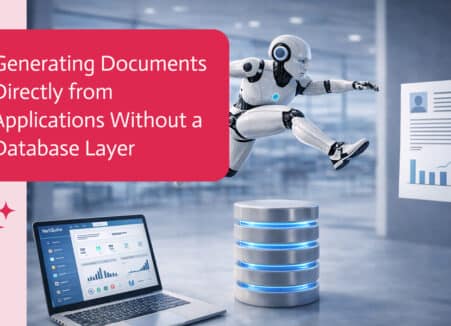
Ask Claude to generate PDFs from your business data: quotes, invoices, reports and certificates, using approved templates through an MCP server.
Apply certificate-based digital signatures to PDFs automatically with GlobalSign: how digital signatures work, when to use them and how to automate them.
Use AI to find and place signature and form fields on PDFs automatically, map them to your data and turn static PDFs into signable documents.