

E-Signature Workflow: From Form to Signed PDF in One Process
An e-signature workflow is an automated process that prepares a document, sends it for signature and handles everything after it is signed. The most efficient workflows start even earlier, with a form that collects the data the document needs.
The five stages of a complete e-signature workflow
- Collect: a web form gathers the signer details and the information the document needs.
- Generate: the data fills a Word or PDF template to create the document.
- Sign: the signer signs in the form or receives the document for signature.
- Store: the signed PDF is saved to Google Drive, Box, Dropbox or Amazon S3.
- Update: CRM and ERP records are updated and the team is notified.
Example: service agreement for a new customer
A customer fills in an onboarding form with company details and billing contacts. The workflow generates a service agreement from a Word template, adds the signature field, and sends it. When it is signed, the PDF is saved to the customer folder, the account is updated in Salesforce, the customer is created in NetSuite, and the account team gets a Slack message.
Signature options
- Signature inside the form for simple acknowledgements and consents.
- Signature fields on a PDF for agreements generated from templates.
- DocuSign when your organization standardizes on it.
- Digital signatures with a certificate for documents that must be tamper-evident.
Tips for a smooth signing process
- Pre-fill every field you already know so signers only review and sign.
- Use conditional sections so each signer sees only what applies.
- Send automatic reminders and track status.
- Store signed files with consistent names and link them to the record.
Build e-signature workflows with Noca
Noca combines forms, document generation, signing and workflow automation in one platform, with DocuSign, GlobalSign and storage integrations. You can describe the process in plain language and Noca builds it, or ask ChatGPT, Claude or Grok to run it through the Noca MCP Server.
Frequently Asked Questions

What is an e-signature workflow?
It is an automated process that prepares a document, sends it for electronic signature, and stores the signed copy and updates other systems afterwards.
Can I collect a signature directly in a form?
Yes. Noca forms can capture signatures and embed them into generated PDFs.
What happens after a document is signed?
In an automated workflow, the signed PDF is stored, related CRM or ERP records are updated and the team is notified, without manual steps.
What are the key elements of an e-signature workflow?
Key points include: Signature inside the form for simple acknowledgements and consents; Signature fields on a PDF for agreements generated from templates; DocuSign when your organization standardizes on it; Digital signatures with a certificate for documents that must be tamper-evident.
How do you get started with an e-signature workflow?
1) Collect: a web form gathers the signer details and the information the document needs 2) Generate: the data fills a Word or PDF template to create the document 3) Sign: the signer signs in the form or receives the document for signature 4) Store: the signed PDF is saved to Google Drive, Box, Dropbox or Amazon S3 5) Update: CRM and ERP records are updated and the team is notified.
What else should you consider about an e-signature workflow?
Consider the following: Pre-fill every field you already know so signers only review and sign; Use conditional sections so each signer sees only what applies; Send automatic reminders and track status; Store signed files with consistent names and link them to the record.
How does Noca help with an e-signature workflow?
Noca combines forms, document generation, signing and workflow automation in one platform, with DocuSign, GlobalSign and storage integrations. You can describe the process in plain language and Noca builds it, or ask ChatGPT, Claude or Grok to run it through the Noca MCP Server.
Can I use an e-signature workflow from ChatGPT, Claude or Grok?
Yes. With the Noca MCP Server, ChatGPT, Claude, Grok and other MCP-compatible assistants can run your published Noca flows and use Noca tools for e-signature workflow, within the permission groups and per-tool approvals you set.
Does an e-signature workflow work with Salesforce, NetSuite, SAP and Priority?
Yes. Noca connects natively to Salesforce, NetSuite, SAP, SAP Business One, Priority ERP, HubSpot, monday.com and 60+ other systems, so e-signature workflow can use live data from them and update them automatically.
Do I need developers to implement an e-signature workflow?
No. In Noca you describe what you need in plain language and Noca builds the forms, apps, flows and documents. Developers can extend any process with REST APIs, OpenAPI definitions and webhooks.
How do you keep an e-signature workflow secure?
Use least-privilege permissions, require approval for sensitive actions and keep a log of every run. Noca follows the TRAPS framework (Trusted, Responsible, Auditable, Private and Secure), records every flow run in integration logs and lets you control data storage for specific flows.
How long does it take to implement an e-signature workflow?
A first working version can often be built from a prompt and tested quickly. The total time depends on how many systems, approvals and documents are involved and how much testing your team requires before publishing.
How do I measure the results of an e-signature workflow?
Compare cycle time, manual steps, error rates and adoption before and after. Noca integration logs show how often each process runs, how long it takes and where it fails.
Can Noca build forms from a prompt?
Yes. Noca builds forms and apps from a plain-language description, including fields, validation, conditional logic, uploads and signatures.
Can Noca forms capture signatures?
Yes. Noca forms include signature fields, and each submission can produce a signed PDF.
Can Noca forms use conditional logic?
Yes. Forms support show, hide, mandatory, optional, enable, disable, set value, reset, messages and redirects.
Can form submissions update Salesforce, HubSpot or NetSuite?
Yes. Submit flows can create and update records in CRMs and ERPs connected to Noca.
Can Noca generate documents?
Yes. Noca document generation fills Word templates and PDFs with live data, or creates an AI-generated PDF layout, and outputs DOCX or PDF files.
Can Noca use my existing Word templates?
Yes. Noca maps placeholders and sample values in your Word documents to data fields automatically.
Can Noca extract data from documents?
Yes. Noca uses Amazon Textract and Google Vision to extract text, key-value pairs, tables and signatures from documents.
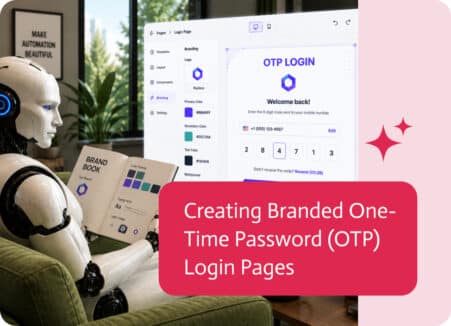
A login page is often the first interaction users have with your application. While security is essential, the login experience should also feel like a…
Looking for a PandaDoc alternative? Compare approaches to document generation and e-signatures, and see when a full workflow platform is the better fit.

For sales folks, juggling all your separate tools can be a real pain. Instead of talking to customers, finalizing deals or making improvements, they’re stuck…
When marketing and sales teams aren’t aligned, results suffer. That’s exactly what was happening for one of our customers before they implemented Noca AI. Their…

SAP Business One is at the heart of many organizations, managing customers, sales, purchasing, inventory, finance, and other core business operations.