

Vendor Onboarding Automation: From Form to ERP Supplier
Vendor onboarding automation collects supplier information, documents and agreements through a guided process and creates the supplier in your ERP once everything is approved. It shortens onboarding from weeks to days and reduces payment errors caused by incorrect vendor data.
The vendor onboarding process
- Procurement invites the vendor and sends a secure onboarding form.
- The vendor submits company details, banking information and tax documents.
- Documents are checked, and data can be extracted from uploaded files with AI.
- A supplier agreement is generated and signed.
- Finance and compliance approve the vendor.
- The supplier is created in NetSuite, SAP or Priority, and the requester is notified.
Controls to build in
- Separate approval for banking details to reduce fraud risk.
- Required documents depending on country and spend category.
- Automatic reminders for missing information.
- A complete audit trail of who approved the vendor.
Vendor onboarding with Noca
Noca builds the supplier portal and form as an app, extracts data from uploaded documents with Amazon Textract or Google Vision, generates and signs the agreement with document generation, routes approvals in flows, and creates the supplier in NetSuite, SAP Business One or Priority ERP.
Frequently Asked Questions

What is vendor onboarding automation?
It is a workflow that collects supplier data and documents, generates and signs agreements, routes approvals and creates the supplier in the ERP automatically.
How do you prevent vendor bank fraud during onboarding?
Require separate approval for banking details, verify them independently and log every change.
Which ERPs can receive new suppliers?
Noca can create suppliers in NetSuite, SAP, SAP Business One and Priority ERP, among others.
What are the key elements of vendor onboarding automation?
Key points include: Separate approval for banking details to reduce fraud risk; Required documents depending on country and spend category; Automatic reminders for missing information; A complete audit trail of who approved the vendor.
How do you get started with vendor onboarding automation?
1) Procurement invites the vendor and sends a secure onboarding form 2) The vendor submits company details, banking information and tax documents 3) Documents are checked, and data can be extracted from uploaded files with AI 4) A supplier agreement is generated and signed 5) Finance and compliance approve the vendor.
How does Noca help with vendor onboarding automation?
Noca builds the supplier portal and form as an app, extracts data from uploaded documents with Amazon Textract or Google Vision, generates and signs the agreement with document generation, routes approvals in flows, and creates the supplier in NetSuite, SAP Business One or Priority ERP.
Can I use vendor onboarding automation from ChatGPT, Claude or Grok?
Yes. With the Noca MCP Server, ChatGPT, Claude, Grok and other MCP-compatible assistants can run your published Noca flows and use Noca tools for vendor onboarding automation, within the permission groups and per-tool approvals you set.
Does vendor onboarding automation work with Salesforce, NetSuite, SAP and Priority?
Yes. Noca connects natively to Salesforce, NetSuite, SAP, SAP Business One, Priority ERP, HubSpot, monday.com and 60+ other systems, so vendor onboarding automation can use live data from them and update them automatically.
Do I need developers to implement vendor onboarding automation?
How do you keep vendor onboarding automation secure?
Use least-privilege permissions, require approval for sensitive actions and keep a log of every run. Noca follows the TRAPS framework (Trusted, Responsible, Auditable, Private and Secure), records every flow run in integration logs and lets you control data storage for specific flows.
How long does it take to implement vendor onboarding automation?
A first working version can often be built from a prompt and tested quickly. The total time depends on how many systems, approvals and documents are involved and how much testing your team requires before publishing.
How do I measure the results of vendor onboarding automation?
Compare cycle time, manual steps, error rates and adoption before and after. Noca integration logs show how often each process runs, how long it takes and where it fails.
Can Noca build forms from a prompt?
Yes. Noca builds forms and apps from a plain-language description, including fields, validation, conditional logic, uploads and signatures.
Can Noca forms capture signatures?
Yes. Noca forms include signature fields, and each submission can produce a signed PDF.
Can Noca forms use conditional logic?
Yes. Forms support show, hide, mandatory, optional, enable, disable, set value, reset, messages and redirects.
Can form submissions update Salesforce, HubSpot or NetSuite?
Yes. Submit flows can create and update records in CRMs and ERPs connected to Noca.
Can Noca automate workflows?
Yes. Noca Flows include triggers, conditions, loops, approvals, documents, signatures and AI steps.
What can trigger a Noca flow?
Can I see what each automation did?
Yes. Every flow run is recorded in integration logs with status, timing, errors and the step where it stopped.
What is Noca?
Noca is an AI-powered business process automation platform that combines forms, document generation, e-signatures, workflow automation, AI agents and 60+ integrations, with an MCP server for ChatGPT, Claude and Grok.
Let’s jump into the exciting world of hiring, where HR departments sprint marathons and new hires are tossed into the corporate deep end with little…
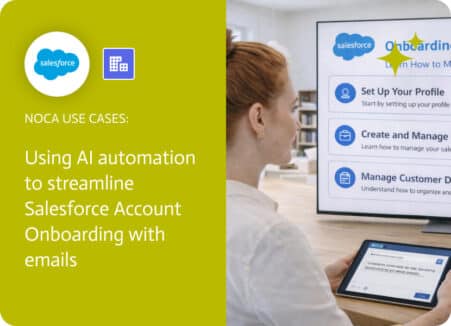
An account record being created in Salesforce does not guarantee anyone actually noticed it. Accounts can appear from manual entry, automation, integrations, or lead conversion….
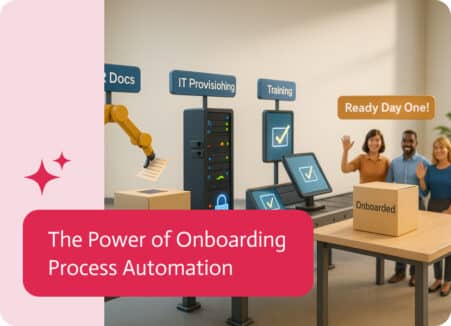
Onboarding Process Automation, the term given for using tech to ease the start-up grind for newcomers. Think of it as automation with a sprinkle of…
You’ve finally hired that new employee. Cheers, confetti and cake for you. After the celebration is over, though, the real work starts. Setting them up,…
Vendor Payment Automation streamlines the process of managing vendor payments within your organization. It automates payment methods, approvals, and vendor management to ensure smooth and…