

Noca vs Dropbox Sign
Dropbox Sign (formerly HelloSign) is a clean, easy-to-use e-signature tool with a well-regarded developer API, especially convenient for Dropbox users. Noca is an AI business automation platform that includes e-signature as part of complete processes, with forms, document generation from Word templates, approvals and native CRM and ERP integrations. Choose Dropbox Sign for straightforward signing or embedding signatures in your app; choose Noca to automate the whole workflow.
Noca vs Dropbox Sign at a glance
| Area | Noca | Dropbox Sign |
|---|---|---|
| Core focus | End-to-end business processes | E-signature |
| E-signature | Built in, multi-signer, audit trail | Core product, clean UX |
| Developer API | REST API integrations and MCP Server | Well-known e-signature API |
| Document generation | Word templates to DOCX/PDF with conditional logic | Templates for signing; generation limited |
| Forms | AI form builder | Limited |
| Workflow automation | Approvals, routing, multi-step flows from plain English | Basic signing workflows |
| CRM and ERP | Salesforce, HubSpot, Dynamics, NetSuite, SAP, Priority and more | Integrations with common apps |
| Storage | Google Drive, SharePoint, Box, Dropbox, S3, SFTP | Dropbox and others |
| AI assistant access | ChatGPT, Claude, Grok via MCP | Check vendor |
E-signature experience
Dropbox Sign is known for a simple, pleasant signing experience. Senders can upload a document, add fields and send it quickly.
Noca also provides a smooth signing experience with multiple signers, signing order, reminders and an audit trail. The difference is upstream and downstream: Noca typically generates the document from data first and updates systems after signing.
API and developers
Developers who want to embed signing into their own product often choose Dropbox Sign for its API and documentation.
Noca focuses on business process automation rather than being an embeddable signing widget. It integrates with systems through native connectors and REST APIs, and exposes processes to AI assistants through the Noca MCP Server.
Document generation and forms
Dropbox Sign works best when you already have the document. Noca creates the document from a form submission or a CRM record using your Word template, including conditional clauses and line-item tables, then sends it for signature.
Workflow and integrations
A typical Noca flow: a vendor completes an onboarding form, Noca generates the agreement, routes it for internal approval, collects signatures, saves the PDF to SharePoint and creates the supplier in NetSuite. With Dropbox Sign, steps beyond signing usually require separate automation tools.
Which should you choose?
Choose Dropbox Sign if:
- You mainly sign documents you already have.
- You want to embed signing in your own application via API.
- You store files in Dropbox.
Choose Noca if:
- You want documents generated automatically from data.
- You need approvals and updates to CRMs and ERPs after signing.
- You want one platform for forms, documents, signatures and workflows.
- You want AI assistants to run processes securely.
How Noca helps
Noca automates every step around the signature, from intake to system updates. See Dropbox Sign alternatives or explore Noca e-signature.
Related guides
Frequently Asked Questions

What is the difference between Noca and Dropbox Sign?
Dropbox Sign is an e-signature tool focused on simple signing and a developer API. Noca is an automation platform that includes e-signature plus forms, document generation, approvals, workflows and native CRM and ERP integrations, so the entire process runs automatically.
Can Noca replace Dropbox Sign?
Yes, for teams whose signatures are part of business processes such as onboarding, sales contracts or HR documents. If your main use case is embedding a signing experience in your own software via API, Dropbox Sign or another e-signature API may be a better fit.
Does Noca integrate with Dropbox?
Yes. Noca integrates with Dropbox as well as Google Drive, Box, SharePoint, Amazon S3 and SFTP, so signed documents and generated files can be saved automatically to the storage location your team uses.
Is Dropbox Sign legally binding?
Yes. Dropbox Sign provides legally binding e-signatures with audit trails, as does Noca. In the US, e-signatures are valid under the ESIGN Act and state UETA laws when signers consent and intent to sign is captured.
Which is better for Salesforce users?
Both can integrate with Salesforce. Noca generates documents from Salesforce data, collects signatures and updates Salesforce records and other systems in the same process, which is useful for quote-to-cash and onboarding workflows that extend beyond the CRM.
Does Noca have an API?
Noca connects to external systems through native connectors and REST APIs, and it offers an MCP Server that lets AI assistants such as ChatGPT, Claude and Grok run Noca processes with granular permissions. Contact Noca for specific API use cases.
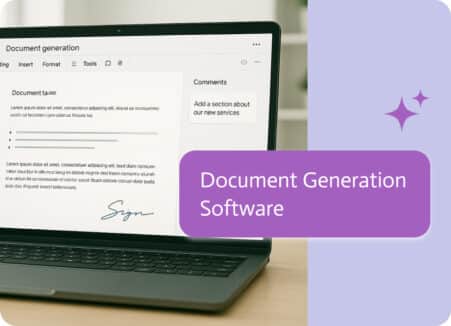
The engine that automatically transforms your data into completed documents is document generation software. By setting up templates once, connecting your data sources, and letting…

We’ve all been there: you have a great meeting or a quick chat about a project, but then… nothing happens. That’s usually because the “talk”…
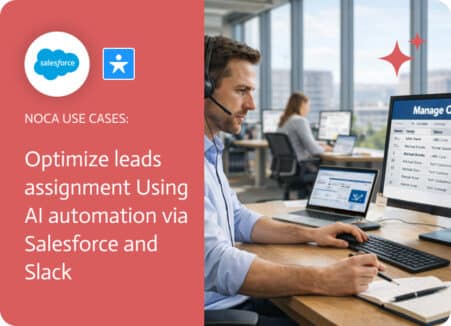
Lead Assignment Rules Salesforce Lead assignment rules in Salesforce define who owns a lead, but they do not always guarantee that the assigned person is…