

Mastering The AI Agent Platform for ServiceNow: A Step-by-Step Guide
ServiceNow has changed the way enterprises handle work in a profound way. It put the disorganized world of IT support, HR requests, and customer service into a structured, digital space. But for a lot of companies, the “service desk” is still a problem. Highly skilled engineers spend a lot of time looking at long lines of low-level tickets, sorting through incidents by hand, or copying and pasting data between old systems.
The main point here is efficiency. ServiceNow doesn’t do the work; it just organizes it. The answer is to use AI agents.
Thesis: When you use a dedicated AI agent platform for ServiceNow, your business goes from “managing tickets” to “resolving outcomes.” It adds a layer of independent intelligence that can find and fix technical problems, carry out fulfillment workflows, and talk to stakeholders without any help from people. This cuts down on Mean Time to Resolution (MTTR) by a lot.
What is a ServiceNow AI Agent Platform?
An AI agent platform for ServiceNow is a special orchestration layer that automates the entire life cycle of a request or incident. ServiceNow’s Virtual Agent lets you talk to it, but a separate Agent Platform takes this a step further by allowing deep backend execution.
In the world of ITSM, it’s important to know the difference between a regular bot and an AI agent. A bot works like a smart search bar; it can show a user a Knowledge Base article that explains how to change their password. An AI agent, on the other hand, works like a virtual fulfillment officer. It listens to the request, securely logs into Active Directory, changes the password, checks that the user can log in, and then closes the ServiceNow ticket with a detailed note about how the problem was solved.
These agents live in the platform’s ecosystem and use the “GlideRecord” data structure to keep the system of record completely up to date.
How ServiceNow Works with AI Agents
The platform’s strong, if complicated, architecture is a big part of what makes ServiceNow integration with AI agents work. ServiceNow is an open platform, but its data schemas must be followed exactly.
The ServiceNow REST API and Table API are the main ways to connect. This lets the AI agent talk to certain tables, like the Incident [incident] or Request [sc_request] tables, in real time. This integration has to take into account the complicated relationships between Configuration Items (CIs), which is not the case with simpler CRMs. When an agent touches a ticket, it needs to know how it will affect other services.
Also, for ServiceNow and AI agents to really work together, they need to be able to sync in both directions. The agent needs to pull data to figure out how urgent and important a ticket is, and it needs to push data back to change the “State,” “Assignment Group,” and “Work Notes.” This makes sure that the audit trail shows the whole history of what the machine has done so that a human engineer can take over if needed. OAuth 2.0 and strict Access Control Lists (ACLs) make sure that the agent never goes beyond its allowed permissions.
ServiceNow integration agents with no code
In the past, automating ServiceNow required a lot of knowledge about JavaScript and the proprietary Glide API. This made it necessary to hire expensive ServiceNow developers. With the rise of no-code AI integration agents with ServiceNow, this power dynamic has changed. Now, process owners and service desk managers have the ability to automate tasks.
In this case, “No Code” is necessary for speed. It lets people who aren’t developers make agents with visual workflow designers that are similar to ServiceNow’s Flow Designer. A service desk manager can build a complex logic flow by dragging and dropping parts.
For example, “If an incident contains the word ‘printer’ and urgency is ‘low,’ try the remote restart script.” This gives everyone the chance to come up with new ideas. IT teams can use AI agents to deal with new problems, like a sudden software outage, in just a few hours instead of having to wait months for a developer to write a new automation.
The best ways AI agents change ServiceNow
AI agents in ServiceNow can do a lot more than just chat. It gets to the heart of IT and how employees work.
Automated incident resolution is one of the most useful use cases. Agents can look for known error codes in tickets that come in. When the agent finds a match, they can run a remediation script (like restarting a server or clearing a cache) and check to make sure the problem is fixed before the user even knows there was a problem.
In the world of HR service delivery, agents make onboarding easier. When a new employee is added to the system, an agent can automatically set up software licenses, order equipment, and create email accounts on multiple systems. This changes a process that used to take days into one that takes only five minutes.
Lastly, predictive triage lets agents look at the unstructured text of tickets that come in. The agent sees that someone wants to say “my laptop is slow,” sorts it correctly, gives it the right priority, and sends it to the right hardware team. This gets rid of the “ticket ping-pong” that annoys employees.
The advantages of combining ServiceNow and AI agents
Combining ServiceNow with AI Agents makes a “service-first” business that works at the speed of machines.
The main benefit is that the Mean Time to Resolution (MTTR) goes down a lot. There are no lines for machines; they handle requests at the same time. This lets human agents focus on managing difficult, high-value problems instead of doing the same old administrative tasks over and over again. It also makes employees much happier. When an internal user gets their problem fixed in seconds instead of days, their productivity and trust in IT go through the roof.
As agents follow strict rules for entering data, the CMDB (Configuration Management Database) becomes more accurate. This gets rid of the “garbage in, garbage out” problem that comes from human error.
How to Pick the Best AI Agent Platform
When choosing a partner for the ServiceNow ecosystem, you need to think about stability and compliance.
First, check to see if they have ServiceNow Certification. If a platform is available on the ServiceNow Store, it means that it has passed tests for security and performance. Second, check to see how well the platform understands ITIL (Information Technology Infrastructure Library) principles.
The agent needs to know what an incident, a problem, and a change request are. Lastly, think about how scalable it is. ServiceNow is used by the biggest companies in the world. Your agent platform needs to be able to handle tens of thousands of requests at once without slowing down.
Conclusion
ServiceNow gives modern work its shape, but AI agents give it its speed. With an AI agent platform for ServiceNow, you go beyond just recording work to actually doing it. You create an IT environment that self-repairs, operates autonomously, and grows without encountering issues.
Companies that automate boring tasks to free up smart people will do well in the future.
ServiceNow structures the work, but Noca AI resolves it. Slash your Mean Time to Resolution (MTTR) and free your service desk from repetitive tickets with autonomous agents that act instantly. Transform your IT Service Management, deploy Noca AI agents for ServiceNow today.
Introduction to Customer 360 In today’s dynamic business world, customer satisfaction is vital for sustained success. Happy customers are more likely to stick around, recommend…
The workplace you knew five years ago (cluttered inboxes, endless status meetings, repeatable grunt work) is being quietly redesigned. Not by a single shiny app,…
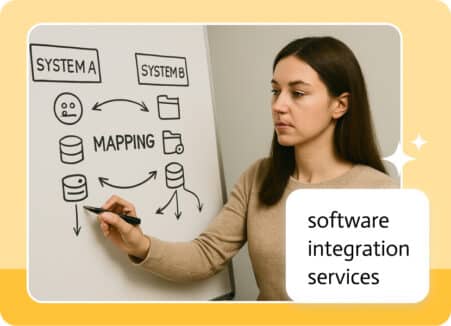
What is an integration? An integration is the process of linking two more systems together so that they can communicate and work together seamlessly. This…