

Agentic Workflows Explained: Examples and How to Build Them
An agentic workflow is an automated process in which an AI agent decides some of the steps, using tools and data, while the rest of the process follows defined rules and approvals. It blends the reliability of workflow automation with the flexibility of AI.
Agentic workflow vs traditional workflow
- A traditional workflow follows the same path every time, based on fixed rules.
- An agentic workflow lets AI interpret inputs, choose actions and handle variations, within guardrails.
- Both can include triggers, integrations, documents and approvals.
Examples of agentic workflows
- Inbox to ERP: an agent reads incoming purchase orders, extracts the data, checks the customer in the CRM and creates the sales order, asking for approval when something does not match.
- Support triage: an agent classifies a ticket, looks up the customer and history, drafts a response and routes complex cases to a specialist.
- Lead qualification: an agent enriches a new lead, scores it and creates the opportunity with notes for the sales rep.
- Contract preparation: an agent gathers deal data, selects the right template, generates the contract and sends it for signature after approval.
How to build an agentic workflow
- Define the goal and the boundaries. What should the agent achieve, and what must it never do?
- Give it the right tools. Connect only the systems and actions it needs.
- Keep deterministic steps deterministic. Use fixed steps for anything that must always happen the same way.
- Add human approval for irreversible or high-value actions.
- Log everything and review runs regularly to improve prompts and rules.
Common mistakes
- Giving the agent broad write access to every system.
- Letting AI decide steps that should be fixed rules.
- Skipping logging, which makes errors hard to diagnose.
- Starting with a low-volume, high-risk process instead of a high-volume, low-risk one.
Building agentic workflows with Noca
In Noca, flows combine fixed steps such as conditions, loops, approvals and integrations with AI steps that summarize, extract, classify and decide. AI agents and bots can use these flows as tools. Every run appears in integration logs, and the Noca MCP Server lets ChatGPT, Claude or Grok start and monitor the workflows with per-tool approvals.
Frequently Asked Questions

What is an agentic workflow?
It is an automated process where an AI agent decides some of the steps using tools and data, while other steps follow fixed rules and human approvals.
How is an agentic workflow different from an AI agent?
An AI agent is the decision-making component. An agentic workflow is the full process around it, including triggers, fixed steps, integrations and approvals.
Are agentic workflows reliable?
They are reliable when deterministic steps stay rule-based, the agent has limited permissions, sensitive actions need approval and every run is logged.
What are the key elements of an agentic workflow?
Key points include: A traditional workflow follows the same path every time, based on fixed rules; An agentic workflow lets AI interpret inputs, choose actions and handle variations, within guardrails; Both can include triggers, integrations, documents and approvals.
How do you get started with an agentic workflow?
1) Inbox to ERP: an agent reads incoming purchase orders, extracts the data, checks the customer in the CRM and creates the sales order, asking for approval when something does not match 2) Support triage: an agent classifies a ticket, looks up the customer and history, drafts a response and routes complex cases to a specialist 3) Lead qualification: an agent enriches a new lead, scores it and creates the opportunity with notes for the sales rep 4) Contract preparation: an agent gathers deal data, selects the right template, generates the contract and sends it for signature after approval.
What else should you consider about an agentic workflow?
Consider the following: Giving the agent broad write access to every system; Letting AI decide steps that should be fixed rules; Skipping logging, which makes errors hard to diagnose; Starting with a low-volume, high-risk process instead of a high-volume, low-risk one.
How does Noca help with an agentic workflow?
In Noca, flows combine fixed steps such as conditions, loops, approvals and integrations with AI steps that summarize, extract, classify and decide. AI agents and bots can use these flows as tools. Every run appears in integration logs, and the Noca MCP Server lets ChatGPT, Claude or Grok start and monitor the workflows with per-tool approvals.
Can I use an agentic workflow from ChatGPT, Claude or Grok?
Yes. With the Noca MCP Server, ChatGPT, Claude, Grok and other MCP-compatible assistants can run your published Noca flows and use Noca tools for agentic workflow, within the permission groups and per-tool approvals you set.
Does an agentic workflow work with Salesforce, NetSuite, SAP and Priority?
Yes. Noca connects natively to Salesforce, NetSuite, SAP, SAP Business One, Priority ERP, HubSpot, monday.com and 60+ other systems, so agentic workflow can use live data from them and update them automatically.
Do I need developers to implement an agentic workflow?
How do you keep an agentic workflow secure?
Use least-privilege permissions, require approval for sensitive actions and keep a log of every run. Noca follows the TRAPS framework (Trusted, Responsible, Auditable, Private and Secure), records every flow run in integration logs and lets you control data storage for specific flows.
How long does it take to implement an agentic workflow?
A first working version can often be built from a prompt and tested quickly. The total time depends on how many systems, approvals and documents are involved and how much testing your team requires before publishing.
How do I measure the results of an agentic workflow?
Compare cycle time, manual steps, error rates and adoption before and after. Noca integration logs show how often each process runs, how long it takes and where it fails.
Can Noca build AI agents?
Yes. Noca builds AI agents that act inside your CRM, ERP and business tools, within permissions and with every run logged.
Can Noca build chatbots?
Yes. Noca Bots answer from files and websites and take actions such as creating leads or tickets.
Can Noca automate workflows?
Yes. Noca Flows include triggers, conditions, loops, approvals, documents, signatures and AI steps.
What can trigger a Noca flow?
Can I see what each automation did?
Yes. Every flow run is recorded in integration logs with status, timing, errors and the step where it stopped.
What is Noca?
Noca is an AI-powered business process automation platform that combines forms, document generation, e-signatures, workflow automation, AI agents and 60+ integrations, with an MCP server for ChatGPT, Claude and Grok.
Do I need to code to use Noca?
No. Noca builds apps, flows, bots and documents from plain-language prompts; developers can extend them with APIs and webhooks.
Zendesk is built for support agents, not for partners and external teams. Those users still need to see case status, add context, and stay aligned,…
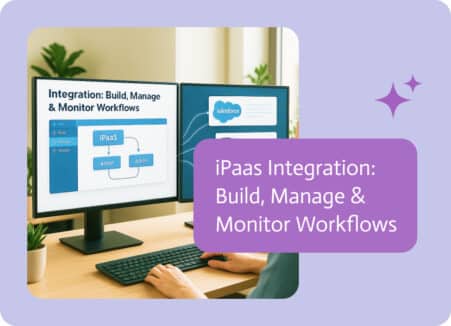
Businesses today depend on many apps, databases, and systems to operate. Customer relationship management (CRM), enterprise resource planning (ERP), marketing tools, and cloud storage create…
Companies often use agentic AI agents in various systems. It refers to systems that can plan and learn with minimal supervision. The possibilities are reaching…
Agentic AI refers to AI systems that plan and take actions toward a goal, not just answer questions. Learn how it works, where it fits and how to adopt it safely.
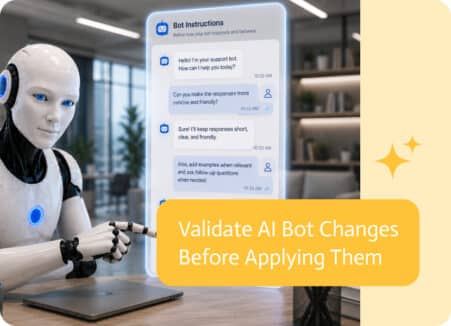
Refining an AI bot’s instructions is only part of the process. The real question comes next: Did the change actually improve the bot’s behavior?