

How to Generate PDFs From Salesforce Data Automatically
To generate PDFs from Salesforce automatically, you map Salesforce fields into a document template and run the generation when a record changes or a user requests it. The result can be emailed, sent for signature and attached back to the record.
Common Salesforce documents
- Quotes and proposals from opportunities and quote line items.
- Contracts and order forms.
- Account statements and renewal notices.
- Case reports and service summaries.
- Certificates and confirmations.
Three ways to generate PDFs from Salesforce
- Salesforce native options, such as Visualforce-based PDFs, which require developer work and offer limited layout control.
- Salesforce document generation add-ons that work inside Salesforce only.
- A workflow platform that generates documents from Salesforce and other systems and automates the steps around them.
Step-by-step with a workflow platform
- Connect Salesforce once.
- Upload a Word template with placeholders for fields like account name, opportunity amount and line items.
- Map each placeholder to Salesforce fields, including related records for line items.
- Choose a trigger: a stage change, a button in an app, a schedule, or a request from an AI assistant.
- Add steps: convert to PDF, request a signature, save the file to Google Drive, Box or Dropbox, and attach or link it to the Salesforce record.
- Notify the owner in Slack or email when it is done.
Tips for better templates
- Use repeating table rows for line items.
- Add conditional sections for optional clauses or discounts.
- Keep legal text in the template so it stays approved.
- Name files consistently, for example Account-Quote-Date.pdf.
Generate Salesforce PDFs with Noca
Noca turns a Word file into a mapped template automatically, places fields on PDFs for filling and signing, and can create a PDF layout from Salesforce data without any template. Generation runs inside Noca Flows triggered by Salesforce events, and users can also ask ChatGPT, Claude or Grok to generate a document through the Noca MCP Server for Salesforce. See document generation.
Frequently Asked Questions

Can Salesforce generate PDFs natively?
Salesforce can render some PDFs with developer work, but layout control and automation are limited. Many teams use a document generation tool instead.
How do I add line items from Salesforce to a document?
Use a template with a repeating table row mapped to the related records, such as opportunity products or quote lines.
Can the generated PDF be signed automatically?
Yes. Noca can add signature fields, send the PDF for signature and save the signed file back to Salesforce or cloud storage.
What is Salesforce generate PDF?
To generate PDFs from Salesforce automatically, you map Salesforce fields into a document template and run the generation when a record changes or a user requests it.
What are the key elements of Salesforce generate PDF?
Key points include: Quotes and proposals from opportunities and quote line items; Contracts and order forms; Account statements and renewal notices; Case reports and service summaries.
How do you get started with Salesforce generate PDF?
1) Salesforce native options, such as Visualforce-based PDFs, which require developer work and offer limited layout control 2) Salesforce document generation add-ons that work inside Salesforce only 3) A workflow platform that generates documents from Salesforce and other systems and automates the steps around them.
What else should you consider about Salesforce generate PDF?
Consider the following: Use repeating table rows for line items; Add conditional sections for optional clauses or discounts; Keep legal text in the template so it stays approved; Name files consistently, for example Account-Quote-Date.pdf.
How does Noca help with Salesforce generate PDF?
Noca turns a Word file into a mapped template automatically, places fields on PDFs for filling and signing, and can create a PDF layout from Salesforce data without any template. Generation runs inside Noca Flows triggered by Salesforce events, and users can also ask ChatGPT, Claude or Grok to generate a document through the Noca MCP Server. See document generation.
Can I use Salesforce generate PDF from ChatGPT, Claude or Grok?
Yes. With the Noca MCP Server, ChatGPT, Claude, Grok and other MCP-compatible assistants can run your published Noca flows and use Noca tools for Salesforce generate PDF, within the permission groups and per-tool approvals you set.
Does Salesforce generate PDF work with Salesforce, NetSuite, SAP and Priority?
Yes. Noca connects natively to Salesforce, NetSuite, SAP, SAP Business One, Priority ERP, HubSpot, monday.com and 60+ other systems, so Salesforce generate PDF can use live data from them and update them automatically.
Do I need developers to implement Salesforce generate PDF?
No. In Noca you describe what you need in plain language and Noca builds the forms, apps, flows and documents. Developers can extend any process with REST APIs, OpenAPI definitions and webhooks.
How do you keep Salesforce generate PDF secure?
Use least-privilege permissions, require approval for sensitive actions and keep a log of every run. Noca follows the TRAPS framework (Trusted, Responsible, Auditable, Private and Secure), records every flow run in integration logs and lets you control data storage for specific flows.
How long does it take to implement Salesforce generate PDF?
A first working version can often be built from a prompt and tested quickly. The total time depends on how many systems, approvals and documents are involved and how much testing your team requires before publishing.
How do I measure the results of Salesforce generate PDF?
Compare cycle time, manual steps, error rates and adoption before and after. Noca integration logs show how often each process runs, how long it takes and where it fails.
Can Noca generate documents?
Yes. Noca document generation fills Word templates and PDFs with live data, or creates an AI-generated PDF layout, and outputs DOCX or PDF files.
Can Noca use my existing Word templates?
Yes. Noca maps placeholders and sample values in your Word documents to data fields automatically.
Can Noca extract data from documents?
Yes. Noca uses Amazon Textract and Google Vision to extract text, key-value pairs, tables and signatures from documents.
Which integrations does Noca support?
Noca offers 60+ integrations, including Salesforce, NetSuite, SAP, Priority, HubSpot, Microsoft Dynamics 365, monday.com, Zendesk, Slack, Google Workspace, Microsoft 365, DocuSign and Shopify.
Can Noca connect to systems without a native connector?
Yes. Noca can call any REST API, import OpenAPI definitions, use OData services and SQL databases, and start flows from webhooks.
What is Noca?
Noca is an AI-powered business process automation platform that combines forms, document generation, e-signatures, workflow automation, AI agents and 60+ integrations, with an MCP server for ChatGPT, Claude and Grok.
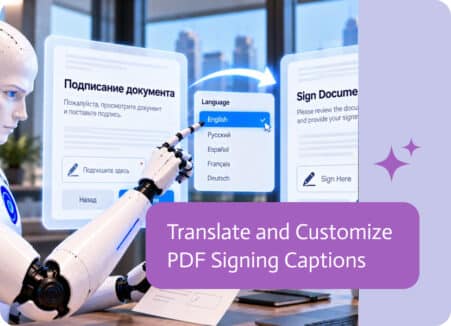
Digital signatures have made it easier than ever to send, sign, and complete documents online. Whether signing a contract, approving an agreement, or…
Ask Claude to generate PDFs from your business data: quotes, invoices, reports and certificates, using approved templates through an MCP server.
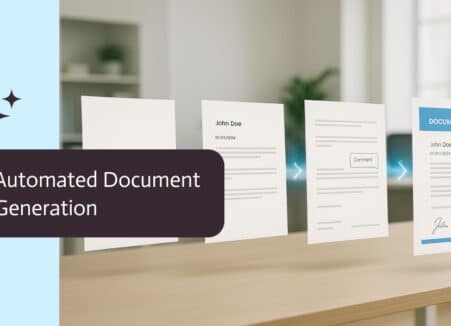
Apply certificate-based digital signatures to PDFs automatically with GlobalSign: how digital signatures work, when to use them and how to automate them.

Many business documents require more than one signature before they can be completed. Contracts, onboarding documents, agreements, consent forms, and…
Data moves constantly between systems. Reports, integrations, imports, exports, APIs, and automated workflows all rely on structured files to pass information from one place to…