
Experlogix Document Automation: 2026 Guide (Formerly Xpertdoc)
Last updated: November 2026
Short answer: Experlogix Document Automation, formerly sold as Xpertdoc, is a no-code platform for generating, approving, e-signing and storing documents such as quotes, contracts and invoices. You design templates in a Microsoft Word add-in and build "Smart Flows" that pull data from Dynamics 365, Salesforce, SugarCRM or other sources.
Key Takeaways
- Experlogix Document Automation is the former Xpertdoc product line, acquired by Experlogix in December 2020 and rebranded under Experlogix in August 2022.
- Smart Flows is the core engine, and templates are built in the Experlogix Template Designer, a Microsoft Word add-in.
- Experlogix lists native integrations with Dynamics 365 Sales, Finance and Business Central, Power Platform, Salesforce and SugarCRM, plus a REST API.
- Experlogix does not publish Document Automation prices as of November 2026, so costs come from a sales quote.
- The Power Platform connector is a Premium connector documented at 100 API calls per connection every 60 seconds.
This guide explains how Experlogix document automation works, what each component does, how a typical implementation runs, and where its limits are, based on Experlogix’s public product pages and Microsoft’s connector documentation as of November 2026.
Noca is not affiliated with Experlogix or Xpertdoc. Features change often, so confirm details with Experlogix or your implementation partner before you buy or build.
What is Experlogix Document Automation?
Experlogix is best known for its configure-price-quote (CPQ) software. In December 2020 it acquired Xpertdoc Technologies, a document generation and automation company that already integrated with Microsoft Dynamics and Salesforce. In August 2022 the two companies unified under the Experlogix brand: the Xpertdoc products became Experlogix Document Automation, and Xpertdoc’s website and support moved to experlogix.com. Today the old xpertdoc.com domain redirects to Experlogix.
Experlogix now sells three product lines: CPQ, Document Automation and Digital Commerce. Document Automation is the one that replaces manual copy-paste in Word, mail merges and home-grown PDF code.
On its Document Automation product page, Experlogix groups the platform into four stages:
- Connect: pull data from several sources at once, including out-of-the-box CRM and ERP connections.
- Create: build dynamic templates with reusable components, style rules and conditional logic.
- Generate: produce documents on demand, on a schedule or in bulk, in PDF, Word, Excel and other formats.
- Deliver: route through approval workflows, then deliver, sign and store documents with an audit trail.
What are the main components of Experlogix Document Automation?
Smart Flows, Template Designer, Forms, Content Manager, eSignature connectors and a REST API with an MCP server make up the platform. Here’s how they fit together.
| Component | What it does |
|---|---|
| Smart Flows | The core engine. A drag-and-drop builder for document flows: data collection, generation, approval, delivery and storage steps |
| Template Designer | A Microsoft Word add-in used to build the templates that flows populate |
| Experlogix Forms (Smart Forms) | Web forms that collect extra data and can trigger document generation, approvals and eSignature on submission |
| Content Manager | A governed library for templates and content with version control, comments, approvals and AI translation |
| eSignature connectors | Integrations with DocuSign, Adobe Acrobat Sign, OneSpan Sign and ConsignO Cloud |
| REST API and MCP server | An OpenAPI-based API for custom integrations, plus a Smart Flows MCP server that lets AI agents discover and run flows |
The Experlogix help portal lists separate knowledge-base spaces for Smart Flows, Experlogix Documents and Template Designer, which matches this split.
How Experlogix document automation works
A document job in Experlogix follows the same basic path whatever the source system.
- A trigger fires. A user clicks a button in Dynamics 365 or Salesforce, a form is submitted, a record changes, a schedule runs, or another system calls the API or Power Automate.
- Data is collected. The flow reads data sets from the CRM or ERP and can combine them with other sources, such as an HTTP web service or form answers. Experlogix says it can merge many data sets into one document.
- The template is populated. The Word-based template applies conditional sections, repeating tables, calculations and language variants.
- Approvals run if needed. Business rules decide whether the document needs review, and by whom, in sequence or in parallel.
- The document is delivered. Email, eSignature, download or a handoff to another system.
- The result is stored. The file is attached to the originating record or stored elsewhere, with execution history for auditing.
Microsoft’s Experlogix Smart Flows connector documentation shows that each customer works in a Smart Flows project, reached through a project URL, and that integrations authenticate with a per-user API key. The connector exposes actions such as Execute Flow, Get Execution Status, Get Documents and Download Document, plus package import, export, backup and restore.
Which systems does Experlogix document automation support?
It supports Microsoft Dynamics 365, Power Platform, Salesforce and SugarCRM natively, plus an API for anything else. Experlogix’s integrations page lists these native integrations for Document Automation:
- Microsoft Dynamics 365 Sales
- Microsoft Dynamics 365 Finance
- Microsoft Dynamics 365 Business Central (document creation from more than 30 Business Central entities, according to Experlogix)
- Microsoft Power Platform (Power Automate, Power Apps, Dataverse)
- Salesforce
- SugarCRM
- The Document Automation API for anything else
The Power Platform connector is a Premium connector in Power Automate and Power Apps, so users of it need the matching Microsoft premium licensing. It’s documented at 100 API calls per connection every 60 seconds.
Step by step: rolling out Experlogix document automation
Experlogix doesn’t publish a self-serve setup guide on its public site, and pricing is quote-based, so most teams follow a project approach like this.
- List your documents. Start with three to five high-volume documents, such as quotes, order confirmations and invoices. Note the data each one needs, who approves it and where it ends up.
- Request a demo and a quote. Use the Experlogix demo page. Ask which CRM or ERP connectors, eSignature connectors and user counts your quote covers.
- Get your project provisioned. You receive a Smart Flows project. Admins connect the data source, for example Dynamics 365 or Salesforce.
- Build data sets. Define the records, related records and filters the template needs. Version 4.12 added reusable filtered relations at the data set level and data set previews with sample data.
- Design templates in Word. Install the Template Designer add-in, map fields, and add conditional blocks, tables and calculated values.
- Build the flow. In Smart Flows, drag in steps for data collection, generation, preview, approval, eSignature, email and storage.
- Expose it to users. Add buttons to Dynamics 365 or Salesforce records, trigger it from Salesforce Flow or Power Automate, or embed a form.
- Test and go live. Test with real records, including edge cases such as empty fields and multiple currencies. Then roll out by team.
Partners are common. Experlogix has announced a long list of Dynamics 365 and Power Platform implementation partners, so ask whether your existing Microsoft or Salesforce partner already works with it.
Notable features in 2026
Recent additions centre on AI form building, translation, an MCP server and eSignature partnerships. According to Experlogix’s AI and innovation page and recent blog posts, current capabilities include:
- AI form builder: describe a form in plain language and the assistant generates the field schema for you to review.
- AI translation: generate or translate documents in 130+ languages, before or after generation, with an optional review step.
- Smart Flows MCP server: AI agents, including Microsoft Copilot and Salesforce Agentforce, can discover available flows, check inputs and run them from a chat.
- eSignature: Experlogix says it is a certified DocuSign partner and certified in the Adobe Acrobat Sign partner program. It also supports OneSpan Sign and ConsignO Cloud.
- EU eInvoicing: native flow blocks for EU eInvoicing compliance.
- Accessible output: a 2026 Experlogix article covers PDF/UA accessible documents.
Tips, limitations and best practices
The main limits are opaque pricing, dual licensing and connector rate limits, so plan for them early.
- Pricing isn’t public. Experlogix doesn’t publish prices, so budget time for a sales cycle and ask for connector, user and volume limits in writing.
- Plan for licensing on both sides. Power Platform triggers need premium Microsoft licences, and eSignature providers such as DocuSign or Adobe Acrobat Sign usually need their own subscriptions.
- Govern templates early. Use Content Manager versioning and approvals so sales teams don’t fork their own copies.
- Respect API limits. For high-volume batch runs through Power Automate, design around the 100-calls-per-minute connector limit or call the API directly.
- Check compliance evidence. Experlogix’s site says the platform is designed to meet SOC 2, HIPAA and GDPR requirements. Its trust center offers a SOC 2 report on request, so ask for it during procurement.
- Know where it shines. Experlogix fits complex, regulated, high-volume documents tied to Dynamics 365 or Salesforce, especially if you also use Experlogix CPQ.
How Noca handles the same job
If you’re comparing options, Noca approaches document automation as one step in a larger process. You describe the process in plain language and Noca builds the form, the document, the e-signature step, the approvals and the system updates.
- Generates PDF and Word (DOCX) documents from your own Word templates, and can fill PDF forms, with conditional logic and batch generation.
- Connects to 60+ systems, including Microsoft Dynamics 365, Salesforce, HubSpot, SAP and NetSuite.
- Signs with Noca signing, DocuSign or GlobalSign certificate-based digital signatures, then writes the signed PDF back to the CRM or ERP record.
- Runs multi-step approval workflows and post-signing actions, such as creating an order in the ERP.
- Offers a free plan, with paid plans from $20/month (see Noca pricing).
Experlogix is the stronger choice when you need its deep Dynamics 365 Finance and Business Central document scenarios, CCM-style volume, or a single vendor alongside Experlogix CPQ. Noca fits teams that want forms, documents, signatures and workflow in one prompt-built platform they can test today.
Start free with Noca or book a demo.
Sources
- Experlogix Document Automation – product stages and components
- Experlogix integrations – native CRM and ERP integrations
- Experlogix AI and innovation – AI form builder, translation and MCP server
- Experlogix Smart Flows connector (Microsoft Learn) – Premium connector, actions and call limits
- Experlogix brand unification announcement – Xpertdoc rebrand in August 2022
Frequently Asked Questions
What is Experlogix document automation?
It’s Experlogix’s platform for generating, approving, signing, delivering and storing business documents from CRM, ERP and other data. It came from Experlogix’s 2020 acquisition of Xpertdoc. The core engine is called Smart Flows, and templates are designed in a Microsoft Word add-in.
Is Experlogix the same as Xpertdoc?
Yes, for document automation. Experlogix acquired Xpertdoc Technologies in December 2020 and moved everything under the Experlogix brand in 2022. Xpertdoc’s document products became Experlogix Document Automation, and xpertdoc.com now redirects to experlogix.com.
What systems does Experlogix document automation integrate with?
Experlogix lists native integrations with Microsoft Dynamics 365 Sales, Finance and Business Central, Microsoft Power Platform, Salesforce and SugarCRM. It also offers an OpenAPI-based REST API for other systems, a Power Automate connector and an MCP server for AI agents.
What are Experlogix Smart Flows?
Smart Flows are the visual workflows at the heart of the product. Each flow chains steps such as data collection, document generation, preview, approval, eSignature, email delivery and storage. Flows can be started from a CRM button, a form, a schedule, Power Automate or the API.
Which e-signature tools work with Experlogix?
Experlogix lists connectors for DocuSign, Adobe Acrobat Sign, OneSpan Sign and ConsignO Cloud. Experlogix says it is a certified partner of DocuSign and of the Adobe Acrobat Sign partner program. You’ll typically need a separate subscription with the signature provider.
How much does Experlogix document automation cost?
Experlogix doesn’t publish prices for Document Automation as of November 2026. Pricing is quote-based and typically depends on users, connectors, document volume and services. Request a quote through the Experlogix demo page and ask what’s included.
Does Experlogix offer a free trial?
Microsoft’s connector documentation still links to an old Xpertdoc free-trial page, but Experlogix’s current site promotes demos rather than a self-serve trial. Ask your Experlogix contact whether a trial or proof-of-concept project is available.
Is there a simpler alternative to Experlogix for document automation?
It depends on scale. If you need forms, document generation, e-signatures and approvals connected to Salesforce, Dynamics 365 or HubSpot without a long project, Noca builds the workflow from a prompt and has a free plan you can test on a real document.

Artificial Intelligence (AI) has been shaking up creative industries for years now, and storytelling is no exception. Writers of all kinds—whether novelists, content marketers, or…
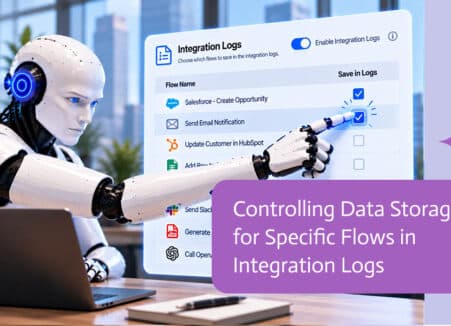
When AI agents produce documents that carry your company digital signature, governance matters. Who may sign, when and with which controls.
The main US exceptions to e-signature laws, why they exist and what to do when a document requires paper or special processes.