

Can ChatGPT Create Fillable PDFs?
ChatGPT on its own is unreliable at creating true fillable PDFs with interactive form fields. It can draft the form content, write code that generates a PDF and, with its code tools, sometimes produce a basic PDF file, but interactive fields, signature boxes and professional layouts are hit and miss. Connected to a document platform through an MCP server, ChatGPT can place fields on PDFs, fill templates and generate finished documents reliably.
What ChatGPT can do with PDFs
- Draft content and structure for a form.
- Write code (for example Python) that creates a PDF or adds form fields, which you or its code tool can run.
- Read and summarize PDFs you upload.
- Extract data from PDFs into tables.
Where ChatGPT struggles
| Task | Why it is hard |
|---|---|
| Interactive fillable fields | Requires precise PDF field definitions and positioning |
| Matching an existing layout | Needs exact coordinates on the original document |
| Signature fields with audit trails | Needs an e-signature system, not just a PDF |
| Repeating generation | Each run may produce slightly different output |
| Storing and routing documents | ChatGPT does not manage workflows on its own |
Better approach: online form plus generated PDF
For most business use, a fillable PDF is not the best experience. An online form works on phones, validates input and sends data to systems. A finished PDF can then be generated automatically from a template.
How MCP fills the gap
With the Model Context Protocol, ChatGPT can call tools in a document platform. For example, a platform can provide tools to:
- Find and map fields on an existing PDF so it can be filled or signed.
- Turn a Word document into a template with mapped placeholders.
- Generate a PDF layout from data without a template.
- Run a flow that fills the template and sends it for e-signature.
Example prompt: “Take our new client agreement PDF, map the fields for name, address, start date and signature, and set it up so every intake form submission generates a completed copy and sends it for signature.”
Step by step with Noca
- Connect the Noca MCP Server to ChatGPT and sign in with OAuth.
- Enable the Builder permission group for setup.
- Upload or reference your PDF or Word template.
- Ask ChatGPT to map fields or create the template.
- Ask it to build the flow: form submission, generated PDF, e-signature, storage.
- Review, test and publish with approval.
How Noca helps
The Noca MCP Server includes document tools such as placing fields on PDFs, turning Word documents into templates and generating PDF layouts, plus flows that send documents for e-signature and update systems. Learn more about the Noca MCP Server or how to create a fillable PDF.
Related guides
Frequently Asked Questions

Can ChatGPT make a fillable PDF?
ChatGPT can sometimes create a basic PDF by writing and running code, but creating reliable interactive fillable fields is hit and miss. For consistent results, use a PDF editor or connect ChatGPT to a document platform that can place fields and generate PDFs.
Can ChatGPT fill out a PDF form?
ChatGPT can read a PDF and tell you what to enter, and with code tools it may fill simple forms. For business processes, a document platform that fills templates from data and keeps an audit trail is more reliable.
What is the best way to create a fillable PDF?
Adobe Acrobat’s Prepare Form tool is a common choice, and free online editors work for simple forms. For recurring business forms, an online form that generates a completed PDF automatically is often better than a fillable PDF.
Can ChatGPT add signature fields to a PDF?
ChatGPT alone cannot create a legally robust signing process. Signature fields need an e-signature system that records an audit trail. Connected to a platform with e-signature through MCP, ChatGPT can set up documents for signing.
What is MCP and how does it help with PDFs?
MCP, the Model Context Protocol, lets AI assistants use tools in other systems. With a document platform’s MCP server, ChatGPT can map PDF fields, fill templates and generate documents through the platform’s reliable tools instead of improvising code.
Is it safe to upload PDFs to ChatGPT?
Follow your organization’s AI policies. Avoid uploading confidential or personal data to unapproved tools. When using MCP-connected platforms, documents can stay in your business systems, with permissions controlling what the assistant can access.
Slack is where work happens and also where facts go to die. Someone posts a key detail in a channel, it gets buried under reactions…
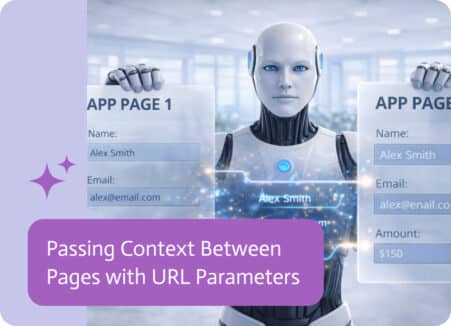
In multi-page applications, moving from one page to another is only part of the experience. Just as important is the ability to carry context along the…