
How to Integrate Zendesk with AI Agents:The End of the Ticket Queue Nightmare
It’s the morning of Monday at 9:00 AM, you sit down, pop your knuckles, and open Zendesk. The number in the red bubble stares back at you: 4,382 tickets that haven’t been read.
Your heart drops, you know what’s in there. A disorganized mix of “Where is my order?” “I forgot my password,” “Your software sucks,” and the occasional, very polite “Just checking in.”
This is what support teams all over the world have to deal with. Zendesk is a great tool for keeping things in order, but it can’t stop the chaos from happening. It makes tickets, but it doesn’t fix them, and that’s when you turn to an AI agent.
We’re not talking about those annoying chatbots that show up in the corner of the screen and say, “I didn’t get that. Here’s a link to the FAQ.” We all hate those. We’re talking about real AI agent integration, putting smart, self-sufficient digital workers inside your Zendesk instance to read tickets, understand the situation, and actually fix problems while your human agents deal with the more difficult tasks.
If you’re ready to stop being buried in tickets and start surfing them, keep reading. This is how to use AI to make Zendesk a weapon.
What “Deflection” and “Action” Mean
We need to clear up a misunderstanding before we start connecting wires. Most “AI” in customer service today is focused on deflection. The goal is to keep the customer from talking to a real person. It feels like a stiff arm. It protects.
A real AI agent platform goes on the attack. It’s about doing something.
- Deflection: A bot sending a link to a help article about refunds.
- An AI agent logs into your payment gateway (like Stripe), checks the transaction, processes the refund, makes the receipt, and updates the Zendesk ticket with a confirmation code.
The first one makes the customer do the work. The second one does the job. That is the difference we are making today.
The Anatomy of the Integration
One of the best projects you can do is to integrate with Zendesk because the Zendesk API is so well-developed. It was made so that people could talk to it.
This is what the architecture looks like if you were brave enough to build it by hand (the “Hard Mode”).
The Listener (Webhooks)
Your AI agent needs to know when a fight is about to start. We use webhooks and triggers in Zendesk. You don’t want the AI to look at every ticket every second because that would cost a lot. You set up a trigger in Zendesk instead:
- If “Ticket Status is New” and “Tag is NOT ‘processed_by_ai’,” then
- “Notify Active Webhook” is the action.
This tells your AI agent, “Hey! Incoming! Just got ticket #9982. Here is the writing.
The Brain (The Logic Layer)
This is where the AI agent lives. It gets the payload. It reads the customer’s message, which says, “I ordered the blue shirt, but you sent me the red one.” I am very angry.
The AI doesn’t just look for the word “shirt.” It does sentiment analysis. It finds “Anger.” It finds “Wrong Item.” It knows this is a serious logistics mistake, not just a regular question.
The Hands (The API Tools)
This is where the magic happens. The AI needs to “talk back” to Zendesk. It makes use of the Zendesk REST API.
- The endpoint is /api/v2/tickets/{id}.json
- Method: PUT (Update)
The agent might write an internal note for the manager: “Note: The customer got the wrong item. High risk of churn. I have already written a new order in Shopify. “Please give your approval.”
Or, if you believe it, it might just answer the customer directly with, “I’m so sorry about the mix-up.” I’ve sent you a return label and a blue shirt that should get to you quickly. It will come on Tuesday.
The Technical “Gotchas” (Where Heroes Fail)
If you want to code this yourself in Python or Node.js, be careful because there are traps set for you.
The “Doom Loop” that never ends This is a common mistake for beginners.
- Email from a customer.
- Zendesk makes a ticket.
- An AI agent leaves a comment on the ticket.
- Zendesk sees a “New Comment” and sends the webhook again.
- The AI agent sees the new comment, thinks it needs to respond, and posts another comment.
- Keep doing this until your API limit is reached and your customer gets 400 emails in one minute.
- The Fix: You need to program your agent to know who it is. “If the last comment came from [AI_Name], do nothing.” It sounds easy, but a lot of people forget it.
Policies that “hallucinate” AI models want to be useful. They can be too helpful at times. If a customer asks, “Can I get a refund after 4 years?” A poorly programmed AI might say, “Sure! We love our customers!” even though your policy is only 30 days.
- The Fix: You have to use RAG (Retrieval-Augmented Generation). You need to give your knowledge base to the AI agent platform so that it can “ground” its answers in real life.
Integration Without the Pain With Noca
Let’s get real. You work in customer service. You don’t have time to fix infinite loops or set up JSON payloads. You need to deal with 4,382 tickets.
This is where Noca changes the game. We don’t think of integrating Zendesk as a coding project; we think of it as a staffing decision. It’s like hiring a super-agent who starts right away when you connect Noca to Zendesk.
One-Click Link
You don’t have to worry about webhooks with Noca. You just give the Zendesk app permission. Noca quickly maps out your ticket fields, macros, and tags.
Pre-Trained Empathy
“Support EQ” (Emotional Intelligence) is already on Noca’s agents. They know not to use emojis when a customer says they will sue them. They know how to calm things down. You don’t have to tell them to be polite; they just are.
The “Human-in-the-Loop” autopilot
This is the part that makes a difference in people’s lives. You can put Noca in “Draft Mode.” The AI reads the ticket, looks into the problem, and writes the perfect response in the text box. It distributes the ticket to a person. The ticket is opened by your human agent. They don’t have to read the whole thing. They can see the draft response. They review it. They clicked “Send.” Outcome: A ticket that used to take ten minutes now takes ten seconds.
Real-Life Scenarios: The AI at Work
Let’s look at three times when an AI agent integration can turn a bad day into a good one.
The Outage Storm is the first scenario.
Your server is down. In just ten minutes, 500 tickets come in, all asking, “Is the site down?”
- The Old Way: Your team copies and pastes the same message, “Yes, we are working on it,” 500 times by hand. They get too tired. The noise makes it challenging to find important tickets.
- The AI Way: The agent sees a rise in the number of people talking about “downtime.” It automatically groups these tickets. It makes a ticket for the “Parent Incident.” It sends an automatic reply to all 500 people with an update on the status and links them to the status page. After that, it closes the tickets.
- Saved time: about 20 hours of work.
Scenario 2: The Miracle of Many Languages
You are a company in the US, but you get a ticket in Portuguese.
- The Old Way: You put the text into Google Translate. You write back in English. You put it back into Portuguese. You hope the translation makes sense.
- The AI Way: The AI agent knows what language it is. It reads it perfectly. It gives the answer in native-level Portuguese, using local expressions and the right level of formality. The customer feels like they are being heard in their own language.
Scenario 3: The VIP Rescue
A customer with an “Enterprise Plan” sends in a generic “Help” ticket.
- The Old Way: It waits in the “General” queue for four hours. The customer gets angry.
- The AI Way: The agent checks the email against your CRM. It sees the tag “ARR > $100k.” It puts the ticket back in the “White Glove” queue right away, notifies the account manager through Slack, and sends the client a “priority received” message.
Why This Is Important (Besides Efficiency)
It’s not just about saving money when you connect Zendesk to AI agents. It’s about keeping your team safe.
There is such a thing as support burnout. Smart people quit when they have to answer, “How do I reset my password?” eight hours a day. They lose their energy.
By letting an AI agent platform handle the boring, repetitive, and technical retrieval work, you free up your people to do what they do best: understanding. Solving hard problems. Making a frustrated customer into a loyal supporter.
In conclusion: Strengthen the Front Line
In the inbox, businesses win or lose the battle for customer loyalty. If you’re fighting that battle with manual typing and static macros, you’re going to lose.
You need to go fast. You need to be smart. You need a scale. You could try to make this yourself. You could spend weeks reading the Zendesk API documentation, keeping track of rate limits, and worrying that your bot will accidentally offend a customer.
You could also just use Noca.AI. This is what our platform was made for. We don’t just “connect” to Zendesk; we make it better. We turn your ticket queue from a scary pile of problems into a neat stream of answers.
Give your support staff the help they need. Go to Noca.AI, turn on your Zendesk integration, and watch the number of “Unread Tickets” go down to zero and stay there.

In SAP, an Internal Order is a key tool used for tracking and managing costs within a business. Whether it’s for a short-term project, a…
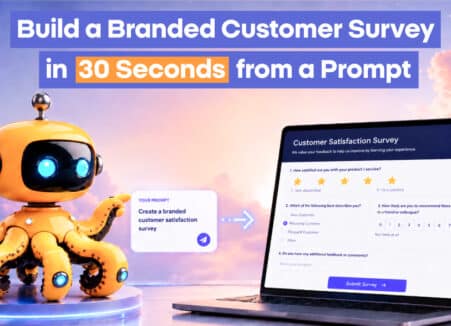
Learn how to build a branded customer survey in 30 seconds from a prompt with Noca, for lead qualification, NPS, customer health and event registration.

The ZoomInfo Salesforce Integration is beyond just wiring two platforms together; it’s a strategic asset for businesses that are looking to elevate sales metrics by…