
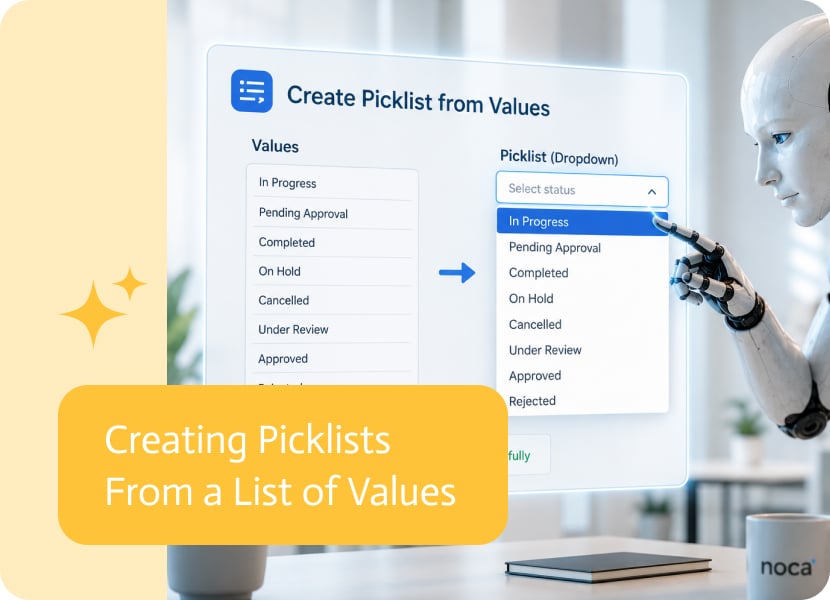

Creating Picklists From a List of Values
Picklists are supposed to make forms easier. Instead of asking users to type an answer manually, they can choose from a defined list of options.
Simple. Useful. Unless someone has to create and maintain all those options by hand, in which case congratulations, the dropdown has become a tiny administrative prison.
That is where creating picklists from a list of values becomes useful.
Why Dynamic Picklists Matter
In many apps, picklist options already exist somewhere else.
They may come from a CRM, ERP, internal database, customer system, product catalog, or another connected business application. These values might include customer types, regions, departments, product categories, statuses, branches, priorities, or service codes.
If those values already exist in another system, manually recreating them inside an app is not exactly a triumph of modern technology.
A better approach is to use the list of values returned from the connected system and turn it into picklist options.
Using Real Business Data
Creating picklists from connected data helps keep app options aligned with the systems the business already uses.
For example, a picklist could be built from values such as:
- Customer status
- Product category
- Sales region
- Service priority
- Department
- Branch
- Account type
- Project stage
When these values come from a connected system, users can choose from options that reflect the real data behind the process.
Less Manual Maintenance
Manual picklists are fine when the list is short and almost never changes. That is adorable, and sometimes even true.
But when values change often, manual maintenance becomes annoying fast. Someone has to update the app every time a new category, status, branch, or option is added somewhere else.
Using a list of values from a connected system helps reduce that work. The picklist can be populated from the data source instead of being rebuilt manually.
Better User Experience
Picklists make apps easier to use because they guide users toward valid answers.
When the options come from real business data, the experience becomes even better. Users are less likely to type the wrong thing, choose outdated values, or create duplicate variations of the same answer.
No more “North America,” “N. America,” “NA,” and “north america” all pretending to be different things.
A Cleaner Way to Build App Forms
Creating picklists from a list of values makes app forms more accurate, easier to maintain, and more connected to real business processes.
Instead of manually creating every option, the app can use values returned from connected systems and present them as clear choices for users.
In simple terms: the dropdown can finally stop being a manually updated museum of old values.
Automated document generation means your documents basically write themselves. No more opening last month’s proposal and doing find-and-replace surgery. No more copying data from five…

Bots are more useful when they can access accurate, up-to-date business information. Connecting a bot to Shopify allows it to work with store data such…
In SAP, a Profit Center is an essential organizational unit used to measure the financial performance of specific business segments. Whether you’re tracking departments, regions,…