

Word Template Automation: Turning DOCX Templates Into Smart Documents
Word template automation turns an ordinary DOCX file into a template whose placeholders are filled automatically with data from your systems, producing finished Word or PDF documents in seconds. It lets teams keep the documents they already use while removing manual editing.
How it works
- Start with an approved Word document, such as a contract or offer letter.
- Mark the variable parts as placeholders, for example customer name, address, price or start date.
- Map each placeholder to a field in your CRM, ERP, form or database.
- Add tables for repeating data such as line items.
- Generate the document, convert it to PDF if needed, and send it for signature.
Features to look for
- Automatic detection of placeholders and sample values.
- Repeating rows for line items and lists.
- Conditional sections that appear only when relevant.
- Formatting of dates, currencies and numbers.
- Conversion to PDF and merging with other files.
- Signature fields and digital signatures.
Common mistakes
- Hard-coding values that change, such as tax rates.
- Creating many near-identical templates instead of one with conditions.
- Skipping review of legal wording after edits.
- Saving generated files without consistent names or links to records.
Word templates in Noca
Upload a Word document to a Noca flow and Noca reads it, places a field on every placeholder or sample value and maps it to the data from earlier steps. The instrument_word_template tool even lets you do this from ChatGPT, Claude or Grok through the Noca MCP Server. Generated documents can be converted to PDF, signed, and stored automatically. See Microsoft Word integration and document generation.
Frequently Asked Questions

Can I use my existing Word documents as templates?
Yes. Noca can turn an existing Word document into a template by mapping its placeholders to data fields.
Can Word templates include tables of line items?
Yes. Repeating rows can be filled with lists such as order lines or products.
Can generated Word documents become PDFs?
Yes. Noca can convert generated documents to PDF and send them for signature.
What is Word template automation?
Word template automation turns an ordinary DOCX file into a template whose placeholders are filled automatically with data from your systems, producing finished Word or PDF documents in seconds.
What are the key elements of Word template automation?
Key points include: Automatic detection of placeholders and sample values; Repeating rows for line items and lists; Conditional sections that appear only when relevant; Formatting of dates, currencies and numbers.
How do you get started with Word template automation?
1) Start with an approved Word document, such as a contract or offer letter 2) Mark the variable parts as placeholders, for example customer name, address, price or start date 3) Map each placeholder to a field in your CRM, ERP, form or database 4) Add tables for repeating data such as line items 5) Generate the document, convert it to PDF if needed, and send it for signature.
What else should you consider about Word template automation?
Consider the following: Hard-coding values that change, such as tax rates; Creating many near-identical templates instead of one with conditions; Skipping review of legal wording after edits; Saving generated files without consistent names or links to records.
How does Noca help with Word template automation?
Upload a Word document to a Noca flow and Noca reads it, places a field on every placeholder or sample value and maps it to the data from earlier steps. The instrument_word_template tool even lets you do this from ChatGPT, Claude or Grok through the Noca MCP Server. Generated documents can be converted to PDF, signed, and stored automatically. See Microsoft Word integration and document generation.
Can I use Word template automation from ChatGPT, Claude or Grok?
Yes. With the Noca MCP Server, ChatGPT, Claude, Grok and other MCP-compatible assistants can run your published Noca flows and use Noca tools for Word template automation, within the permission groups and per-tool approvals you set.
Does Word template automation work with Salesforce, NetSuite, SAP and Priority?
Yes. Noca connects natively to Salesforce, NetSuite, SAP, SAP Business One, Priority ERP, HubSpot, monday.com and 60+ other systems, so Word template automation can use live data from them and update them automatically.
Do I need developers to implement Word template automation?
How do you keep Word template automation secure?
Use least-privilege permissions, require approval for sensitive actions and keep a log of every run. Noca follows the TRAPS framework (Trusted, Responsible, Auditable, Private and Secure), records every flow run in integration logs and lets you control data storage for specific flows.
How long does it take to implement Word template automation?
A first working version can often be built from a prompt and tested quickly. The total time depends on how many systems, approvals and documents are involved and how much testing your team requires before publishing.
How do I measure the results of Word template automation?
Compare cycle time, manual steps, error rates and adoption before and after. Noca integration logs show how often each process runs, how long it takes and where it fails.
Can Noca generate documents?
Yes. Noca document generation fills Word templates and PDFs with live data, or creates an AI-generated PDF layout, and outputs DOCX or PDF files.
Can Noca use my existing Word templates?
Yes. Noca maps placeholders and sample values in your Word documents to data fields automatically.
Can Noca extract data from documents?
Yes. Noca uses Amazon Textract and Google Vision to extract text, key-value pairs, tables and signatures from documents.
Can Noca automate workflows?
Yes. Noca Flows include triggers, conditions, loops, approvals, documents, signatures and AI steps.
What can trigger a Noca flow?
Can I see what each automation did?
Yes. Every flow run is recorded in integration logs with status, timing, errors and the step where it stopped.
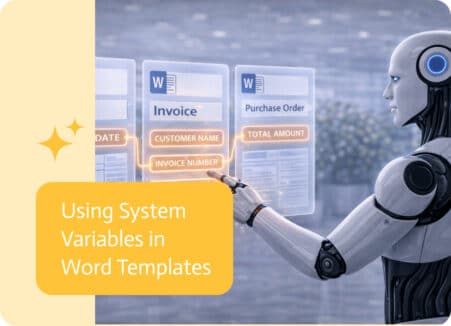
Word templates are often used to generate consistent, structured documents automatically. To make these documents more dynamic and adaptable, templates can now include system-level information…

Data moves constantly between systems. Reports, integrations, imports, exports, APIs, and automated workflows all rely on structured files to pass information from one place to…

You know how wonderful it feels to use Monday.com. Some people say it’s the most colorful and visually appealing way to deal with chaos that…
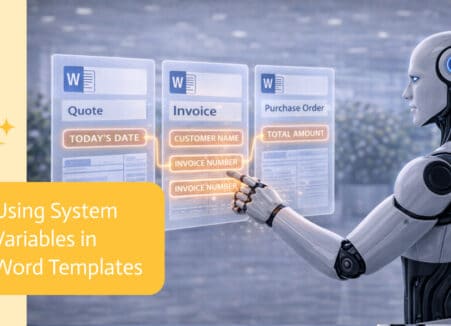
Generate filled Word documents from ChatGPT using your own DOCX templates and live data, then convert, sign and store them automatically.
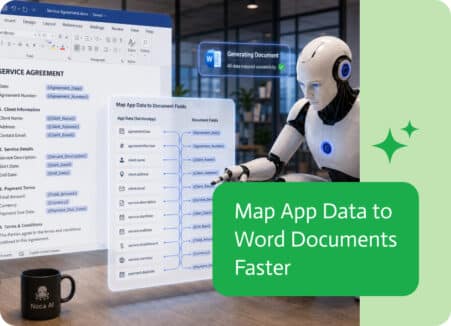
Generating Word documents from app data often requires matching every app field with the correct location in a document template.