

Slack Approval Workflows: Approve Requests Without Leaving Slack
A Slack approval workflow sends approval requests to the right person in Slack, with all the context they need, and continues the process as soon as they respond. Approvers act where they already work, so decisions happen faster.
Good candidates for Slack approvals
- Purchase requests and purchase orders.
- Discounts and non-standard pricing.
- Expense claims.
- Access requests.
- Content and campaign sign-off.
Designing the approval message
- Summarize the request in one line.
- Show amount, requester, reason and key data.
- Link to the full record or document.
- Make the next step obvious.
The workflow
- A request is submitted through a form, app or system event.
- Rules decide the approver.
- A Slack message is sent to the approver or channel.
- The decision is recorded, with reminders and escalation if needed.
- The workflow updates the ERP or CRM and notifies the requester.
With Noca
Noca flows send messages and files to Slack channels and users, and Slack can start Noca flows. Approved requests update systems like NetSuite or Salesforce. Teams using Microsoft can do the same with Microsoft Teams.
Frequently Asked Questions

Can approvals happen in Slack?
Yes. Automated workflows can send approval requests to Slack and continue when the approver responds.
What should a Slack approval message include?
A short summary, the key amounts and reasons, the requester, and a link to the full record.
Can Slack start a workflow?
Yes. Noca supports Slack as a trigger for flows.
What is a Slack approval workflow?
A Slack approval workflow sends approval requests to the right person in Slack, with all the context they need, and continues the process as soon as they respond.
What are the key elements of a Slack approval workflow?
Key points include: Purchase requests and purchase orders; Discounts and non-standard pricing; Expense claims; Access requests.
How do you get started with a Slack approval workflow?
1) A request is submitted through a form, app or system event 2) Rules decide the approver 3) A Slack message is sent to the approver or channel 4) The decision is recorded, with reminders and escalation if needed 5) The workflow updates the ERP or CRM and notifies the requester.
What else should you consider about a Slack approval workflow?
Consider the following: Summarize the request in one line; Show amount, requester, reason and key data; Link to the full record or document; Make the next step obvious.
How does Noca help with a Slack approval workflow?
Noca flows send messages and files to Slack channels and users, and Slack can start Noca flows. Approved requests update systems like NetSuite or Salesforce. Teams using Microsoft can do the same with Microsoft Teams.
Can I use a Slack approval workflow from ChatGPT, Claude or Grok?
Yes. With the Noca MCP Server, ChatGPT, Claude, Grok and other MCP-compatible assistants can run your published Noca flows and use Noca tools for Slack approval workflow, within the permission groups and per-tool approvals you set.
Does a Slack approval workflow work with Salesforce, NetSuite, SAP and Priority?
Yes. Noca connects natively to Salesforce, NetSuite, SAP, SAP Business One, Priority ERP, HubSpot, monday.com and 60+ other systems, so Slack approval workflow can use live data from them and update them automatically.
Do I need developers to implement a Slack approval workflow?
How do you keep a Slack approval workflow secure?
Use least-privilege permissions, require approval for sensitive actions and keep a log of every run. Noca follows the TRAPS framework (Trusted, Responsible, Auditable, Private and Secure), records every flow run in integration logs and lets you control data storage for specific flows.
How long does it take to implement a Slack approval workflow?
A first working version can often be built from a prompt and tested quickly. The total time depends on how many systems, approvals and documents are involved and how much testing your team requires before publishing.
How do I measure the results of a Slack approval workflow?
Compare cycle time, manual steps, error rates and adoption before and after. Noca integration logs show how often each process runs, how long it takes and where it fails.
Can Noca automate workflows?
Yes. Noca Flows include triggers, conditions, loops, approvals, documents, signatures and AI steps.
What can trigger a Noca flow?
Can I see what each automation did?
Yes. Every flow run is recorded in integration logs with status, timing, errors and the step where it stopped.
Which integrations does Noca support?
Noca offers 60+ integrations, including Salesforce, NetSuite, SAP, Priority, HubSpot, Microsoft Dynamics 365, monday.com, Zendesk, Slack, Google Workspace, Microsoft 365, DocuSign and Shopify.
Can Noca connect to systems without a native connector?
Yes. Noca can call any REST API, import OpenAPI definitions, use OData services and SQL databases, and start flows from webhooks.
What is Noca?
Noca is an AI-powered business process automation platform that combines forms, document generation, e-signatures, workflow automation, AI agents and 60+ integrations, with an MCP server for ChatGPT, Claude and Grok.

Building an application is a continuous process of designing pages, configuring events, and creating the automation behind them.

Working with files is a natural part of many applications. Documents, attachments, reports, and images often sit alongside structured data, waiting to be…
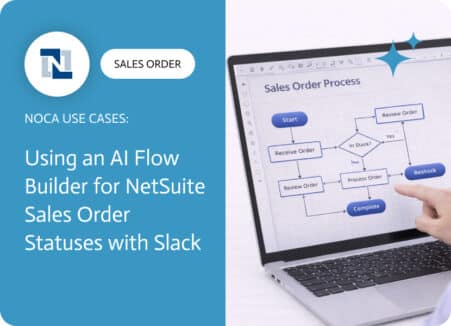
A NetSuite sales order approval workflow exists to protect margins, reduce risk, and prevent avoidable downstream work. Approvals catch discount exceptions, unusual terms, non standard…

Slack is where work happens—but as organizations grow, so does the complexity behind it. Hundreds or even thousands of channels become the norm,…

Slack is where work happens and also where facts go to die. Someone posts a key detail in a channel, it gets buried under reactions…