

How to Build a Business Process From a Single Prompt
Building a business process from a single prompt means describing the whole process in plain language, including who starts it, what data is collected, which documents are produced and which systems are updated, and letting an AI platform build the apps and workflows for you.
Anatomy of a good process prompt
- Trigger: “When a customer submits the onboarding form…”
- Data: the fields to collect and validate.
- Documents: “generate the service agreement from our Word template and collect a signature.”
- Approvals: who approves and when.
- Systems: “create the customer in NetSuite and update the Salesforce account.”
- Notifications: “notify the account team in Slack.”
Example prompt
“Build a vendor onboarding process: a supplier form with company, banking and tax details and document upload; generate the supplier agreement from our template and collect the signature; route banking details to finance for approval; create the supplier in Priority; store documents in Google Drive; and notify procurement in Teams.”
Review before you publish
- Check field names and validations.
- Test the workflow with sample data.
- Confirm permissions and approvals.
- Publish when the test runs cleanly.
From a prompt in Noca, or from your AI assistant
Noca builds apps, flows, bots and documents from prompts, connected to 60+ systems. You can also write the same prompt in ChatGPT, Claude or Grok and let the Noca MCP Server build it with tools like create_app, create_flow_draft and test_flow, before an admin publishes it.
Frequently Asked Questions

Can a business process be built from a prompt?
Yes. Platforms like Noca build apps, workflows, documents and integrations from a plain-language description.
What should a process prompt include?
The trigger, data to collect, documents, approvals, systems to update and notifications.
Can I build a process from ChatGPT or Claude?
Yes. With the Noca MCP Server and Builder permissions, AI assistants can build apps and flows in Noca for review and publishing.
What is a prompt to app?
Building a business process from a single prompt means describing the whole process in plain language, including who starts it, what data is collected, which documents are produced and which systems are updated, and letting an AI platform build the apps and workflows for you.
What are the key elements of a prompt to app?
Key points include: Check field names and validations; Test the workflow with sample data; Confirm permissions and approvals; Publish when the test runs cleanly.
How do you get started with a prompt to app?
1) Trigger: “When a customer submits the onboarding form…” 2) Data: the fields to collect and validate 3) Documents: “generate the service agreement from our Word template and collect a signature.” 4) Approvals: who approves and when 5) Systems: “create the customer in NetSuite and update the Salesforce account.”.
How does Noca help with a prompt to app?
Noca builds apps, flows, bots and documents from prompts, connected to 60+ systems. You can also write the same prompt in ChatGPT, Claude or Grok and let the Noca MCP Server build it with tools like create_app, create_flow_draft and test_flow, before an admin publishes it.
Can I use a prompt to app from ChatGPT, Claude or Grok?
Yes. With the Noca MCP Server, ChatGPT, Claude, Grok and other MCP-compatible assistants can run your published Noca flows and use Noca tools for prompt to app, within the permission groups and per-tool approvals you set.
Does a prompt to app work with Salesforce, NetSuite, SAP and Priority?
Yes. Noca connects natively to Salesforce, NetSuite, SAP, SAP Business One, Priority ERP, HubSpot, monday.com and 60+ other systems, so prompt to app can use live data from them and update them automatically.
Do I need developers to implement a prompt to app?
How do you keep a prompt to app secure?
Use least-privilege permissions, require approval for sensitive actions and keep a log of every run. Noca follows the TRAPS framework (Trusted, Responsible, Auditable, Private and Secure), records every flow run in integration logs and lets you control data storage for specific flows.
How long does it take to implement a prompt to app?
A first working version can often be built from a prompt and tested quickly. The total time depends on how many systems, approvals and documents are involved and how much testing your team requires before publishing.
How do I measure the results of a prompt to app?
Compare cycle time, manual steps, error rates and adoption before and after. Noca integration logs show how often each process runs, how long it takes and where it fails.
Can Noca build web apps and portals?
Yes. Noca Apps creates customer portals, internal tools, dashboards and request apps from a prompt, connected to your systems.
Where are Noca apps hosted?
Apps are hosted by Noca and get a live URL when an admin publishes them.
Can I preview and roll back Noca apps?
Yes. You can preview apps on desktop, tablet and mobile before publishing, and restore earlier saved versions.
Can Noca automate workflows?
Yes. Noca Flows include triggers, conditions, loops, approvals, documents, signatures and AI steps.
What can trigger a Noca flow?
Can I see what each automation did?
Yes. Every flow run is recorded in integration logs with status, timing, errors and the step where it stopped.
What is Noca?
Noca is an AI-powered business process automation platform that combines forms, document generation, e-signatures, workflow automation, AI agents and 60+ integrations, with an MCP server for ChatGPT, Claude and Grok.
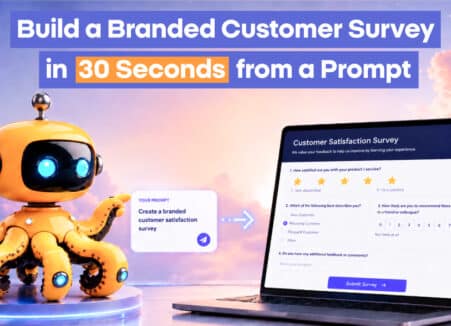
Learn how to build a branded customer survey in 30 seconds from a prompt with Noca, for lead qualification, NPS, customer health and event registration.

Build web apps on top of Salesforce from a prompt: portals, field apps and internal tools that read and write Salesforce records.
Zendesk is built for support agents, not for partners and external teams. Those users still need to see case status, add context, and stay aligned,…
Most Salesforce workflows assume someone is sitting at a desk, clicking through records like it is 2008 and nobody has better things to do. In…
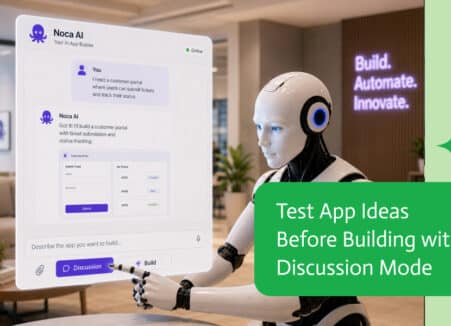
Build companion apps for monday.com with AI: client portals, intake forms and field apps that create and update monday.com items.