

Build a Branded Customer Survey in 30 Seconds from a Prompt
Why Surveys Are More Expensive Than They Look
For a lot of businesses, surveys are doing real work. Lead qualification, NPS, customer health, event registration, employee pulse. They drive pipeline, retention, and product decisions, which means the survey stack is a real operating function inside the company.
The cost of running it gets quietly out of hand. Survey software charges per response or per seat. Custom branding sits behind the enterprise tier. And if you want responses to land in Salesforce, you’re paying for another integration on top.
Then there’s the time cost. The survey gets built in one tool, the data flows through a Zapier-style middleware, and a third system stores the result. Three contracts. Three logins. Three places where something can break at midnight on a Friday.
From a Prompt to a Branded Survey in 30 Seconds
Here’s the prompt I gave Noca: “Build me a 4-question survey in the style of LEGOs.” That’s the entire instruction. No template browser. No drag-and-drop palette. One sentence.
30 seconds later, I had a fully designed customer-facing app styled like a LEGO set. Chunky color blocks, blocky type, four well-formed questions ready to send. The kind of thing you’d usually hire a designer to mock up and a developer to build.
If I want to tweak the green button, I can change it with a prompt or click in and edit it directly. Swapping the LEGO look for something more corporate works the same way. Visual editing and prompt-based editing both work on the same canvas.
Where the Real Value Shows Up
A nice-looking survey is the easy part. What makes this work for businesses is what happens after the customer hits submit. Inside Noca, I can build a flow that pushes every response wherever it needs to go:
- Into Salesforce as a new contact or custom object record
- Into Airslate to kick off a document workflow
- Into a Slack channel so the team sees responses as they come in
- Into a Google Sheet, an internal database, or an email digest
The survey, the form logic, and the integrations all live in the same platform. Build and maintain from one place. When the marketing team rewrites the question set, you update it once.
Why Marketing and Ops Teams Care
If you run a marketing or ops team, you’ve felt this kind of stack sprawl. Every new asset becomes a new tool. Every tool becomes a new license. Every integration between them is a fragile pipe held together by someone’s personal Zapier account.
The survey use case is small on its own. But it’s a window into how Noca approaches software. Build the customer-facing piece, wire it into your existing stack from one place, and keep it there.
If your team is launching a campaign next week and wants a branded survey to capture intent, you can have it live by lunch. The procurement cycle, the design ticket, and the four-hour Salesforce admin call don’t apply here.
Where Else This Pattern Works
A fast, branded way to capture customer input means a lot of adjacent problems get easier:
- Post-purchase feedback that updates the CRM record
- Lead qualification flows that route directly to sales
- Employee pulse surveys tied into your HRIS
- Event registration pages with custom branding and Salesforce sync
- Customer health check-ins that trigger account manager alerts
Each one is a project that usually takes weeks of scoping calls and several vendor evaluations. In Noca, they’re prompts you write in the morning and ship in the afternoon. The team that owns the survey is the same team that owns the integration, because both live in the same tool.
See It Against Your Stack
If you want to see what this looks like for your specific tech stack, I’d love to walk you through it live. Bring your CRM, your marketing automation, your favorite question set. I’ll show you exactly how the survey, the flow, and the integrations come together for your business. Book a 30-minute demo →
Zendesk is built for support agents, not for partners and external teams. Those users still need to see case status, add context, and stay aligned,…
Most Salesforce workflows assume someone is sitting at a desk, clicking through records like it is 2008 and nobody has better things to do. In…
The NetSuite customer center is great at being an authoritative ledger, and terrible at being a lightweight place for teams to scan what changed today….
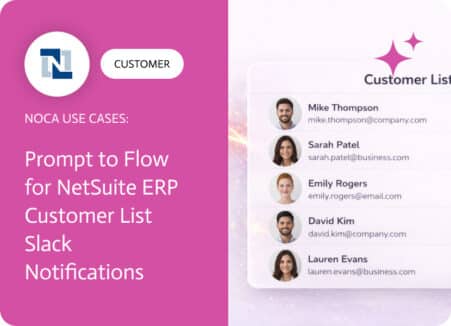
A NetSuite ERP customer list is only useful when new customers are visible immediately. Customer records can be created by finance, sales ops, integrations, or…
A login page is often the first interaction users have with your application. While security is essential, the login experience should also feel like a…