
AI E-Signature Workflow for Sales Contracts
An AI e-signature workflow for sales contracts prepares the contract from deal data, chooses the right clauses, routes approvals, sends it for signature, follows up intelligently and triggers the order once it is signed.
Where AI adds value
- Choosing templates and clauses based on deal type, region and value.
- Spotting missing data before sending.
- Summarizing redlines and non-standard terms for approvers.
- Prioritizing reminders for deals closing soon.
The workflow
- Deal reaches the contract stage.
- AI selects the template and fills it.
- Non-standard terms go to legal and finance.
- The contract is sent for signature.
- Reminders run until signed.
- On signature: Closed Won, ERP order, kickoff tasks.
Metrics to track
- Time from contract stage to signature.
- Share of contracts needing legal review.
- Deals slipped because of unsigned contracts.
With Noca
Noca runs this with Salesforce or HubSpot, document generation, built-in signing or DocuSign, and ERP updates, and sales can trigger it from ChatGPT, Claude or Grok through the Noca MCP Server.
Frequently Asked Questions

What is an AI e-signature workflow?
It is a signing process where AI prepares documents, selects clauses, routes approvals and follows up, with signatures collected electronically.
Can signed contracts create ERP orders?
Does legal still review contracts?
Yes, for non-standard terms; standard contracts can go straight to signature.
What are the key elements of an AI e-signature workflow?
Key points include: Choosing templates and clauses based on deal type, region and value; Spotting missing data before sending; Summarizing redlines and non-standard terms for approvers; Prioritizing reminders for deals closing soon.
How do you get started with an AI e-signature workflow?
1) Deal reaches the contract stage 2) AI selects the template and fills it 3) Non-standard terms go to legal and finance 4) The contract is sent for signature 5) Reminders run until signed.
What else should you consider about an AI e-signature workflow?
Consider the following: Time from contract stage to signature; Share of contracts needing legal review; Deals slipped because of unsigned contracts.
How does Noca help with an AI e-signature workflow?
Noca runs this with Salesforce or HubSpot, document generation, built-in signing or DocuSign, and ERP updates, and sales can trigger it from ChatGPT, Claude or Grok through the Noca MCP Server.
Can I use an AI e-signature workflow from ChatGPT, Claude or Grok?
Yes. With the Noca MCP Server, ChatGPT, Claude, Grok and other MCP-compatible assistants can run your published Noca flows and use Noca tools for AI e-signature workflow, within the permission groups and per-tool approvals you set.
Does an AI e-signature workflow work with Salesforce, NetSuite, SAP and Priority?
Yes. Noca connects natively to Salesforce, NetSuite, SAP, SAP Business One, Priority ERP, HubSpot, monday.com and 60+ other systems, so AI e-signature workflow can use live data from them and update them automatically.
Do I need developers to implement an AI e-signature workflow?
How do you keep an AI e-signature workflow secure?
Use least-privilege permissions, require approval for sensitive actions and keep a log of every run. Noca follows the TRAPS framework (Trusted, Responsible, Auditable, Private and Secure), records every flow run in integration logs and lets you control data storage for specific flows.
How long does it take to implement an AI e-signature workflow?
A first working version can often be built from a prompt and tested quickly. The total time depends on how many systems, approvals and documents are involved and how much testing your team requires before publishing.
How do I measure the results of an AI e-signature workflow?
Compare cycle time, manual steps, error rates and adoption before and after. Noca integration logs show how often each process runs, how long it takes and where it fails.
Can Noca generate documents?
Yes. Noca document generation fills Word templates and PDFs with live data, or creates an AI-generated PDF layout, and outputs DOCX or PDF files.
Can Noca use my existing Word templates?
Yes. Noca maps placeholders and sample values in your Word documents to data fields automatically.
Can Noca extract data from documents?
Yes. Noca uses Amazon Textract and Google Vision to extract text, key-value pairs, tables and signatures from documents.
Does Noca support e-signatures?
Yes. Noca collects signatures in forms and on generated PDFs, and integrates with DocuSign.
What happens after a document is signed in Noca?
The flow can store the signed PDF, update your CRM or ERP and notify the team automatically.
Can Noca automate workflows?
Yes. Noca Flows include triggers, conditions, loops, approvals, documents, signatures and AI steps.
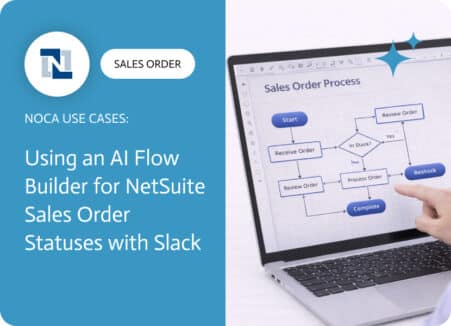
A NetSuite sales order approval workflow exists to protect margins, reduce risk, and prevent avoidable downstream work. Approvals catch discount exceptions, unusual terms, non standard…
Build an e-signature workflow that collects data with a form, generates the document, captures the signature and files the signed PDF automatically.
Use Claude to build a complete form-to-signature workflow: the form, the document template, the signing step and the system updates.
Looking for a PandaDoc alternative? Compare approaches to document generation and e-signatures, and see when a full workflow platform is the better fit.

An AI contract generator creates contracts from approved templates and live CRM data, then sends them for signature. How it works and how to keep legal control.