

AI Contract Generator: Create Contracts From Your CRM Data
An AI contract generator creates contracts by combining approved templates with live data from your CRM and ERP, choosing the right clauses for each deal and sending the result for signature. The AI handles the assembly; your legal team keeps control of the language.
Why not let AI write contracts from scratch?
Free-form AI drafting can invent terms, miss approved clauses or change wording legal has signed off on. For business contracts, the safer pattern is AI-driven assembly: the AI picks the template and clauses, fills them with system data and routes exceptions to legal.
How an AI contract generator works
- A request arrives from a CRM stage change, a form or an AI assistant.
- The generator reads the deal, account, contacts and products.
- It selects the right template and conditional clauses by deal type, region and value.
- It fills the template and converts it to PDF.
- Non-standard terms go to legal for approval.
- The contract is sent for e-signature, stored and linked to the record.
Contracts you can generate
- Sales agreements and order forms.
- NDAs.
- Service and subscription agreements.
- Supplier agreements.
- Employment contracts and offer letters.
With Noca
Noca generates contracts from Salesforce, HubSpot, Dynamics 365 and ERP data using Word templates or AI-generated layouts, routes approvals in flows, collects signatures with built-in signing, DocuSign or GlobalSign, and can be triggered from ChatGPT, Claude or Grok through the Noca MCP Server. See also contract management automation.
Frequently Asked Questions

What is an AI contract generator?
It is a tool that uses AI to assemble contracts from approved templates and live business data, then sends them for signature.
Is AI-generated contract language safe?
It is safest when AI selects and fills approved templates rather than writing new legal language.
Can an AI contract generator use Salesforce data?
Yes. Noca fills contract templates with Salesforce, HubSpot, Dynamics 365 or ERP data.
What are the key elements of an AI contract generator?
Key points include: Sales agreements and order forms; NDAs; Service and subscription agreements; Supplier agreements.
How do you get started with an AI contract generator?
1) A request arrives from a CRM stage change, a form or an AI assistant 2) The generator reads the deal, account, contacts and products 3) It selects the right template and conditional clauses by deal type, region and value 4) It fills the template and converts it to PDF 5) Non-standard terms go to legal for approval.
How does Noca help with an AI contract generator?
Noca generates contracts from Salesforce, HubSpot, Dynamics 365 and ERP data using Word templates or AI-generated layouts, routes approvals in flows, collects signatures with built-in signing, DocuSign or GlobalSign, and can be triggered from ChatGPT, Claude or Grok through the Noca MCP Server. See also contract management automation.
Can I use an AI contract generator from ChatGPT, Claude or Grok?
Yes. With the Noca MCP Server, ChatGPT, Claude, Grok and other MCP-compatible assistants can run your published Noca flows and use Noca tools for AI contract generator, within the permission groups and per-tool approvals you set.
Does an AI contract generator work with Salesforce, NetSuite, SAP and Priority?
Yes. Noca connects natively to Salesforce, NetSuite, SAP, SAP Business One, Priority ERP, HubSpot, monday.com and 60+ other systems, so AI contract generator can use live data from them and update them automatically.
Do I need developers to implement an AI contract generator?
No. In Noca you describe what you need in plain language and Noca builds the forms, apps, flows and documents. Developers can extend any process with REST APIs, OpenAPI definitions and webhooks.
How do you keep an AI contract generator secure?
Use least-privilege permissions, require approval for sensitive actions and keep a log of every run. Noca follows the TRAPS framework (Trusted, Responsible, Auditable, Private and Secure), records every flow run in integration logs and lets you control data storage for specific flows.
How long does it take to implement an AI contract generator?
A first working version can often be built from a prompt and tested quickly. The total time depends on how many systems, approvals and documents are involved and how much testing your team requires before publishing.
How do I measure the results of an AI contract generator?
Compare cycle time, manual steps, error rates and adoption before and after. Noca integration logs show how often each process runs, how long it takes and where it fails.
Can Noca generate documents?
Yes. Noca document generation fills Word templates and PDFs with live data, or creates an AI-generated PDF layout, and outputs DOCX or PDF files.
Can Noca use my existing Word templates?
Yes. Noca maps placeholders and sample values in your Word documents to data fields automatically.
Can Noca extract data from documents?
Yes. Noca uses Amazon Textract and Google Vision to extract text, key-value pairs, tables and signatures from documents.
What is Noca?
Noca is an AI-powered business process automation platform that combines forms, document generation, e-signatures, workflow automation, AI agents and 60+ integrations, with an MCP server for ChatGPT, Claude and Grok.
Do I need to code to use Noca?
No. Noca builds apps, flows, bots and documents from plain-language prompts; developers can extend them with APIs and webhooks.
Is Noca secure?
Noca follows the TRAPS framework (Trusted, Responsible, Auditable, Private and Secure), with permissions, approvals and integration logs.
How is Noca different from Zapier?
Zapier connects apps with triggers and actions. Noca builds complete business processes, including forms, documents, signatures, apps and AI agents, with deep CRM and ERP integrations.
How can I try Noca?
Noca offers plans from a Free tier to Enterprise. See pricing or book a demo.
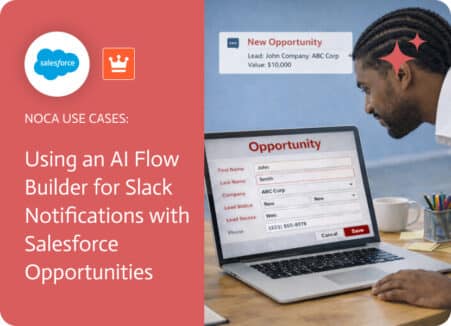
Creating an opportunity in Salesforce is a critical moment in the sales process because it signals that a deal has real potential. While the opportunity…
AI is Transforming the Music Industry The music industry has always taken the extra step when it comes to embracing new technologies. AI Music Video…

Multi-step forms make long processes easier by dividing them into clear, manageable stages. But moving from one step to another does not always mean simply…

Creating a business app often starts with a requirement document. It might be a product specification, an internal process document, a customer brief, a…
Artificial Intelligence (AI) has been shaking up creative industries for years now, and storytelling is no exception. Writers of all kinds—whether novelists, content marketers, or…