


Working with Salesforce Files Using Linked Entity ID Support
Using the Linked Entity ID
Salesforce Files include a field called Linked Entity ID, which provides a reference to the record the file is linked to.
By supporting this field, an integration can read that reference and use it to retrieve information from the related Salesforce record.
For example, one file might be linked to a Contact, while another is linked to an Account or Lead. Instead of requiring the process to know in advance which type of record contains the file, the Linked Entity ID can be used as the reference for retrieving the relevant information.
Making File-Based Processes More Flexible
This is especially useful when working with files that may come from different areas of Salesforce.
A workflow does not always need to be built around one predefined object. It can work with the file itself and use its linked record reference to continue the process.
This can help with scenarios such as:
- Processing documents uploaded to different Salesforce records
- Retrieving information related to an incoming file
- Working across Leads, Contacts, Accounts, and other records
- Reducing object-specific logic when handling Salesforce Files
One File, Different Possible Contexts
Salesforce Files are often part of larger business processes, and those files do not always come from the same type of record.
Using the Linked Entity ID makes it easier to handle that flexibility. The file provides the reference needed to reach its related record, allowing the process to retrieve the relevant details without requiring the record type to be predefined.
This makes Salesforce file-based workflows simpler, more flexible, and easier to maintain.
How the Integration Uses It
Files in Salesforce can be connected to many different types of records.
A document might belong to a Lead, a Contact, an Account, or another Salesforce object. In some processes, you already know exactly where the file is stored. In others, you may have the file but not know in advance which type of record it is connected to.
That can make retrieving the right information a little more complicated.
In a simple Salesforce process, you might start from a specific record.
For example, you open an Account and retrieve the files related to that account. Because you already know the object and record you are working with, accessing the relevant information is straightforward.
But not every process starts that way.
Sometimes a workflow receives or reads a Salesforce file first and only then needs to understand the record associated with it.
That file could be connected to:
- A Lead
- A Contact
- An Account
- Another supported Salesforce record
By reading the Linked Entity ID, the integration can use that reference to retrieve details from the related Salesforce record, without requiring the workflow to know in advance which object the file is connected to.
Lead Conversion Salesforce Lead conversion in Salesforce is usually thought of as a downstream event, something that happens after qualification. In practice, many teams begin…
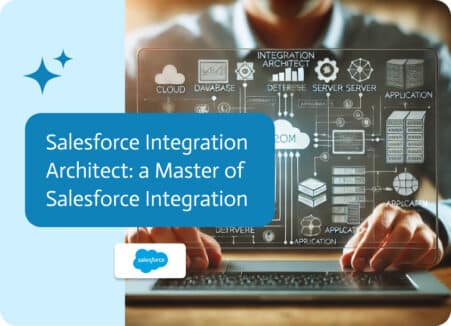
In today’s digital landscape, businesses rely heavily on cloud platforms to manage operations, with Salesforce leading the pack in customer relationship management (CRM). However, the…
Some documents start simple.A few pages, a clear structure, and a straightforward flow from beginning to end. In those cases, finding information is easy—you just…