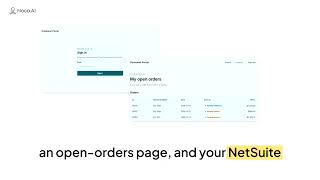
0:39 I used Noca AI's AI app builder to create a working customer portal from a single prompt: secure email sign-in, an open-orders page connected to NetSuite, and a layout that works…
AI app builder customer portal customer portal builder no-code app builder Watch video → 0:41 Trigger UI logic the moment a parameter changes, so your no-code app reacts to new data without anyone refreshing the page or clicking a button.
UI logic conditional logic dynamic forms parameter change event Watch video → 0:19 Show or hide form fields the moment a page loads, based on data you already have, like customer type, account status or a record coming from Salesforce.
conditional visibility show hide form fields dynamic forms conditional logic forms Watch video → 0:29 Add events to the Next and Previous buttons in a multi-step form, so every click runs a real action while it moves the user forward or back.
multi-step form form wizard button events Next and Previous buttons Watch video → 0:35 Encrypt URL parameters before they go into a link and decrypt them on arrival, so record IDs and user references can't be read or edited in the address bar.
encrypt URL parameters URL parameter encryption decrypt URL parameters secure links Watch video → 0:38 Discussion mode lets you test app ideas with AI before you build: ask questions, compare approaches and refine requirements without changing your app.
discussion mode AI app builder app prototyping test app ideas Watch video → 0:20 Show each element's system name on the app canvas, so you always know which field, button or dropdown you're connecting to data and actions.
no-code app builder app canvas form builder data mapping Watch video → 1:09 Build a custom Contact Us page with AI: describe the fields and style you want, and Noca generates a clean, responsive contact form, with no code or CSS.
contact us page contact form AI form builder build a contact form Watch video → 0:10 Build a custom web portal connected to Salesforce with AI: sync data, manage customer pipelines and update records in real time, all defined through simple prompts.
Salesforce portal customer portal web portal builder Salesforce integration Watch video → 0:13 Connect your AI apps to automated workflows and third-party integrations: trigger actions, sync data and run background processes, all defined through simple prompts.
app integrations workflow automation AI app builder Noca flows Watch video → 0:21 Build event flows inside the App Builder: create the automation behind buttons, forms and page events without switching tabs or losing your place.
event flows app builder flow builder button events Watch video → 0:50 Deploy apps from development to testing or production together with their flows, integrations and connections, and map each connection to the right system.
deploy apps development to production environment deployment connection mapping Watch video → 1:00 App variables let you store data once and use it on every page of your app, without passing customer IDs, carts or selections through URL parameters.
app variables multi-page apps app state URL parameters Watch video → 0:18 Connect Shopify to your CRM, ERP, accounting systems and customer portals with a native integration, without custom APIs or middleware.
Shopify integration Shopify automation Shopify CRM integration Shopify ERP integration Watch video → 0:31 Manage events across multi-page apps faster: switch between pages directly while configuring events, instead of hunting around the builder.
multi-page apps app events event management page events Watch video → 0:23 Add general context to your app style, like your company, industry, users and brand personality, so every AI-generated app reflects your identity, not just your colors.
app styles brand context brand consistency AI app builder Watch video → 0:14 Connect your apps and automations directly to SAP Business One with a native integration, without custom development for every project.
SAP Business One integration SAP B1 SAP Business One ERP integration Watch video → 0:30 Branded OTP login pages, automatically: the one-time password page users see after entering their email now matches your app's login branding.
OTP login one-time password branded login page app authentication Watch video → 0:24 See which app created each flow right in your automation library, so you know whether a flow is standalone or part of an application.
app-generated flows flow management automation library workflow automation Watch video → 0:59 Embedded payments let users pay an invoice, complete an order or register for a service right inside your business app, without redirecting to an external payment page.
embedded payments in-app payments invoice payment Pelecard Watch video → 3:33 Automate Salesforce lead capture by connecting your app's forms to Salesforce: upsert contacts, create cases and map submissions in real time in a visual event flow.
Salesforce lead capture Salesforce integration form to Salesforce upsert contacts Watch video → 0:31 Edit identical inputs more efficiently: when an input appears in several places, choose whether a change applies to all of them or only the one you're editing.
identical inputs reusable components form fields input validation Watch video → 0:47 Roll back any AI-generated app change and return to the previous version, so building with natural language never means keeping a result you didn't want.
roll back changes undo AI changes version history AI app builder Watch video → 0:25 Manage app modals more efficiently: find and edit modals from the same navigation area as your pages, with the same editing experience.
app modals modal dialog no-code app builder multi-page apps Watch video → 0:21 Add Google Places address autocomplete to your forms: users start typing and pick a verified address, so typos, missing postal codes and bad formatting stay out of your data.
address autocomplete Google Places Google Places autocomplete address validation Watch video → 0:40 Connect apps without losing context: pass the user, order or request from one app to the next, so nobody re-enters the same information twice.
pass parameters between apps multi-app workflow app context connected apps Watch video → 0:31 Edit every page, modal and component of your app without being sent back to the Login screen: authentication runs for your users, not for you while you build.
app login authentication login redirect multi-page apps Watch video → 1:24 Build an address autocomplete form with prompts: a lead capture form that suggests addresses in real time, so users don't type their full location by hand.
address autocomplete address finder lead capture form form validation Watch video → 1:34 Connect any Noca app to your tech stack, like Salesforce, and push data into it the moment someone submits a form, with no copy-paste.
Salesforce integration form to Salesforce Salesforce lead automation no-code integration Watch video → 0:39 Map record IDs into app table rows, so selecting a row opens the right detail page, updates the right record or triggers the right action.
record ID app tables data tables Salesforce opportunities Watch video → 0:25 Pick parameters for internal redirects right where you configure them, so the destination page opens with the right record and context, not an empty page.
internal redirect URL parameters page parameters app navigation Watch video → 0:25 Edit stepper pages freely while building a multi-step app: jump to any step without filling required fields or passing validations.
stepper multi-step form form wizard multi-step app Watch video → 0:30 Use any URL as an app reference: point to an existing page and the AI app builder uses its structure, style and layout as context for your new app.
AI app builder URL reference app design build apps from URL Watch video → 0:17 Add processing indicators to app buttons: show a loading state on click and disable the button while the action runs, so users can't submit twice.
loading indicator button spinner prevent duplicate submissions form submission Watch video → 0:25 Create picklists from a list of values returned by a connected system, so dropdown options come straight from your CRM, ERP or database.
dynamic picklist dropdown picklist values dynamic forms Watch video → 0:35 Add an extra validation value to email OTP login, so users confirm a customer number, employee ID or account code along with the one-time code.
OTP login one-time password email OTP two-factor validation Watch video → 0:40 Manage roles across products, so each user works only in the areas their job calls for, like apps, flows, documents or admin.
roles and permissions role-based access user permissions access control Watch video → 2:08 Redirect to a modal in your Noca app, so the next page opens as a pop-up over the current one instead of loading a whole new screen.
modal redirect to modal pop-up page UI logic Watch video → 1:11 Build a calendar app from one prompt, load real appointments and make every event clickable to open its details.
calendar app scheduling app appointment calendar calendar view Watch video → 5:54 Build a searchable lookup that queries Salesforce as you type, lets users pick a record and saves it back with the rest of the form.
Salesforce lookup lookup field searchable dropdown Salesforce contact Watch video → 1:09 Load picklist values straight from Salesforce into your app forms, so dropdowns always match your system of record.
Salesforce picklist dynamic picklist picklist values Salesforce forms Watch video → 1:56 Learn how to use variables in the Noca AI app builder: custom variables and URL parameters that pass, set and store data across your whole app.
app variables URL parameters AI app builder conditional UI Watch video → 0:55 Make your Noca apps responsive: preview and edit on phones, tablets and desktop so the app looks right on every device.
responsive design mobile app preview tablet layout responsive apps Watch video → 6:09 Build conditional app logic that branches by user input: route each form choice to a different path, with no switch statements or custom routers.
conditional logic app branching dynamic workflows form submission Watch video → 1:04 Build a live Salesforce accounts table from one prompt, with sortable columns, filters and search built in.
Salesforce table data table Salesforce accounts AI app builder Watch video → 0:30 Embed any Noca app on a Salesforce record page, where it auto-scales to the browser with no extra configuration.
Salesforce embed Lightning App Builder Salesforce record page embedded apps Watch video → 0:33 Create dynamic events in your Noca app: wire any button or field to a flow, so a single click runs the automation behind it.
app events on click event trigger workflow event-driven apps Watch video → 5:46 Map Salesforce data into your web app automatically: an on-load event pulls the record by URL parameter and fills your form fields.
data mapping Salesforce data on-load event URL parameters Watch video → 1:22 Preview your app on desktop, tablet and mobile instantly with the built-in simulator, and check responsive layouts without writing media queries.
app preview responsive design mobile preview tablet preview Watch video → 2:37 Learn how to write a good prompt for an AI app builder: compare a vague prompt with a detailed one and see how the details shape the app you get.
prompt engineering how to write a prompt AI app builder prompt enhancer Watch video → 0:22 A quick intro to the Noca AI App Builder: build smart web apps from prompts, with fields and sections that react to user input in real time.
AI app builder web app builder conditional UI dynamic forms Watch video → 2:41 UI actions in the Noca App Builder decide what happens when a user acts: show or hide fields, set values, make fields mandatory or redirect to another page.
UI actions UI logic page navigation redirect Watch video → 3:25 Use the Webhook trigger in Noca Flows to connect any app, including custom or in-house tools, by catching its JSON payloads at your own endpoint URL.
webhook trigger webhooks JSON payload custom integration Watch video → 0:35 Map data to any UI element in your no-code app, not just input fields, so headings, labels, buttons and helper text all reflect the underlying data.
data binding map data to UI dynamic UI UI elements Watch video → 1:11 Build a branded customer survey from a single prompt in about 30 seconds, with the styling you ask for and integrations that send responses to Salesforce, airSlate or anywhere in…
customer survey survey builder AI survey branded survey Watch video → 0:47 Redirect users after form submission to the right next page, like a confirmation screen, payment portal, onboarding step or external system.
form redirect redirect after form submission form submission thank you page Watch video → 0:39 Multi-page app parameters in Noca: define a parameter once and use it on every page, with no manual pass-through or broken context between steps.
multi-page app app parameters global parameters multi-page forms Watch video → 0:21 Pass picklist and radio field selections from your app into CRM, ERP and automation systems, with consistent values every time and no manual cleanup.
picklist radio buttons data quality consistent data Watch video → 0:16 Turn CRM and ERP records into interactive calendar views and see meetings, milestones, deliveries and deadlines on one visual timeline, no code required.
calendar view business calendar CRM calendar ERP data visualization Watch video → 0:19 Build conditional UI logic with prompts: fields that appear, sections that change and screens that react to user input in real time.
conditional logic conditional UI dynamic forms prompt to app Watch video → 1:41 Generate a Priority ERP app from a single prompt: a branded interface that creates new customers and their related contacts in Priority.
Priority ERP Priority integration ERP app builder AI app generation Watch video → 0:59 Build an Affinity partner portal with prompts, so partners and customers can manage their leads in your Affinity CRM without an Affinity license.
Affinity CRM Affinity integration partner portal lead management Watch video → 0:20 Keep consistent branding at scale: set brand defaults once and apply them across all your Noca apps, instead of styling each one by hand.
consistent branding brand guidelines app branding app styling Watch video → 0:32 Regenerate your app's styles with AI in one action and pick a fresh look, without design skills and without breaking how the app works.
regenerate app styles AI app design app styling app theme Watch video → 0:37 Turn static files into interactive multi-step apps with AI: upload a file and Noca generates guided steps, UI elements and workflows, with no code.
file to app multi-step app multi-step form AI app generator Watch video → 1:19 Vibe code a Slack lead capture app: one prompt builds a lead form that sends every submission straight to a Slack channel.
vibe coding Slack app lead capture form lead generation Watch video → 1:43 Build a Salesforce web-to-lead landing page from a single prompt, with form submissions creating new Salesforce leads instantly.
Salesforce web-to-lead landing page builder Salesforce leads web app from prompt Watch video → 1:32 Build a branded SMTP email app from a prompt, with To, CC, subject and multi-file attachments, powered by your existing SMTP integration.
SMTP email app SMTP email portal email attachments Watch video → 1:45 Give sales teams a simple NetSuite portal, built from a single prompt, so they can work with customers and orders without full ERP access.
NetSuite portal NetSuite app NetSuite workflows ERP portal Watch video → 1:49 Automate Typeform to Salesforce: each Typeform submission creates a new Salesforce account and a related contact in real time.
Typeform Salesforce integration Typeform automation Salesforce accounts Salesforce contacts Watch video → 1:38 Build a Twilio SMS application with vibe coding: send texts to one or many numbers, receive messages and log every conversation, from a single prompt.
Twilio app Twilio SMS SMS dashboard vibe coding Watch video → 1:28 Create a branded Zendesk portal with Prompt to App, so partners and external users can view and work their cases without logging into Zendesk.
Zendesk portal partner support portal Zendesk integration customer portal Watch video → 1:26 Turn Google Sheets into a branded web app with AI app generation: view, add, update, delete and filter sheet data from a single prompt.
Google Sheets app Google Sheets app builder AI app generation Google Sheets database Watch video → 2:05 Build an SFTP file browser web app from a single prompt: browse folders, list files, and upload or download through your SFTP integration.
SFTP SFTP file browser file upload portal SFTP integration Watch video → 1:14 Build a secure, branded monday.com portal with Prompt to App, so people without monday.com accounts can view boards, create tasks and change statuses.
monday.com portal monday.com app Prompt to App vibe coding Watch video → 0:57 Send Google Forms submissions straight into Salesforce as new leads, including uploaded files, with AI automation and no manual data entry.
Google Forms Salesforce integration Google Forms automation form to CRM Salesforce lead automation Watch video → 1:32 Build a Jira portal with Prompt to App: view project issues, create new ones, update status and search by key or summary in a clean UI.
Jira portal Jira app Jira integration Prompt to App Watch video → 7:49 Build a secure, private login portal in Noca AI that pulls authenticated data from Salesforce, without custom backend code or a maintenance trap.
Salesforce customer portal secure portal login portal private pages Watch video → 0:48 Bolt vs Windsurf: compare browser-based vibe coding with instant deployment against a professional AI-powered IDE, and pick the right fit for your workflow.
Bolt vs Windsurf Bolt AI Windsurf IDE vibe coding Watch video → 0:44 Priority Xpert is the official support portal for Priority Software users: submit and track tickets, browse documentation and find answers in one hub.
Priority Xpert Priority Software Priority ERP support portal Watch video → 1:09 How to integrate AI into an app: define the use case, choose build or buy, prepare your data, add guardrails and monitor results from MVP to scale.
integrate AI into an app AI integration AI in apps app development Watch video → 1:12 Noca vs Windsurf: both promise faster software through vibe coding, but one is built for business users and the other is an AI IDE for developers.
Noca vs Windsurf Windsurf IDE vibe coding AI app builder Watch video → 0:51 Build a custom AI analytics dashboard for Priority ERP with vibe coding: natural-language prompts generate the queries, transformations and UI, no coding.
Priority ERP dashboard Priority analytics AI analytics dashboard vibe coding Watch video → 1:04 Zapier makes it easy for small businesses to connect apps without code.
Zapier Zapier alternative Zapier vs Noca iPaaS Watch video → 0:55 Turn a static Salesforce portal into a dynamic data hub where users view, update and write back Salesforce records in real time, from one AI prompt.
Salesforce portal Salesforce portal development dynamic data hub vibe coding Watch video → 0:48 Vibe code a custom reporting app for monday.com in plain language: pull data from multiple boards into one live, automated report without writing code.
monday.com reporting monday.com reports vibe coding custom reporting app Watch video → 0:48 Cursor vs Lindy AI: compare an AI coding tool for developers with a no-code automation platform, and see which fits your work.
Cursor vs Lindy Cursor AI Lindy AI vibe coding Watch video → 0:52 Cursor vs Windsurf: compare speed, control, AI agents and context handling in two popular AI code editors to pick the right one for your team.
Cursor vs Windsurf Cursor AI Windsurf AI Codeium Watch video → 1:01 Is vibe coding bad or just different?
vibe coding is vibe coding bad AI coding AI-assisted coding Watch video → 0:44 Build web apps from a prompt with Noca Web Apps, from landing pages and stores to a live calendar that syncs with Salesforce.
AI web app builder prompt to app AI website builder vibe coding Watch video → 0:53 Bolt vs Cursor compared: one generates full-stack apps from a prompt, the other is an AI code editor for experienced developers.
Bolt vs Cursor Bolt Cursor vibe coding Watch video → 1:44 The top vibe coding platforms shaping 2026, where natural-language prompts turn ideas into apps, automations and full business workflows.
vibe coding platforms vibe coding 2026 best vibe coding tools AI app builder Watch video → 1:03 Lovable vs v0: full-stack AI-native apps from simple prompts, or beautiful production-ready React UI components with Tailwind CSS.
Lovable vs v0 Lovable v0 vibe coding Watch video → 1:12 Lovable vs Base44: two vibe coding challengers that help non-technical users turn ideas into working apps, with different priorities.
Lovable vs Base44 Lovable Base44 vibe coding Watch video → 0:46 Lovable vs Bolt: two ways to turn ideas into working software fast, one for non-technical founders and one for developers.
Lovable vs Bolt Lovable Bolt vibe coding Watch video → 1:14 Noca vs Base44: a vibe coding comparison.
Noca vs Base44 Base44 Base44 alternative vibe coding Watch video → 1:21 Noca vs Bolt: a vibe coding comparison of two AI platforms that turn plain-language prompts into software, and how each is shaping its future.
Noca vs Bolt Bolt Bolt alternative vibe coding Watch video → 2:06 The top 7 vibe coding platforms for 2026: describe what you want in plain language and AI builds apps, automations or full business processes.
vibe coding vibe coding platforms best vibe coding tools 2026 AI app builder Watch video → 0:56 Build hyper-personalized applications for Priority ERP with Noca AI: connect Salesforce, e-commerce and monday.com and automate workflows without waiting on IT.
Priority ERP Priority integration Priority ERP customization ERP integration Watch video → 1:00 Vibe-code a custom AI analytics dashboard for Priority ERP in plain English and get the reports you need fast, without waiting on IT.
Priority ERP Priority dashboard AI analytics dashboard vibe coding Watch video → 1:08 Build tailored Salesforce solutions with vibe coding: describe what you need in plain language and get a working Salesforce app.
Salesforce apps custom Salesforce apps vibe coding Salesforce customization Watch video → 1:00 Use vibe coding to create apps that improve Salesforce: describe what you need and a working app appears inside Salesforce, no coding skills required.
vibe coding Salesforce apps Salesforce customization AI app generation Watch video → 1:05 Make NetSuite workflows easier with vibe coding: describe a process in plain language and Noca builds a working app that integrates with NetSuite.
NetSuite NetSuite workflows NetSuite automation vibe coding Watch video → 0:56 Vibe-code NetSuite financial dashboards, time-tracking apps and invoice workflows in plain language to boost visibility and efficiency.
NetSuite NetSuite dashboards financial dashboards vibe coding Watch video → 0:34 Vibe-code an automated inventory management app for NetSuite: describe your needs in plain language and get an AI-powered app that monitors stock and triggers reorders.
NetSuite inventory management NetSuite inventory inventory automation Watch video → 1:29 Streamline NetSuite operations with vibe-coded apps: create apps and automate tasks in NetSuite using plain English prompts.
NetSuite NetSuite operations NetSuite automation vibe coding Watch video → 1:12 Build customized NetSuite front ends with vibe coding: describe the app in plain English and get role-specific dashboards and mobile-friendly interfaces.
NetSuite NetSuite front end NetSuite dashboards custom NetSuite UI Watch video → 1:10 Vibe-code an automated lead qualification app for Salesforce: describe your goal in plain language and Noca generates the logic, backend and integrations.
lead qualification Salesforce lead qualification vibe coding Salesforce apps Watch video → 0:31 Vibe-code custom front-end apps on top of your existing CRM, like Salesforce: describe what you need and get fully integrated apps without code.
CRM front end Salesforce apps vibe coding custom CRM apps Watch video → 0:49 Vibe-code a Salesforce form that creates opportunities: describe your intent in plain English and Noca builds the form, field mapping and workflow.
Salesforce form Salesforce opportunities vibe coding AI form builder Watch video → 0:57 Build a Salesforce opportunity dashboard with vibe coding: turn plain-English prompts into an integrated app that highlights at-risk deals.
Salesforce dashboard Salesforce opportunities opportunity management vibe coding Watch video → 0:47 Vibe-code an automated case management app: capture requests, route cases, meet SLAs and spot trends, without writing code.
case management case management app customer service SLA management Watch video → 0:51 Build custom CRM applications in minutes with vibe coding: lead trackers, ticketing systems and 360-degree client views from plain-language prompts.
custom CRM CRM applications vibe coding CRM apps Watch video → 1:01 AI code generators are transforming software development, from coding assistants to idea builders that turn plain language into working apps.
AI code generator AI coding tools code generation vibe coding Watch video → 3:20 Build a NetSuite lead capture landing page from a single AI prompt: a responsive page whose sign-up form creates leads in NetSuite automatically.
NetSuite NetSuite landing page NetSuite lead capture lead generation Watch video → 9:00 Build Salesforce parent-child relationships in a grant management portal with Noca AI: add budget line items that sync straight to Salesforce.
Salesforce parent-child relationship Salesforce portal grant management portal vibe coding Watch video → 8:36 Build bidirectional Salesforce data flow into a portal with one prompt: read every record detail, let users update it, and write changes back in real time.
bidirectional data flow Salesforce portal Salesforce integration update Salesforce records Watch video → 0:40 Embedded iPaaS lets SaaS companies offer native, in-app integrations by embedding a full integration engine instead of building every connector themselves.
embedded iPaaS iPaaS SaaS integrations in-app integrations Watch video → 0:43 What is iPaaS?
what is iPaaS iPaaS iPaaS guide integration platform as a service Watch video → 0:43 iPaaS solutions simplify application integration by connecting your apps and data and automating the workflows between them.
iPaaS solutions iPaaS application integration app integration Watch video → 0:52 iPaaS enables seamless data exchange between your applications, simplifying integration and automating workflows across your business.
iPaaS data exchange data integration application integration Watch video → 0:38 Onboarding process automation turns paperwork and endless emails into smooth digital workflows, so new hires have everything they need from day one.
onboarding process automation employee onboarding onboarding automation HR automation Watch video → 1:13 SaaS integration platforms connect your CRM, marketing and accounting tools so data flows automatically, errors drop and you scale without adding headcount.
SaaS integration SaaS integration platform cloud integration iPaaS Watch video → 1:10 The best AI coding tools for website design make building sites and apps faster, smarter and more accessible, whether or not you're a developer.
AI coding tools AI website builder AI web design website design Watch video → 1:09 Will AI replace developers?
future of programming will AI replace developers coding AI AI coding Watch video → 0:58 What is a no-code mobile app builder?
no-code mobile app builder no-code app builder mobile app builder build an app without code Watch video → 1:02 The 3 best AI coding tools for website design, compared: Noca, Wix and Relume, and how each one helps you build faster, smarter websites.
AI coding tools AI website design AI web design AI website builder Watch video → 1:21 What is a no-code website builder?
no-code website builder website builder build a website without code no-code website Watch video → 1:02 No-code app building lets anyone create web apps, dashboards and AI automations without writing code.
no-code app building no-code app builder no-code platform build apps without code Watch video → 1:00 How does vibe coding work?
how does vibe coding work vibe coding what is vibe coding AI coding Watch video → 1:31 Build a Salesforce page from a single prompt: pull opportunities, contacts, accounts and cases into one page with inline editing, in minutes and without code.
Salesforce page builder Salesforce customization vibe coding Salesforce Salesforce no-code Watch video → 3:04 Manage Salesforce leads with external forms you vibe-code from prompts: add leads, style forms and see updates in Salesforce, without writing code.
Salesforce lead form Salesforce leads lead management web to lead Watch video → 0:52 AI flashcard apps help you learn smarter with adaptive repetition, auto-generated content and performance tracking.
AI flashcards flashcard app AI learning spaced repetition Watch video → 0:52 AI code generation and debugging tools help you write functional code faster and catch bugs before they reach production.
AI code generation AI debugging AI coding assistant code generation Watch video → 0:51 Business software integration connects disconnected tools, cuts manual work and errors, and helps growth-focused companies scale faster.
business software integration software integration system integration integration platform Watch video → 1:12 API data integration explained: how APIs work, why they're crucial for automation, and how to connect systems without writing code.
API integration API data integration REST API API automation Watch video → 1:01 AI for UX/UI design studies user behavior, predicts preferences and suggests layouts that feel natural, for interfaces that are easier to use.
AI UX design AI UI design UX design UI design Watch video → 1:38 Build a full Salesforce salesperson dashboard with a single prompt: no manual setup, no code, just plain English.
Salesforce dashboard sales dashboard Salesforce reporting AI dashboard Watch video → 1:22 App prototyping with AI: turn your next app idea into a working concept in minutes, complete with UI, sample content and front-end code.
app prototyping AI prototyping rapid prototyping AI app builder Watch video → 2:10 Recover archived flows and web apps, or delete them permanently, from one place: the Recovery and Maintenance section in Noca AI.
recover archived flows restore workflow recovery and maintenance archived web apps Watch video → 1:23 SaaS integration explained: if your team spends hours copying data between HubSpot, Mailchimp, Zendesk and QuickBooks, this video shows why your apps need to talk to each other.
SaaS integration app integration connect SaaS apps HubSpot integration Watch video → 0:58 API integration tools explained: why APIs are the digital railways of your tech stack, and how they drive efficiency, automation, customer experience and scalability.
API integration tools API integration API tools REST API Watch video → 1:04 What is API integration?
API integration what is API integration APIs explained API integration meaning Watch video → 1:00 What is software integration?
software integration what is software integration app integration system integration Watch video → 1:25 Vibe coding a real, working website from a single prompt: no code, no templates, just AI turning words into functionality.
vibe coding AI website builder build a website with AI no-code website Watch video → 0:55 Vibe coding is powerful, but it's not the full story: real apps also need real CRM, ERP and database integrations.
vibe coding vibe coding meaning what is vibe coding AI app builder Watch video → 1:18 What is vibe coding?
vibe coding what is vibe coding AI app development no-code app builder Watch video → 1:19 Vibe coding explained: type what you want in plain English and watch AI generate working code in real time, no syntax nightmares.
vibe coding vibe coding explained AI programming AI code generation Watch video → 3:14 Add a new app connection in Noca AI step by step: pick the app, authorize it, configure authentication and environment, then test and save.
add connection app integration OAuth JWT authentication Watch video → 2:17 AI lead enrichment for Salesforce: automatically fill in contact and company details for leads captured from Google Forms, with no manual research or mapping.
AI lead enrichment lead enrichment Salesforce lead enrichment data enrichment Watch video → 0:49 SaaS integration connects your software systems so data flows smoothly between applications, improving data accuracy and streamlining operations.
SaaS integration SaaS integrations application integration no-code integration Watch video → 0:54 Workflow apps automate repetitive business processes, so tasks get done consistently and your team can focus on strategic work.
workflow apps workflow automation business process automation no-code workflow Watch video →