

Sales Order Automation From Emails and PDFs
Sales order automation reads purchase orders that customers send by email or PDF, extracts the order details and creates the sales order in your ERP, with people reviewing only the exceptions.
Why order entry is a good automation target
- High volume and repetitive.
- Errors directly affect customers and revenue.
- Customers send orders in many formats.
- Order desk staff can focus on exceptions and service.
The automated flow
- Watch an order inbox in Gmail or Microsoft 365.
- Classify each email: order, change request or other.
- Extract customer, PO number, items, quantities, prices and delivery dates from the email body or attached PDF.
- Match the customer and item codes in the ERP.
- Create the sales order in NetSuite, SAP, SAP Business One or Priority.
- Send a confirmation to the customer and flag mismatches for review.
Handling exceptions
- Unknown item codes go to a review queue.
- Price differences above a tolerance need approval.
- Duplicate PO numbers are blocked.
With Noca
Noca reads orders from Gmail or Microsoft 365 email, extracts data with AI and Amazon Textract, creates orders in NetSuite, SAP Business One or Priority, and generates confirmations with document generation.
Frequently Asked Questions

What is sales order automation?
It is the automatic creation of ERP sales orders from purchase orders received by email, PDF, forms or EDI.
Can AI read purchase orders in different formats?
Yes. AI and OCR can extract order details from emails and PDFs with varying layouts.
What happens when an item code does not match?
The order is routed to a review queue for a person to resolve before it is created.
What are the key elements of sales order automation?
Key points include: High volume and repetitive; Errors directly affect customers and revenue; Customers send orders in many formats; Order desk staff can focus on exceptions and service.
How do you get started with sales order automation?
1) Watch an order inbox in Gmail or Microsoft 365 2) Classify each email: order, change request or other 3) Extract customer, PO number, items, quantities, prices and delivery dates from the email body or attached PDF 4) Match the customer and item codes in the ERP 5) Create the sales order in NetSuite, SAP, SAP Business One or Priority.
What else should you consider about sales order automation?
Consider the following: Unknown item codes go to a review queue; Price differences above a tolerance need approval; Duplicate PO numbers are blocked.
How does Noca help with sales order automation?
Noca reads orders from Gmail or Microsoft 365 email, extracts data with AI and Amazon Textract, creates orders in NetSuite, SAP Business One or Priority, and generates confirmations with document generation.
Can I use sales order automation from ChatGPT, Claude or Grok?
Yes. With the Noca MCP Server, ChatGPT, Claude, Grok and other MCP-compatible assistants can run your published Noca flows and use Noca tools for sales order automation, within the permission groups and per-tool approvals you set.
Does sales order automation work with Salesforce, NetSuite, SAP and Priority?
Yes. Noca connects natively to Salesforce, NetSuite, SAP, SAP Business One, Priority ERP, HubSpot, monday.com and 60+ other systems, so sales order automation can use live data from them and update them automatically.
Do I need developers to implement sales order automation?
No. In Noca you describe what you need in plain language and Noca builds the forms, apps, flows and documents. Developers can extend any process with REST APIs, OpenAPI definitions and webhooks.
How do you keep sales order automation secure?
Use least-privilege permissions, require approval for sensitive actions and keep a log of every run. Noca follows the TRAPS framework (Trusted, Responsible, Auditable, Private and Secure), records every flow run in integration logs and lets you control data storage for specific flows.
How long does it take to implement sales order automation?
A first working version can often be built from a prompt and tested quickly. The total time depends on how many systems, approvals and documents are involved and how much testing your team requires before publishing.
How do I measure the results of sales order automation?
Compare cycle time, manual steps, error rates and adoption before and after. Noca integration logs show how often each process runs, how long it takes and where it fails.
Can Noca generate documents?
Yes. Noca document generation fills Word templates and PDFs with live data, or creates an AI-generated PDF layout, and outputs DOCX or PDF files.
Can Noca use my existing Word templates?
Yes. Noca maps placeholders and sample values in your Word documents to data fields automatically.
Can Noca extract data from documents?
Yes. Noca uses Amazon Textract and Google Vision to extract text, key-value pairs, tables and signatures from documents.
Can Noca automate workflows?
Yes. Noca Flows include triggers, conditions, loops, approvals, documents, signatures and AI steps.
What can trigger a Noca flow?
Can I see what each automation did?
Yes. Every flow run is recorded in integration logs with status, timing, errors and the step where it stopped.
What is Noca?
Noca is an AI-powered business process automation platform that combines forms, document generation, e-signatures, workflow automation, AI agents and 60+ integrations, with an MCP server for ChatGPT, Claude and Grok.

Automated workflows are designed to streamline processes and reduce manual work across systems. However, even well-designed workflows can occasionally encounter errors. When this happens, clear…
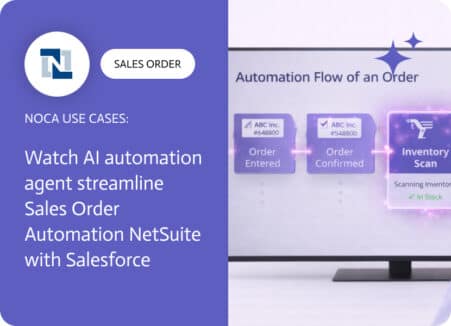
Sales order automation NetSuite workflows usually exist because the business process does not stop at the ERP boundary. A sales order edit might change delivery…

NetSuite sales order processing depends on having the right documents organized from the start. Once a sales order is created, teams generate confirmations, packing slips,…

Spreadsheet reporting tends to show up wherever sales orders need fast operational review. Teams want a simple feed of new orders for tracking, exceptions, and…
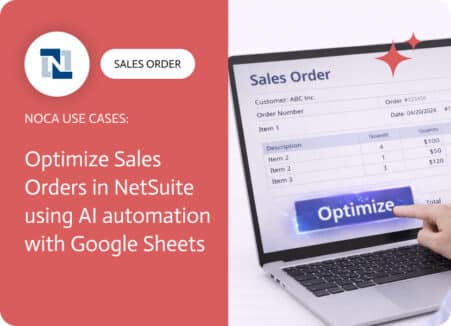
A sales order NetSuite record is rarely complete after creation. Totals get adjusted, items change, shipping dates move, approvals update, and someone always needs a…