

The Prompt-to-Process Playbook: 25 Prompts for Forms, Apps, Docs and Signatures
This playbook gives you 25 ready-to-use prompts for building business processes with AI: forms, apps, documents and signatures. Use them in Noca or in ChatGPT, Claude or Grok connected to the Noca MCP Server, and adapt names and systems to your business.
Forms
- Create a lead form that creates Salesforce leads and alerts the owner in Slack.
- Create a vendor onboarding form with tax ID, bank details and W-9 upload; create the supplier in NetSuite after approval.
- Create a customer feedback form; send scores under 6 to Zendesk.
- Create a prefilled annual account update form from Salesforce.
- Create an IT access request form with manager and security approval.
Apps
- Build a customer portal showing NetSuite orders and invoices with a support request form.
- Build a purchase request app with approvals by amount and POs in Priority.
- Build a field service app with photos and customer signature.
- Build a partner deal registration portal on Salesforce.
- Build a dashboard of overdue invoices with a reminder button.
Documents
- Generate a quote from the Salesforce opportunity and email it.
- Generate monthly statements for customers with open balances.
- Turn this Word contract into a template mapped to deal data.
- Create a PDF summary of this week’s orders.
- Generate completion certificates for everyone in this sheet.
Signatures
- Send the mutual NDA to this contact for signature.
- Send the service agreement and create the customer in NetSuite when signed.
- Digitally sign and email invoice INV-2041.
- Place signature fields on this supplier agreement PDF.
- Remind everyone who has not signed the new policy.
End-to-end processes
- Onboard a new customer: form, agreement, signature, ERP account, kickoff email.
- Onboard a supplier: form, document check, agreement, signature, ERP supplier.
- Hire: offer letter, signature, new-hire form, HR record, IT tasks.
- Quote to cash: quote, approval, signature, order, invoice.
- Claims: intake form, document extraction, review, decision letter.
Tips for better results
- Name your systems and fields.
- Say what should happen after each step.
- Mention who approves.
- Ask for previews and tests before publishing.
Start in Noca Apps, Noca Flows and Noca Docs, or from your assistant through the Noca MCP Server.
Frequently Asked Questions

Can I use these prompts in ChatGPT or Claude?
Yes, when connected to the Noca MCP Server with the right permissions.
Do I need to change the prompts?
Adapt system names, fields and approvers to your business.
What happens after AI builds a process?
You preview and test it, and an admin publishes it.
What are AI prompts for business processes?
This playbook gives you 25 ready-to-use prompts for building business processes with AI: forms, apps, documents and signatures.
What are the key elements of AI prompts for business processes?
Key points include: Name your systems and fields; Say what should happen after each step; Mention who approves; Ask for previews and tests before publishing.
How do you get started with AI prompts for business processes?
1) Create a lead form that creates Salesforce leads and alerts the owner in Slack 2) Create a vendor onboarding form with tax ID, bank details and W-9 upload; create the supplier in NetSuite after approval 3) Create a customer feedback form; send scores under 6 to Zendesk 4) Create a prefilled annual account update form from Salesforce 5) Create an IT access request form with manager and security approval.
Can I use AI prompts for business processes from ChatGPT, Claude or Grok?
Yes. With the Noca MCP Server, ChatGPT, Claude, Grok and other MCP-compatible assistants can run your published Noca flows and use Noca tools for AI prompts for business processes, within the permission groups and per-tool approvals you set.
Do AI prompts for business processes work with Salesforce, NetSuite, SAP and Priority?
Yes. Noca connects natively to Salesforce, NetSuite, SAP, SAP Business One, Priority ERP, HubSpot, monday.com and 60+ other systems, so AI prompts for business processes can use live data from them and update them automatically.
Do I need developers to implement AI prompts for business processes?
No. In Noca you describe what you need in plain language and Noca builds the forms, apps, flows and documents. Developers can extend any process with REST APIs, OpenAPI definitions and webhooks.
How do you keep AI prompts for business processes secure?
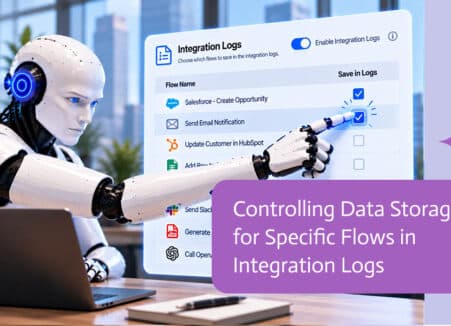
Use least-privilege permissions, require approval for sensitive actions and keep a log of every run. Noca follows the TRAPS framework (Trusted, Responsible, Auditable, Private and Secure), records every flow run in integration logs and lets you control data storage for specific flows.
How long does it take to implement AI prompts for business processes?
A first working version can often be built from a prompt and tested quickly. The total time depends on how many systems, approvals and documents are involved and how much testing your team requires before publishing.
How do I measure the results of AI prompts for business processes?
Compare cycle time, manual steps, error rates and adoption before and after. Noca integration logs show how often each process runs, how long it takes and where it fails.
Can Noca build forms from a prompt?
Yes. Noca builds forms and apps from a plain-language description, including fields, validation, conditional logic, uploads and signatures.
Can Noca forms capture signatures?
Yes. Noca forms include signature fields, and each submission can produce a signed PDF.
Can Noca forms use conditional logic?
Yes. Forms support show, hide, mandatory, optional, enable, disable, set value, reset, messages and redirects.
Can form submissions update Salesforce, HubSpot or NetSuite?
Yes. Submit flows can create and update records in CRMs and ERPs connected to Noca.
Can Noca build web apps and portals?
Yes. Noca Apps creates customer portals, internal tools, dashboards and request apps from a prompt, connected to your systems.
Where are Noca apps hosted?
Apps are hosted by Noca and get a live URL when an admin publishes them.
Can I preview and roll back Noca apps?
Yes. You can preview apps on desktop, tablet and mobile before publishing, and restore earlier saved versions.
Does Noca support e-signatures?
Yes. Noca collects signatures in forms and on generated PDFs, and integrates with DocuSign.
Google Docs is where work gets drafted, reviewed, and then quietly forgotten in a folder full of good intentions. The gap is not writing, it…
Build AI agents that create forms, generate documents and collect signatures across your CRM and ERP, with permissions, approvals and logs.
The complete guide to using ChatGPT, Claude and Grok with forms, document generation, e-signatures and digital signatures through an MCP server.
Comparing Formstack alternatives? Look at how forms, documents, e-signatures, ERP integrations, AI and workflows fit together in one platform.
Build multi-step application forms from a prompt: pages, progress, conditional steps, drafts, uploads, signatures and review workflows.