

Multi-Step Application Forms Built From a Prompt
Multi-step application forms split long applications into pages, so applicants focus on one topic at a time and can save drafts. With AI, you can describe the steps and get the full form.
Where multi-step forms fit
- Credit and loan applications.
- Partner and reseller applications.
- Grant and program applications.
- Admissions and membership.
Prompt example
“Create a partner application with four steps: company details, technical capabilities, references and agreement. Show certification uploads only for technology partners. Allow saving drafts. On submit, route to the partner team and generate a PDF summary.”
Features to include
- Progress indicator and step navigation.
- Save as draft and resume.
- Conditional steps.
- Uploads and signatures.
- Review and approval flows.
With Noca
Noca builds multi-page forms and apps with conditional logic, drafts, uploads and signatures, and connects submissions to workflows. See conditional logic forms.
Frequently Asked Questions

What is a multi-step form?
A form split into several pages or steps, often with progress tracking.
Can applicants save drafts?
Yes. Noca apps support saving drafts.
Can AI build multi-step forms?
Yes. Describe the steps and Noca builds the form.
What is a multi-step form builder?
Multi-step application forms split long applications into pages, so applicants focus on one topic at a time and can save drafts. With AI, you can describe the steps and get the full form.
What are the key elements of a multi-step form builder?
Key points include: Credit and loan applications; Partner and reseller applications; Grant and program applications; Admissions and membership.
What else should you consider about a multi-step form builder?
Consider the following: Progress indicator and step navigation; Save as draft and resume; Conditional steps; Uploads and signatures.
How does Noca help with a multi-step form builder?
Noca builds multi-page forms and apps with conditional logic, drafts, uploads and signatures, and connects submissions to workflows. See conditional logic forms.
Can I use a multi-step form builder from ChatGPT, Claude or Grok?
Yes. With the Noca MCP Server, ChatGPT, Claude, Grok and other MCP-compatible assistants can run your published Noca flows and use Noca tools for multi-step form builder, within the permission groups and per-tool approvals you set.
Does a multi-step form builder work with Salesforce, NetSuite, SAP and Priority?
Yes. Noca connects natively to Salesforce, NetSuite, SAP, SAP Business One, Priority ERP, HubSpot, monday.com and 60+ other systems, so multi-step form builder can use live data from them and update them automatically.
Do I need developers to implement a multi-step form builder?
No. In Noca you describe what you need in plain language and Noca builds the forms, apps, flows and documents. Developers can extend any process with REST APIs, OpenAPI definitions and webhooks.
How do you keep a multi-step form builder secure?
Use least-privilege permissions, require approval for sensitive actions and keep a log of every run. Noca follows the TRAPS framework (Trusted, Responsible, Auditable, Private and Secure), records every flow run in integration logs and lets you control data storage for specific flows.
How long does it take to implement a multi-step form builder?
A first working version can often be built from a prompt and tested quickly. The total time depends on how many systems, approvals and documents are involved and how much testing your team requires before publishing.
How do I measure the results of a multi-step form builder?
Compare cycle time, manual steps, error rates and adoption before and after. Noca integration logs show how often each process runs, how long it takes and where it fails.
Can Noca build forms from a prompt?
Yes. Noca builds forms and apps from a plain-language description, including fields, validation, conditional logic, uploads and signatures.
Can Noca forms capture signatures?
Yes. Noca forms include signature fields, and each submission can produce a signed PDF.
Can Noca forms use conditional logic?
Yes. Forms support show, hide, mandatory, optional, enable, disable, set value, reset, messages and redirects.
Can form submissions update Salesforce, HubSpot or NetSuite?
Yes. Submit flows can create and update records in CRMs and ERPs connected to Noca.
What is Noca?
Noca is an AI-powered business process automation platform that combines forms, document generation, e-signatures, workflow automation, AI agents and 60+ integrations, with an MCP server for ChatGPT, Claude and Grok.
Do I need to code to use Noca?
No. Noca builds apps, flows, bots and documents from plain-language prompts; developers can extend them with APIs and webhooks.
Is Noca secure?
Noca follows the TRAPS framework (Trusted, Responsible, Auditable, Private and Secure), with permissions, approvals and integration logs.
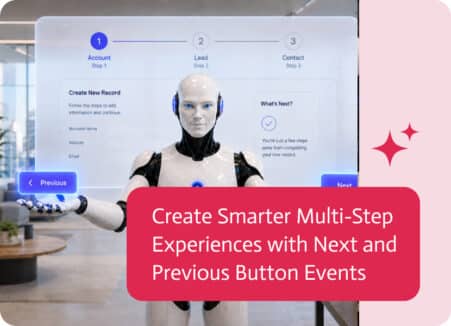
Multi-step forms make long processes easier by dividing them into clear, manageable stages. But moving from one step to another does not always mean simply…
Build forms with built-in e-signatures from a prompt: consent forms, applications and agreements that capture signatures and produce signed PDFs.

Converting a complex document into a functional digital workflow has traditionally been a manual, time-consuming task. However, with the evolution of AI, the transition from…

Use Claude to create business forms through an MCP server: connect Noca, describe the form, preview it, add workflows and publish safely.

Partners want a simple way to update leads, and you want those updates captured in Affinity without turning licensing and onboarding into a side quest….