

Prompt Engineering Salesforce for Opportunity Success
The Salesforce Opportunity object is the heartbeat of revenue operations, yet it remains plagued by subjective data entry. Sales representatives often mark an Opportunity Stage as “Negotiation” (90% Probability) while the NextStep field is vaguely populated with “Follow up.” This dissonance creates forecasting volatility. Traditional validation rules are binary; they can ensure a field is populated, but they cannot assess the quality of the input. This is where Prompt Engineering Salesforce methodologies come into play. By integrating Large Language Models (LLMs) directly into the Opportunity architecture, architects can deploy semantic analysis to validate deal health in real-time.
Why Prompt Engineering Salesforce Fixes Forecasts
Static validation rules rely on boolean logic: IF(ISBLANK(NextStep), Error, Null). However, modern RevOps demands qualitative assessment. Prompt Engineering Salesforce moves beyond syntax checking to semantic understanding, crucial for improving the Opportunity process.
By engineering context-aware prompts, you can instruct an AI agent to act as a strict Sales Operations Manager. The AI analyzes the text within the Description, NextStep, and LastActivityDate fields against the selected StageName. If a sales rep sets the stage to “Closed Won” pending, but the recent email logs indicate the client is asking for a 20% discount, the prompt recognizes the discrepancy. It flags the Opportunity not because a field is empty, but because the context contradicts the status.
Executing Opportunity Stage Validation with Prompts
To implement this, you must structure prompts that inject specific Opportunity variables into the context window. A generic prompt yields generic advice. A highly engineered prompt yields a specific risk score for precise Opportunity stage validation.
When designing the architecture, use a structured format that defines the persona, the data inputs, and the output constraints. This aligns with Prompt Engineering Salesforce strategies to boost data consistency.
Example Prompt Structure:
“Act as a Senior CRO. Review the following Salesforce Opportunity data:
- Current Stage: {!Opportunity.StageName}
- Probability: {!Opportunity.Probability}%
- Last Interaction: {!Opportunity.LastActivityDate}
- Rep Notes: {!Opportunity.Description}
Task: Analyze if the ‘Rep Notes’ justify the ‘Current Stage’. If the notes imply hesitation or lack of budget, but the stage is ‘Proposal’, flag this as High Risk.”
This approach ensures that the model is not hallucinating external factors but is strictly evaluating the internal consistency of the record.
Refining Next Steps via Prompt Engineering Salesforce
One of the most distinct applications of this methodology is refining the NextStep field. Standard reports cannot filter out bad data like “Call back” or “Touch base.”
Using Prompt Engineering Salesforce techniques, specifically “Chain-of-Thought” (CoT) prompting, you can force the system to evaluate the actionability of the data.
Implementation Strategy: Create a custom field named AI_Action_Quality__c. Configure a prompt that ingests the NextStep text. The prompt instructions should be: “Is this next step specific, time-bound, and actionable? If yes, return TRUE. If it is vague (e.g., ‘check in’), return FALSE and suggest a specific alternative based on the Opportunity Type.” This loop turns passive data entry into active coaching for the sales rep.
Automating Logic in Flow
The architecture for this solution does not require heavy code. It is best executed using Salesforce Flow Builder combined with the Einstein Generative AI Action (or an external API callout if you are using a custom MCP). Prompt Engineering Salesforce effectively manages the logic in Flow.
- Record-Triggered Flow: Trigger when
StageNamechanges. - Get Records: Retrieve related
TaskorEventrecords to build context. - Action Node: Send the engineered prompt to the model.
- Update Record: Write the model’s output to a
Validation_Notes__cfield.
By automating Opportunity stage validation, you remove the manual burden of deal review. The system autonomously audits the Opportunity, ensuring that the “Sub-Object” data (tasks, events, notes) aligns perfectly with the high-level forecasting fields.
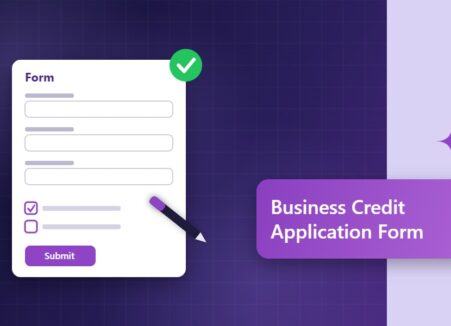
What a business credit application should collect, how to set credit terms and how to automate credit approval and ERP customer setup.

Okay, so chatbots are all over the web these days, you can’t go to a site without seeing one pop up to ask if you…
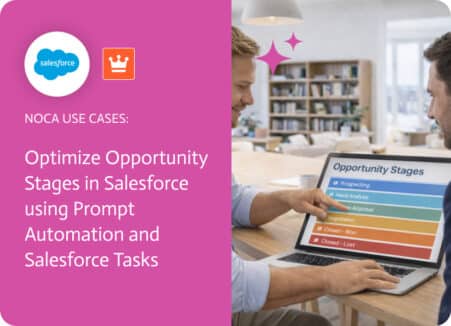
Opportunity stages in Salesforce are supposed to tell you where a deal stands, but stages don’t do anything on their own. A brand-new opportunity can…