

Generate Priority ERP Documents With AI
Documents can be generated from Priority ERP automatically: invoices, quotes, delivery notes and supplier documents filled from Priority data, signed if needed and delivered to customers or suppliers.
Common Priority documents
- Price quotes and sales orders.
- Customer invoices and statements.
- Delivery notes.
- Purchase orders and supplier agreements.
The flow
- A Priority event or request starts the flow.
- Data is read from Priority.
- A template or AI-generated layout is filled.
- A digital signature is applied if required.
- The PDF is emailed and stored, and Priority is updated.
From AI assistants
Ask ChatGPT, Claude or Grok to “send the delivery note for order 8821” and the flow runs through the Noca MCP Server for Priority. Assistants can also look up Priority data with query_records.
With Noca
Noca connects to Priority ERP and generates documents with document generation. See Priority and AI assistants.
Frequently Asked Questions

Can Priority ERP documents be generated automatically?
Yes. Noca fills templates with Priority data and delivers the PDFs.
Can AI assistants trigger Priority documents?
Yes, through the Noca MCP Server.
Can Priority documents be digitally signed?
Yes, with GlobalSign in the same flow.
What are Priority ERP documents?
Documents can be generated from Priority ERP automatically: invoices, quotes, delivery notes and supplier documents filled from Priority data, signed if needed and delivered to customers or suppliers.
What are the key elements of Priority ERP documents?
Key points include: Price quotes and sales orders; Customer invoices and statements; Delivery notes; Purchase orders and supplier agreements.
How do you get started with Priority ERP documents?
1) A Priority event or request starts the flow 2) Data is read from Priority 3) A template or AI-generated layout is filled 4) A digital signature is applied if required 5) The PDF is emailed and stored, and Priority is updated.
How does Noca help with Priority ERP documents?
Noca connects to Priority ERP and generates documents with document generation. See Priority and AI assistants.
Can I use Priority ERP documents from ChatGPT, Claude or Grok?
Yes. With the Noca MCP Server, ChatGPT, Claude, Grok and other MCP-compatible assistants can run your published Noca flows and use Noca tools for Priority ERP documents, within the permission groups and per-tool approvals you set.
Do Priority ERP documents work with Salesforce, NetSuite, SAP and Priority?
Yes. Noca connects natively to Salesforce, NetSuite, SAP, SAP Business One, Priority ERP, HubSpot, monday.com and 60+ other systems, so Priority ERP documents can use live data from them and update them automatically.
Do I need developers to implement Priority ERP documents?
How do you keep Priority ERP documents secure?
Use least-privilege permissions, require approval for sensitive actions and keep a log of every run. Noca follows the TRAPS framework (Trusted, Responsible, Auditable, Private and Secure), records every flow run in integration logs and lets you control data storage for specific flows.
How long does it take to implement Priority ERP documents?
A first working version can often be built from a prompt and tested quickly. The total time depends on how many systems, approvals and documents are involved and how much testing your team requires before publishing.
How do I measure the results of Priority ERP documents?
Compare cycle time, manual steps, error rates and adoption before and after. Noca integration logs show how often each process runs, how long it takes and where it fails.
Can Noca generate documents?
Yes. Noca document generation fills Word templates and PDFs with live data, or creates an AI-generated PDF layout, and outputs DOCX or PDF files.
Can Noca use my existing Word templates?
Yes. Noca maps placeholders and sample values in your Word documents to data fields automatically.
Can Noca extract data from documents?
Yes. Noca uses Amazon Textract and Google Vision to extract text, key-value pairs, tables and signatures from documents.
Which integrations does Noca support?
Noca offers 60+ integrations, including Salesforce, NetSuite, SAP, Priority, HubSpot, Microsoft Dynamics 365, monday.com, Zendesk, Slack, Google Workspace, Microsoft 365, DocuSign and Shopify.
Can Noca connect to systems without a native connector?
Yes. Noca can call any REST API, import OpenAPI definitions, use OData services and SQL databases, and start flows from webhooks.
What is Noca?
Noca is an AI-powered business process automation platform that combines forms, document generation, e-signatures, workflow automation, AI agents and 60+ integrations, with an MCP server for ChatGPT, Claude and Grok.
Do I need to code to use Noca?
No. Noca builds apps, flows, bots and documents from plain-language prompts; developers can extend them with APIs and webhooks.
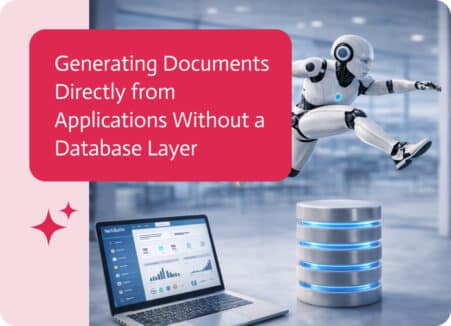
In many applications, generating documents is a common requirement. Businesses often need to produce PDFs such as confirmations, reports, summaries, agreements, or application results based…

Generate quotes, invoices, delivery notes and statements from SAP Business One with AI and templates, then sign and send them automatically.

Ask ChatGPT to generate quotes, contracts and account summaries from Salesforce data, using approved templates through the Noca MCP Server.
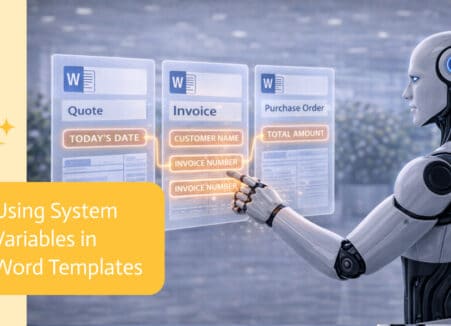
Generate filled Word documents from ChatGPT using your own DOCX templates and live data, then convert, sign and store them automatically.
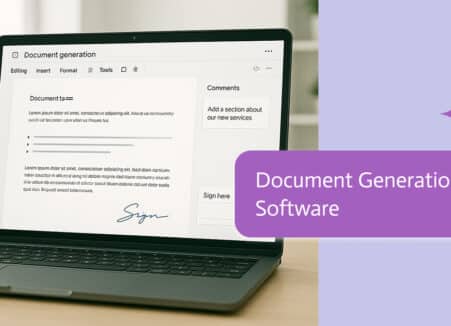
Generate contracts, quotes and PDFs from ChatGPT with real business data: connect an MCP server, run document flows and set up templates from chat.