

Free Offer Letter Template (Word, PDF & E-Sign)
An offer letter template is a reusable document that confirms a job offer in writing: the role, start date, pay, benefits, at-will status and the deadline to accept. A good template keeps every offer consistent, cuts drafting time to minutes, and lets the candidate sign electronically the same day.
Below you will find what to put in an offer letter, a ready-to-use outline you can copy into Word or Google Docs, the mistakes that cause problems later, and how to turn the template into an automated, e-signed process.
What is a job offer letter?
A job offer letter is a formal, written invitation to join a company. It follows a verbal offer and summarizes the terms the candidate agreed to in conversation.
In the US, most offer letters are not full employment contracts. They usually state that employment is “at will,” which means either side can end the relationship at any time. That distinction matters, and your template should make it clear.
Offer letters serve three purposes:
- Clarity for the candidate. Pay, title, manager and start date are in one place.
- A record for the employer. HR has a signed document that shows what was offered.
- A trigger for onboarding. Once signed, the letter kicks off background checks, IT setup and payroll.
What to include in an offer letter template
Every offer letter template should cover the sections below. Keep the language plain and specific.
| Section | What to write | Tip |
|---|---|---|
| Header | Company name, logo, date, candidate name and address | Pull these automatically from your ATS |
| Opening | A short, warm sentence confirming the offer | Name the role in the first line |
| Job title and team | Exact title, department, reporting manager | Match the title in your HRIS |
| Start date and location | First day, work location or remote status | Note hybrid days if relevant |
| Employment type | Full-time or part-time, exempt or non-exempt | Exempt status affects overtime |
| Compensation | Base salary or hourly rate, pay frequency | State the amount and the period (per year, per hour) |
| Bonus and equity | Bonus eligibility, commission plan, stock options | Refer to the separate plan document |
| Benefits | Health, retirement, PTO summary | Summarize; link to the benefits guide |
| At-will statement | Employment is at will and can be ended by either party | Keep this wording consistent across all offers |
| Contingencies | Background check, reference check, proof of work eligibility (Form I-9) | List every condition |
| Acceptance deadline | Date and time the offer expires | Five business days is common |
| Signature block | Signer for the company, candidate signature and date | Use e-signature fields |
Offer letter template (copy and customize)
Use this outline as your starting point. Replace the bracketed fields with your own details.
- [Company logo] [Date]
- Dear [Candidate first name],
- We are pleased to offer you the position of [Job title] in our [Department] team, reporting to [Manager name].
- Start date and location: Your first day will be [Start date]. You will work [on-site at address / remotely / hybrid schedule].
- Compensation: Your starting [annual salary / hourly rate] will be [amount], paid [bi-weekly / semi-monthly]. This position is [exempt / non-exempt].
- Bonus and equity: You will be eligible for [bonus or commission plan / stock options], subject to the terms of the applicable plan.
- Benefits: You will be eligible for [health, dental, vision, 401(k), PTO days] starting [eligibility date].
- At-will employment: Your employment with [Company] is at will. Either you or the company may end it at any time, with or without cause or notice.
- Contingencies: This offer depends on [successful background check, reference checks, and verification of your eligibility to work in the United States].
- Acceptance: Please sign below by [deadline date and time] to accept this offer.
- Signatures: [Company signer name, title] and [Candidate name], each with a date field.
Keep the letter to one or two pages. Put detailed policies, such as commission rules or equity vesting, in separate documents that the letter refers to.
Types of offer letters
Not every hire needs the same letter. Most HR teams keep three or four variants of the template.
- Standard full-time offer letter. The default version shown above.
- Conditional offer letter. Makes the offer depend on specific checks. It spells out each condition and what happens if a condition is not met.
- Part-time or hourly offer letter. Uses an hourly rate, expected hours and overtime eligibility.
- Internship offer letter. Includes the program dates, stipend or hourly pay, and the end date.
- Executive offer letter. Often longer, with severance, change-of-control and equity terms. These usually go through legal review.
With a document generation tool, these do not need to be separate files. One template can show or hide sections based on the employment type.
Common offer letter mistakes to avoid
Small wording errors in an offer letter can create real problems. Watch for these:
- Promising job security. Phrases like “permanent position” or “long-term role” can undermine at-will status.
- Annual salary without a pay period. Always state whether the figure is per year, per month or per hour.
- Mismatched titles. The title in the letter should match the title in your HRIS and payroll.
- Missing contingencies. If the offer depends on a background check, say so before the candidate signs.
- No acceptance deadline. Without one, offers stay open indefinitely.
- Manual copy and paste. Retyping names and numbers from the ATS is the most common source of errors.
- Wet signatures. Printing, signing and scanning slows the process and loses candidates.
How to send an offer letter for e-signature
Electronic signatures are valid for offer letters in the US under the federal ESIGN Act and state laws based on UETA. The candidate can sign on a phone in under a minute.
A typical e-sign process looks like this:
- Generate the letter from the template with the candidate’s details.
- Add signature and date fields for the candidate and the company signer.
- Send the signing link by email.
- Track when the candidate opens and signs.
- Store the signed PDF with an audit trail.
- Update the candidate’s status in the ATS and create the employee record in the HRIS.
Automate offer letters from your ATS or HRIS
Writing offer letters one by one does not scale. When you hire more than a few people a month, automation saves hours and removes typos.
An automated offer letter process works like this:
- Trigger: A recruiter moves a candidate to the “Offer” stage in the ATS, or submits a short offer form.
- Approval: The offer routes to the hiring manager and finance for approval, especially when pay is above the band.
- Generate: The approved data fills the Word template and produces a branded PDF.
- Sign: The candidate receives the letter for e-signature, followed by the company signer.
- Sync: The signed letter is saved to the candidate record and the new hire is created in the HR system.
This removes the copy-and-paste step and gives HR a full audit trail of who approved what and when.
How Noca helps
Noca turns this offer letter template into a complete process. You upload your Word template, map the fields to your ATS, HRIS or CRM data, and Noca generates the letter, routes it for approval, collects legally binding e-signatures and writes the result back to your systems. You can also start it from ChatGPT or Claude by asking: “Send an offer letter to Jane for the Account Executive role.”
See how it works on the Noca document generation page or book a demo.
This article is for general information and is not legal advice.
Related guides
Frequently Asked Questions

What should be included in an offer letter?
An offer letter should include the job title, team and manager, start date and location, employment type, compensation with the pay period, bonus or equity eligibility, a benefits summary, an at-will statement, any contingencies such as a background check, an acceptance deadline and signature fields for both the candidate and the company.
Is an offer letter legally binding?
In most US states, an offer letter is not a binding employment contract when it clearly states that employment is at will. However, specific promises in the letter, such as a signing bonus or guaranteed severance, can be enforceable. Keep the language precise and have legal counsel review unusual terms.
Are you officially hired after signing an offer letter?
Signing the offer letter means you accepted the offer, but employment usually starts on your first day and may still depend on listed conditions. These often include a background check, reference checks and completing Form I-9 to verify your eligibility to work in the United States.
Can an offer letter be signed electronically?
Yes. Under the federal ESIGN Act and state laws based on UETA, electronic signatures on offer letters are legally valid in the US. Using an e-signature tool also creates an audit trail showing when the letter was sent, opened and signed, which is useful if questions come up later.
How long should a candidate have to accept an offer?
Most employers give candidates three to five business days to accept a job offer. Senior roles sometimes get a week or more. Always include a clear deadline in the letter so the offer does not stay open indefinitely and you can move to the next candidate if needed.
What is the difference between an offer letter and an employment contract?
An offer letter summarizes the main terms of a job and is usually at will. An employment contract is a more detailed, binding agreement that may set a fixed term, termination conditions, severance and restrictive covenants. Contracts are more common for executives and some regulated roles.

Automate admissions: online applications, document uploads and extraction, reviewer workflows, decision letters and enrollment, with fewer manual steps.
In SAP, an Organizational Unit represents a functional part of a company—such as a department, team, or branch—that plays a specific role in business operations….
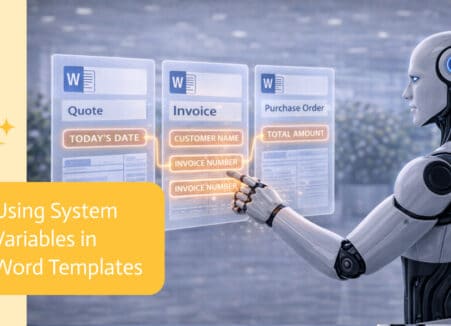
Generate filled Word documents from ChatGPT using your own DOCX templates and live data, then convert, sign and store them automatically.