

E-Signature for HR Documents With AI
E-signature for HR documents lets HR send offer letters, contracts, policies and changes for signature automatically, with AI preparing documents from HR data and following up until they are signed.
HR documents that need signatures
- Offer letters and employment contracts.
- Policy and handbook acknowledgements.
- Compensation and role change letters.
- Equipment and confidentiality agreements.
- Exit documents.
How AI helps
- Selects the right template by country and role.
- Fills documents from HR records.
- Tracks who has not signed and sends reminders.
- Answers HR questions like “who has not acknowledged the new policy?”
Privacy
HR documents are sensitive: restrict access to signed files, limit logged data for HR flows and keep retention rules.
With Noca
Noca generates HR documents with document generation, collects signatures, stores files securely and updates systems such as SAP SuccessFactors. See offer letter automation.
Frequently Asked Questions

Can HR documents be signed electronically?
Yes. Offer letters, contracts and acknowledgements are common e-signature use cases.
Can AI prepare HR documents?
Yes. Noca fills HR templates from HR data automatically.
How are signed HR documents protected?
Restrict access, limit log data and apply retention rules.
What is an HR e-signature?
E-signature for HR documents lets HR send offer letters, contracts, policies and changes for signature automatically, with AI preparing documents from HR data and following up until they are signed.
What are the key elements of an HR e-signature?
Key points include: Offer letters and employment contracts; Policy and handbook acknowledgements; Compensation and role change letters; Equipment and confidentiality agreements.
What else should you consider about an HR e-signature?
Consider the following: Selects the right template by country and role; Fills documents from HR records; Tracks who has not signed and sends reminders; Answers HR questions like “who has not acknowledged the new policy?”.
How does Noca help with an HR e-signature?
Noca generates HR documents with document generation, collects signatures, stores files securely and updates systems such as SAP SuccessFactors. See offer letter automation.
Can I use an HR e-signature from ChatGPT, Claude or Grok?
Yes. With the Noca MCP Server, ChatGPT, Claude, Grok and other MCP-compatible assistants can run your published Noca flows and use Noca tools for HR e-signature, within the permission groups and per-tool approvals you set.
Does an HR e-signature work with Salesforce, NetSuite, SAP and Priority?
Yes. Noca connects natively to Salesforce, NetSuite, SAP, SAP Business One, Priority ERP, HubSpot, monday.com and 60+ other systems, so HR e-signature can use live data from them and update them automatically.
Do I need developers to implement an HR e-signature?
How do you keep an HR e-signature secure?
Use least-privilege permissions, require approval for sensitive actions and keep a log of every run. Noca follows the TRAPS framework (Trusted, Responsible, Auditable, Private and Secure), records every flow run in integration logs and lets you control data storage for specific flows.
How long does it take to implement an HR e-signature?
A first working version can often be built from a prompt and tested quickly. The total time depends on how many systems, approvals and documents are involved and how much testing your team requires before publishing.
How do I measure the results of an HR e-signature?
Compare cycle time, manual steps, error rates and adoption before and after. Noca integration logs show how often each process runs, how long it takes and where it fails.
Can Noca generate documents?
Yes. Noca document generation fills Word templates and PDFs with live data, or creates an AI-generated PDF layout, and outputs DOCX or PDF files.
Can Noca use my existing Word templates?
Yes. Noca maps placeholders and sample values in your Word documents to data fields automatically.
Can Noca extract data from documents?
Yes. Noca uses Amazon Textract and Google Vision to extract text, key-value pairs, tables and signatures from documents.
Does Noca support e-signatures?
Yes. Noca collects signatures in forms and on generated PDFs, and integrates with DocuSign.
What happens after a document is signed in Noca?
The flow can store the signed PDF, update your CRM or ERP and notify the team automatically.
What is Noca?
Noca is an AI-powered business process automation platform that combines forms, document generation, e-signatures, workflow automation, AI agents and 60+ integrations, with an MCP server for ChatGPT, Claude and Grok.
Do I need to code to use Noca?
No. Noca builds apps, flows, bots and documents from plain-language prompts; developers can extend them with APIs and webhooks.
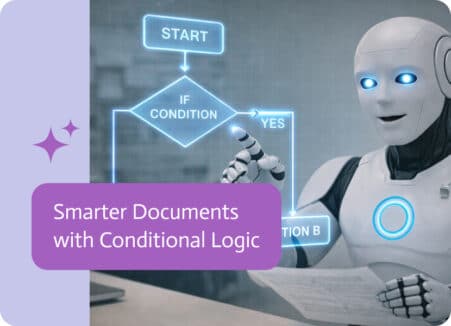
In a world driven by data, static templates are no longer enough to meet the needs of a modern business. Conditional logic transforms standard documents…
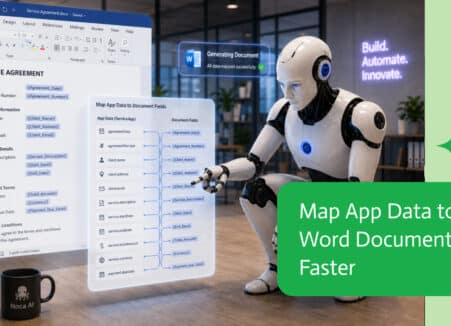
Ask ChatGPT to send a contract or form for e-signature: it runs your signing workflow through an MCP server, with approvals and status updates.
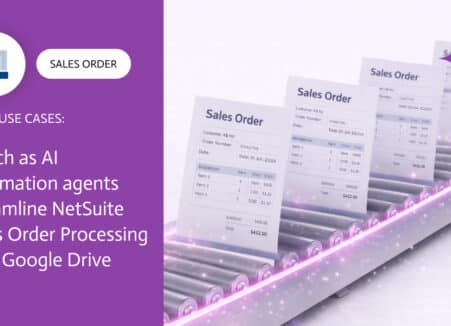
Send NetSuite documents for e-signature automatically: sales orders, quotes, vendor agreements and credit applications, with status written back.
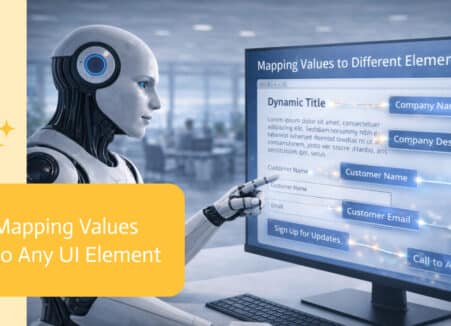
Run e-signature workflows from Grok: send contracts and forms for signature, check status and file signed copies through an MCP server.
What to look for in electronic signature software: signing experience, templates, workflow automation, digital signatures, integrations and audit trails.